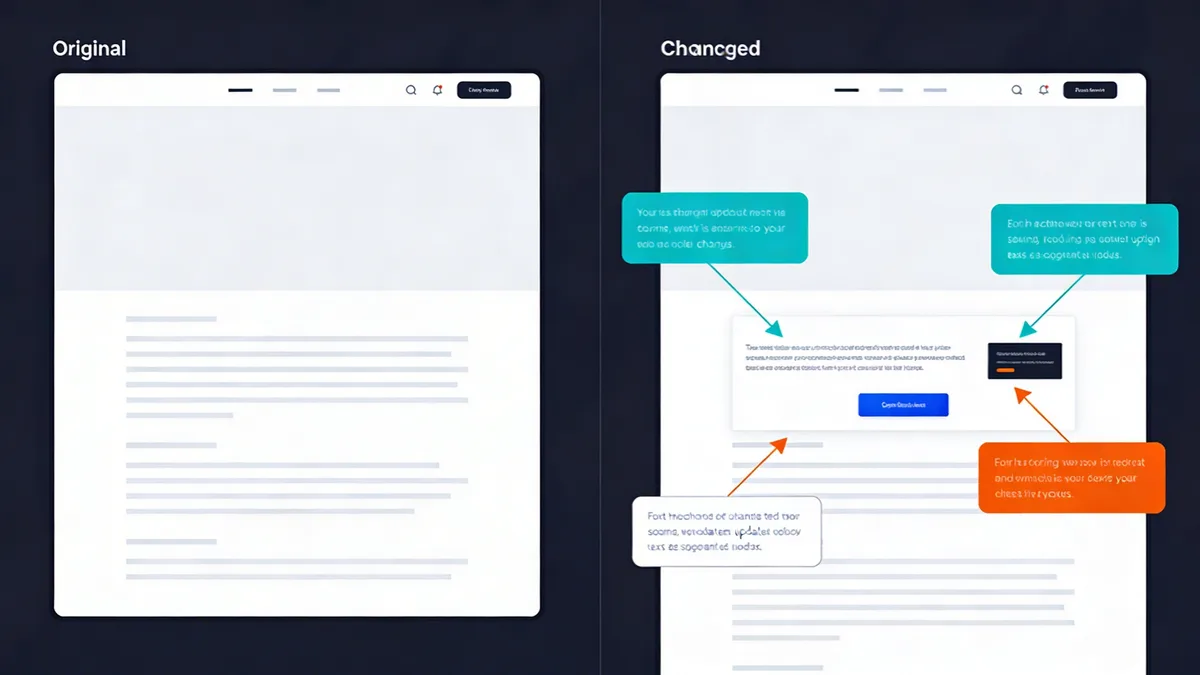
In my experience working with enterprise teams, I've watched a single misaligned button cost $143,000 in emergency fixes and lost revenue. That's the reality of modern web development—where functional tests pass but users see broken layouts, missing elements, or completely garbled interfaces.
Visual regression testing has evolved from simple screenshot comparisons to AI-powered analysis that can intelligently detect meaningful UI changes while filtering out noise. With teams managing over 90,000 UI screens daily and shipping an average of 9 visual bugs per release, automated visual validation isn't just nice to have—it's essential for maintaining quality at scale.
What is Visual Regression Testing and Why It Matters in 2026
Definition and Core Concepts
Visual regression testing is an automated quality assurance technique that captures screenshots of your application's user interface and compares them against baseline images to detect unintended visual changes. Unlike functional testing that validates behavior, visual testing focuses on appearance—catching layout shifts, styling issues, and rendering problems that can slip through traditional test suites.
The process works by taking screenshots at key application states, comparing them pixel-by-pixel or through AI analysis against approved baselines, and flagging differences for review. Modern tools use machine learning to distinguish between intentional design updates and actual bugs.
Visual vs Functional Testing
Functional testing answers "Does this feature work?" while visual regression testing asks "Does this look right?" A login form might functionally accept credentials and redirect users successfully, but visual testing would catch if the submit button disappeared on mobile or if text overlaps occurred.
I've seen teams with 95% functional test coverage still ship major UI breaks because their tests never validated visual presentation. A payment form that works perfectly but displays with zero-width input fields will stop conversions just as effectively as broken functionality.
The $143K Problem: Cost of Post-Release UI Bugs
The average cost of fixing a visual bug after release exceeds $143,000 when you factor in emergency deployments, lost revenue, customer support overhead, and reputation damage. This figure comes from analyzing enterprise teams who track the full lifecycle cost of post-production fixes.
Visual bugs are particularly expensive because they often affect core user journeys—checkout flows, signup forms, navigation menus. Unlike backend issues that might impact a subset of users, UI problems are immediately visible to everyone and create instant negative impressions.
The Evolution of Visual Testing: From Pixel Diffs to AI-Powered Analysis
Traditional Screenshot Comparison Limitations
Early visual testing tools relied on pixel-by-pixel comparison, treating any difference as a potential issue. This approach generated massive false positive rates—timestamps, dynamic ads, loading states, and even font rendering variations would trigger alerts.
I remember spending hours reviewing "visual differences" that were just timestamp changes or rotating banner ads. Teams would either ignore most alerts (defeating the purpose) or waste enormous amounts of time on manual review.
AI-Powered Image Analysis Revolution
Modern visual regression testing uses artificial intelligence to understand visual context and intent. AI-powered methods are growing 3.1x faster than traditional pixel comparison approaches because they solve the false positive problem that plagued earlier tools.
These systems can identify meaningful layout changes while ignoring dynamic content, distinguish between intentional design updates and actual bugs, and learn from user feedback to improve accuracy over time. The result is 80% fewer false positives and much faster review cycles.
Smart Baseline Management and False Positive Reduction
Intelligent baseline management automatically adapts to legitimate UI changes while flagging unexpected variations. Instead of manually updating baselines after every design change, AI systems can detect when changes are intentional (consistent across multiple test runs, approved by design teams) versus accidental.
Smart filtering excludes dynamic elements like timestamps, user-generated content, and advertisements from comparison. This dramatically reduces noise while maintaining sensitivity to actual layout and styling issues.
Essential Visual Regression Testing Tools for 2026
Percy (BrowserStack): Enterprise-Grade Real Device Testing
Percy offers the most comprehensive real device coverage with over 50,000 device and browser combinations. Their AI-powered diffing engine excels at filtering dynamic content while maintaining high sensitivity to layout issues.
Pricing starts with a free tier for small projects, scaling to $599/month for 25,000 screenshots with full real device access. Enterprise plans include SLA guarantees, advanced access controls, and dedicated support—essential for teams managing critical production applications.
In my experience, Percy's strength lies in cross-browser consistency testing. Their real device cloud catches rendering differences that emulators miss, particularly important for mobile testing where device-specific CSS and viewport handling can vary significantly.
Applitools Eyes: High-Precision AI Visual Validation
Applitools focuses on AI precision with their Visual AI engine that claims human-level accuracy in detecting visual differences. Their machine learning algorithms excel at understanding visual intent and reducing false positives through contextual analysis.
Starting at $899-$969 per month, Applitools positions itself as a premium solution emphasizing accuracy over coverage. However, they rely on external device clouds rather than maintaining their own infrastructure, which can limit real device testing options.
Their strength is in complex UI analysis—understanding when layout shifts are meaningful versus cosmetic, and providing detailed visual diff analysis with intelligent highlighting of significant changes.
Chromatic: Component-Level Testing for Design Systems
Chromatic specializes in component-level visual testing, making it ideal for teams building design systems with Storybook. Their approach tests individual components in isolation before full-page integration testing.
With a free tier and paid plans starting at $149/month, Chromatic offers good value for component-focused workflows. However, their browser coverage is limited compared to enterprise solutions, and they lack advanced AI stabilization features.
I've found Chromatic most effective for design system maintenance where you need to catch component-level regressions before they propagate to full applications.
Open Source Options: BackstopJS and Wraith
BackstopJS and Wraith provide basic screenshot comparison capabilities without subscription costs. These tools work well for simple use cases but require significant setup and maintenance overhead.
The main limitations are lack of AI filtering (high false positive rates), no centralized review dashboards, limited browser support, and manual baseline management. For enterprise teams, the operational overhead often exceeds the cost savings versus commercial solutions.
| Tool | AI Diffing | Real Devices | Starting Price | Best For |
|---|---|---|---|---|
| Percy | Yes | 50,000+ | Free/$599/mo | Enterprise cross-browser |
| Applitools | Yes | External only | $899/mo | High-precision AI |
| Chromatic | Basic | Limited | Free/$149/mo | Component testing |
| BackstopJS | No | Headless only | Free | Simple projects |
Cross-Browser and Device Testing Strategies
Coverage Planning: Which Browsers and Devices Matter
Focus your testing matrix on actual user analytics rather than trying to cover every possible combination. Most teams need Chrome, Safari, Firefox, and Edge across desktop and mobile, but your specific user base should drive priorities.
I recommend starting with your top 5 browser/device combinations that represent 80% of your traffic, then expanding coverage based on business impact. Testing 50,000+ combinations sounds impressive, but strategic coverage of your actual user base delivers better ROI.
Real Devices vs Emulators: Making the Right Choice
Real devices provide accurate rendering that emulators can't match, especially for mobile testing where CSS handling, font rendering, and viewport behavior vary between actual devices and simulated environments.
Emulators work well for basic layout testing and early development cycles, but real device testing is essential for production validation. The cost difference has narrowed significantly—cloud-based real device access now costs only marginally more than maintaining emulator infrastructure.
Mobile UI Fragmentation Challenges
Mobile UI fragmentation remains the biggest challenge in visual testing. Different screen densities, viewport handling, and browser engine variations create legitimate visual differences that need intelligent filtering.
Focus on testing critical breakpoints rather than every possible screen size. Most responsive design issues occur at specific viewport transitions—usually around 768px, 1024px, and 1200px widths where layout shifts happen.
CI/CD Integration and Automation Best Practices
Pipeline Integration Without Slowing Releases
Integrate visual testing as a parallel process rather than a blocking step in your CI/CD pipeline. Run visual tests alongside functional tests and performance checks to avoid adding deployment delays.
Most modern visual testing tools can complete comprehensive test runs in under 10 minutes when properly configured with parallel execution. The key is testing critical user journeys first and using smart baseline management to minimize manual review requirements.
Automated Snapshot Strategies
Trigger visual snapshots at key application states rather than every possible screen. Focus on user journey checkpoints—homepage, product pages, checkout steps, account dashboards—where visual consistency directly impacts business metrics.
I've found success with a tiered approach: comprehensive visual testing on staging deployments, critical path testing on production releases, and component-level testing during development cycles.
Branch-Level Review Workflows
Implement branch-level visual reviews that integrate with your existing code review process. Developers should see visual diffs alongside code changes, making it easy to approve intentional updates and catch unintended modifications.
Centralized review dashboards enable efficient approval workflows where design team members can quickly validate changes across multiple test runs. This prevents visual testing from becoming a bottleneck while maintaining quality gates.
Performance Impact Optimization
Optimize visual testing performance through intelligent test selection, parallel execution across multiple browser instances, and smart caching of baseline images. Avoid testing every page on every deployment—focus on areas likely to be affected by code changes.
Consider integrating visual testing with your existing performance monitoring to catch both visual and speed regressions in a single workflow. This provides holistic quality assurance without duplicating infrastructure.
Advanced Techniques: Handling Dynamic Content and Complex UIs
Dynamic Content Masking and Filtering
Configure intelligent masking to exclude elements that legitimately change between test runs—timestamps, user-generated content, advertisements, loading states, and real-time data displays.
Modern AI-powered tools can automatically detect and filter common dynamic elements, but custom applications often need specific configuration. I recommend starting with broad filters and gradually refining based on false positive patterns you observe.
Responsive Design Testing Across Viewports
Test responsive breakpoints systematically rather than random viewport sizes. Focus on the specific pixel widths where your CSS media queries trigger layout changes—these are where visual regressions most commonly occur.
Create viewport-specific baselines that account for legitimate responsive behavior. A mobile navigation menu should look different from desktop navigation, but the mobile version should be consistent across test runs.
Component-Level vs Full-Page Testing
Component-level testing provides faster feedback and easier debugging but can miss integration issues. Full-page testing catches layout interactions but requires more processing time and generates more complex diffs.
I recommend a hybrid approach: component testing during development for rapid feedback, full-page testing during integration and staging deployments for comprehensive validation.
API Integration for Test Data Management
Integrate with your API testing infrastructure to ensure consistent test data across visual test runs. Dynamic content changes can trigger false positives if user profiles, product catalogs, or content management systems vary between tests.
Use data fixtures or API mocking to create stable test environments. This is particularly important for e-commerce sites, user dashboards, and any application displaying user-generated or frequently updated content.
ROI and Business Case for Visual Regression Testing
Calculating Cost Savings from Prevented Bugs
The business case for visual regression testing centers on preventing the $143K+ average cost of post-release UI fixes. This figure includes emergency deployment costs, lost revenue during downtime, customer support overhead, and reputation damage.
Calculate your specific ROI by tracking current visual bug frequency, time spent on manual QA review, and costs associated with production hotfixes. Most enterprise teams see ROI within 2-3 releases after implementation.
Time-to-Market Improvements
Automated visual testing reduces manual QA time by up to 70% for UI validation tasks. Instead of manually checking layouts across multiple browsers and devices, QA teams can focus on complex user journey testing and edge case validation.
This efficiency gain becomes critical as teams scale to manage 90,000+ UI screens daily. Manual review simply doesn't scale to modern development velocity without compromising quality or significantly expanding QA teams.
Customer Experience Impact
Visual bugs directly impact user experience metrics—conversion rates, task completion, customer satisfaction scores. A broken checkout button or misaligned form field can stop revenue generation immediately.
Prevention-focused quality assurance maintains customer trust and reduces support ticket volume. Users who encounter visual issues are more likely to abandon tasks and less likely to return, making prevention significantly more valuable than reactive fixes.
Resource Allocation Optimization
Visual regression testing enables more strategic QA resource allocation. Instead of spending time on repetitive screenshot comparison tasks, QA professionals can focus on exploratory testing, user experience validation, and complex integration scenarios.
This shift from manual validation to automated detection allows teams to maintain quality while scaling development velocity. The same QA team can effectively cover more applications and release cycles.
Integration with Comprehensive Website Monitoring
Visual Testing as Part of Multi-Layer Monitoring
Visual regression testing complements traditional website monitoring by adding UI validation to your monitoring stack. While uptime monitoring ensures your site is accessible and SSL monitoring validates security certificates, visual testing confirms the user interface renders correctly.
This multi-layer approach provides comprehensive coverage across infrastructure, security, performance, and user experience. A site can be technically "up" with valid SSL certificates but display broken layouts that prevent user task completion.
Combining with Uptime and Performance Monitoring
Integrate visual testing results with your existing monitoring dashboards to provide unified quality visibility. When performance issues slow page load times, visual testing can confirm whether layout shifts or incomplete rendering affect user experience.
Combined monitoring helps prioritize incident response—a site that's slow but visually correct requires different urgency than a fast site with broken layouts. This context improves decision-making during incident management.
Holistic Quality Assurance Strategies
Modern quality assurance requires monitoring across multiple dimensions: availability, performance, security, functionality, and visual presentation. Visual regression testing fills the UI validation gap that traditional monitoring approaches miss.
Consider platforms that provide integrated monitoring capabilities rather than managing separate tools for each layer. This reduces operational overhead while providing correlated insights across your entire monitoring stack.
Future Trends and 2026 Predictions
AI and Machine Learning Advancements
AI sophistication in visual testing continues improving with better context awareness, semantic understanding of UI elements, and predictive analysis of potential regression areas. Machine learning models are becoming better at understanding user intent and visual hierarchy.
Expect more intelligent baseline management that can automatically approve routine updates while flagging suspicious changes. AI will increasingly understand the difference between intentional design evolution and accidental regressions.
Cloud-Scale Testing Evolution
Cloud-parallel testing capabilities enable massive scale across device matrices without infrastructure investment. The shift toward cloud-based models represents 74% of new procurements as teams prioritize scalability over self-hosted solutions.
Real device clouds will continue expanding coverage while improving performance. Expect better integration with CI/CD platforms and more sophisticated scheduling to optimize test execution costs and timing.
Integration with Modern Development Workflows
Tighter integration with design systems, component libraries, and modern development frameworks will make visual testing more seamless. Expect better integration with tools like Figma, Storybook, and popular frontend frameworks.
Visual testing will become more embedded in the development process rather than a separate QA activity. Developers will see visual diffs alongside code changes, making UI validation part of standard code review workflows.
The visual regression testing market, valued at approximately $2 billion in 2025, is projected to grow at a 15% CAGR to reach $7 billion by 2033. This growth is driven by increasing demand for high-quality user interfaces in agile and DevOps environments where release velocity can't compromise visual quality.
As applications become more complex and user expectations rise, visual regression testing evolves from nice-to-have to essential infrastructure. Teams that implement comprehensive visual testing strategies now will be better positioned to maintain quality while scaling development velocity in an increasingly competitive digital landscape.
Frequently Asked Questions
What's the difference between visual regression testing and functional testing?
Functional testing validates that features work correctly, while visual regression testing catches pixel-level UI changes, layout shifts, and styling issues that functional tests miss. Both are essential for comprehensive quality assurance.
How do AI-powered visual testing tools reduce false positives?
AI tools use intelligent algorithms to filter out dynamic content like timestamps and ads, focus on meaningful visual changes, and learn from user feedback to improve accuracy over time, reducing noise by up to 80%.
Which browsers and devices should I test for comprehensive coverage?
Focus on your user analytics data, but generally test Chrome, Safari, Firefox, and Edge across desktop and mobile. Consider real devices over emulators for accurate rendering, especially for mobile testing.
How can I integrate visual testing into CI/CD without slowing releases?
Use parallel execution, test critical user journeys first, implement smart baseline management, and set up automated approval workflows. Most modern tools can complete visual tests in under 10 minutes.
What's the ROI of implementing visual regression testing?
Teams typically save $143K+ per release by preventing post-deployment UI bugs, reduce manual QA time by 70%, and improve customer satisfaction. The investment pays for itself within 2-3 releases for most organizations.
How do I handle dynamic content that changes frequently?
Use intelligent masking to exclude dynamic elements like timestamps and ads, implement stable test data strategies, and configure your tool to ignore specific regions or elements that change legitimately between tests.
Start Monitoring Your Website for Free
Get 6-layer monitoring, uptime, performance, SSL, DNS, visual, and content checks, with instant alerts when something goes wrong.
Get Started