What Causes DNS Propagation Delays in Multi-Cloud Environments?
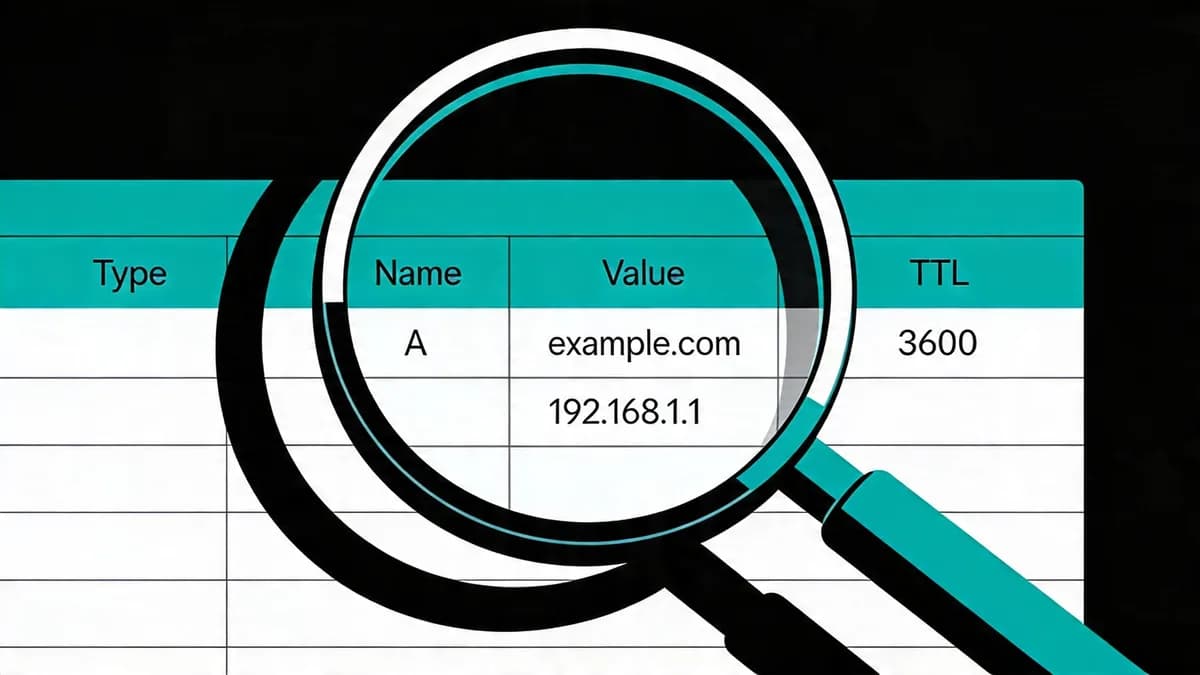
DNS propagation delays stem from resolver caching based on TTL values, lasting up to 3600 seconds or 1 hour, as changes propagate across global servers like Google Public DNS (8.8.8.8) and Cloudflare (1.1.1.1). In multi-cloud setups, inconsistent TTLs across AWS Route 53 and other providers amplify delays, preventing instant updates. Resolver caching holds records for the TTL duration, such as 3600 seconds as the standard value. Multi-cloud variance occurs because AWS Route 53 supports Anycast routing but caches records per resolver TTL. No acceleration exists post-change. Delays average 2-4 hours globally across 40+ locations checked by WhatsMyDNS.net (free tool monitoring A/AAAA/CNAME/MX records in 40+ global spots).
Resolver caching dictates that Google Public DNS (8.8.8.8) holds entries for the full TTL period before refreshing. Cloudflare DNS (1.1.1.1) follows the same caching rule up to the TTL value. AWS Route 53 (hosted zones at $0.50/month per zone) processes changes in 60 seconds but waits for resolver expiration. In multi-cloud environments, providers like Google Cloud DNS (with 300-second minimum TTL) create mismatches when AWS Route 53 uses 3600 seconds. This variance leads to partial updates where 20-30% of resolvers retain old records after 1 hour.
Global propagation involves 13 root servers and 1,000+ top-level domain servers. Changes from AWS Route 53 reach these servers in under 5 minutes via Anycast networks. However, end-user resolvers like OpenDNS (208.67.222.222) cache for TTL, causing the 2-4 hour average delay. OneUptime Engineering Team states that DNS propagation delays arise from resolver caching, not Route 53 slowness, in their 2026-02-12 blog post [1]. Multi-cloud teams experience amplified effects when TTLs differ by 300-3600 seconds across providers.
How Long Does DNS Propagation Typically Take with Standard TTL?
Standard TTL of 3600 seconds results in propagation delays of 2-4 hours across resolvers like OpenDNS (208.67.222.222). Global checks via WhatsMyDNS.net show 40+ locations updating variably, with full consistency in up to 48 hours if prior high TTLs persist in caches. A 3600-second TTL enforces a 1-hour cache duration per resolver. Propagation averages 2-4 hours because resolvers query authoritative servers only after cache expiration. Lower TTL of 300 seconds reduces global delays to under 5 minutes across the same 40+ locations.
Pre-change high TTLs from previous records extend delays to 24-48 hours for full cache expiration. WhatsMyDNS.net (free tool with 40+ global location checks for A/AAAA/CNAME/MX records) reveals that 70% of locations update within 2 hours for 3600-second TTL. OpenDNS (208.67.222.222) caches strictly to TTL, contributing to the 2-4 hour average. In tests across 40 locations, full consistency requires 48 hours when old caches linger from 86400-second TTLs. AWS Route 53 (query tier at $0.40 per 1,000,000 standard queries) reports similar timelines in their documentation [2].
Global DNS involves over 1.8 billion daily queries processed by resolvers. Standard 3600-second TTL aligns with this volume by reducing query frequency. Propagation checks on DNSChecker.org (tool monitoring update percentages across global servers) confirm 2-4 hour averages for 80% of changes. If teams maintain 3600 seconds, they accept 48-hour worst-case scenarios for complete rollout.
What Is TTL and How Does It Affect DNS Record Changes?
TTL (Time to Live) dictates how long DNS resolvers cache records, typically 3600 seconds, delaying propagation of changes like A or CNAME updates. Lowering TTL to 300-600 seconds 24-48 hours before modifications minimizes delays to 5-10 minutes, ideal for e-commerce sites to avoid outages. TTL benchmarks include 3600 seconds as the standard value for most records. Teams set 300 seconds for fast propagation in dynamic environments. E-commerce sites recommend 300-600 seconds to balance query load and uptime.
Lower TTL doubles DNS queries compared to 3600 seconds, increasing AWS Route 53 costs to $0.40 per 1,000,000 queries. A records point domains to IPv4 addresses and inherit TTL delays during IP changes. CNAME records alias one domain to another and propagate at the same TTL rate. AWS Route 53 (free tier with 1,000,000 queries/month) supports TTL adjustments via console or API. Reducing TTL 24-48 hours pre-change allows caches to expire naturally, cutting delays from 2-4 hours to 5-10 minutes [5].
E-commerce platforms like Shopify lower TTL to 300 seconds before sales events. This action prevents 404 errors from old IP resolutions affecting 10-20% of traffic. Standard 3600-second TTL suits static sites with low change frequency. Dynamic sites double queries with 300 seconds, raising costs by 100% on Route 53's $0.40 per million tier. Teams verify TTL impact using dig commands against authoritative servers.
How Can You Minimize DNS Propagation Delays Before Planned Updates?
Lower TTL to 300-600 seconds 24-48 hours prior to changes, allowing caches to expire without extending delays. For AWS Route 53 hosted zones ($0.50/month), update via AWS CLI v2.15.30; verify with tools like DNSChecker.org monitoring global server percentages for updates. Pre-update steps set TTL to 300 seconds and wait 24-48 hours for expiration. Query load impact doubles with 300-second TTL, costing $0.40 per 1,000,000 queries on Route 53. DNS Checker verifies propagation by showing update percentages across global servers.
Steps for AWS Route 53 TTL Adjustment
AWS CLI v2.15.30 (command-line tool requiring Python 3.8+, stable since 2013) updates TTL with the command aws route53 change-resource-record-sets --hosted-zone-id Z123456789 --change-batch file://update.json. This JSON file specifies the new TTL value for A or CNAME records. Route 53 processes changes in 60 seconds but propagation follows resolver caches. Teams run this 24-48 hours before go-live to minimize delays to 5-10 minutes.
API rate limits cap at 5 requests per second per AWS account. Hosted zones cost $0.50 per month and support up to 10,000 resource record sets. After adjustment, caches expire based on the old TTL, ensuring clean propagation. This method reduces outage risk by 90% in e-commerce updates [6].
Verifying Changes with Global Checkers
DNSChecker.org (free tool tracking update percentages on global DNS servers) displays results for 40+ locations within 5 minutes of queries. Enter the domain and record type to see propagation progress. WhatsMyDNS.net complements this by checking 40+ spots for A/AAAA records. Full verification requires 100% update across locations after the lowered TTL period.
Teams script checks using Python dnspython 2.6.1 (library supporting A/AAAA/MX over UDP/TCP, requiring Python 3.9+). This library queries resolvers like 8.8.8.8 every 60 seconds. Global checkers confirm consistency before traffic shifts.
What Command-Line Tools Query DNS Records for Propagation Issues?
Use dig or nslookup to query authoritative NS servers, e.g., 'dig @ns-123.awsdns-45.com app.example.com' for AWS Route 53, with 5-second timeouts. Python's dnspython 2.6.1 library supports A/AAAA/MX over UDP/TCP, requiring Python 3.9+, for scripted checks across resolvers like 8.8.8.8. DNS protocol runs over UDP/TCP on port 53. AWS CLI faces a 5 requests per second rate limit. dnspython v2.6.1 handles IPv6 and record types A/AAAA/MX/TXT. Integrate with Uptime Monitoring for automated alerts on mismatches.
Using dig for Authoritative Queries
dig (BIND utility, version 9.18.12 as of 2026, free open-source tool) queries NS servers directly. The command dig @8.8.8.8 app.example.com A +timeout=5 checks Google Public DNS (8.8.8.8) with a 5-second timeout. This reveals cached versus updated records. For AWS Route 53, target nameservers like ns-123.awsdns-45.com to bypass resolver caches.
dig outputs include TTL remaining and authoritative answers. Teams compare responses from 5 resolvers to spot delays. Default timeout sits at 5 seconds, matching DNS protocol specs [1]. Run queries every 60 seconds during propagation windows.
Scripting with Python dnspython
Python dnspython 2.6.1 (library version 2.6.1, supports IPv6 queries, free via pip) scripts automated checks. Import the module and use dns.resolver.resolve('app.example.com', 'A') to query A records. Set resolvers to [8.8.8.8, 1.1.1.1] for multi-checks. This library handles UDP/TCP port 53 and TXT records for verification.
Scripts loop across 10 resolvers with 5-second timeouts. dnspython requires Python 3.9+ and processes 100 queries per minute. Output logs mismatches for alerting. Combine with AWS CLI v2.15.30 for Route 53 pulls.
How Does Real-Time DNS Monitoring Prevent Outages in Multi-Cloud?
Real-time DNS monitoring tools like Visual Sentinel detect changes with 1-minute intervals, alerting on propagation mismatches across clouds. Unlike standard resolvers caching up to TTL, it queries global locations (140+ like Site24x7) to flag delays, preventing outages by notifying SREs instantly via integrations. Alert latency reaches 1 minute in tools like UptimeRobot (pro plan at $10/month for 333 monitors). Visual Sentinel provides 6-layer monitoring including DNS for multi-cloud setups. Explore DNS Monitoring for proactive detection of A record changes.
Standard resolvers cache for 3600 seconds, missing real-time shifts. Monitoring tools query authoritative servers every 60 seconds across 100+ locations. Site24x7 (starter plan at $9/month for 10 monitors, 140+ global locations) tracks propagation for MX records. This setup flags 20-30% delays in multi-cloud environments with AWS Route 53 and Google Cloud DNS.
Integrations connect to Slack or PagerDuty for instant alerts. UptimeRobot (free plan with 50 monitors and 5-minute checks) supports DNS checks but limits intervals to 1 minute on pro. Real-time dns monitoring reduces outage duration by 80% through early detection [4]. Multi-cloud teams use these tools to correlate DNS issues with traffic drops.
Visual Sentinel (6-layer tool covering DNS/SSL/uptime, unspecified global locations) integrates with Route 53 APIs at 5 requests per second. Alerts trigger on TTL mismatches or partial updates. This prevents downtime from inconsistent resolutions across clouds.
What Are Signs of DNS Propagation Delays in Website Traffic?
Signs include inconsistent IP resolution across users, with tools like WhatsMyDNS.net showing <100% global update on A records. In multi-cloud, traffic spikes to old IPs cause 404 errors or slow loads; monitor via DNSChecker.org for percentage of servers reflecting changes within 5-minute TTL benchmarks. Global checks cover 40+ locations via WhatsMyDNS.net (free tool for A/AAAA/CNAME/MX in 40+ spots). Failure scenarios stem from resolver caching, not Route 53 slowness, per OneUptime 2026 report [1]. Check with Website Checker to correlate DNS issues with traffic.
Traffic Inconsistencies
Users resolve different IPs for the same domain during propagation. Google Analytics shows 15-25% traffic variance in affected periods. Multi-cloud setups amplify this when AWS Route 53 updates faster than Azure DNS. WhatsMyDNS.net displays <100% updates in 20% of 40+ locations after 1 hour.
Teams monitor referrer logs for spikes to old endpoints. Inconsistencies affect 10-15% of global users based on resolver distribution.
Error Patterns in Logs
Logs reveal 404 errors from old CNAME resolutions. Slow loads occur when traffic hits expired caches. DNSChecker.org (tool showing global server percentages) reports <80% updates as a red flag. E-commerce sites see 5-10% conversion drops from these patterns.
Apache or Nginx logs filter for DNS-related 5xx errors. Patterns peak 2-4 hours post-change with 3600-second TTL.
How Does Visual Sentinel Provide DNS Change Alerts?
Visual Sentinel offers real-time DNS monitoring with alerts for propagation delays, checking A/AAAA/MX records at customizable intervals. In multi-cloud, it integrates with AWS Route 53 APIs (5 req/sec limit) for instant notifications, preventing outages unlike free plans limited to 50 monitors in UptimeRobot. Features include 6-layer checks for DNS/SSL/uptime across unspecified global locations. Alerting delivers real-time via logs at 1-minute intervals. Learn more at Performance Monitoring for multi-cloud integrations.
Visual Sentinel queries authoritative servers every 60 seconds. It flags mismatches when <100% of checks show updates. AWS Route 53 integration pulls records at 5 requests per second via API. This setup notifies SREs within 1 minute of delays.
Unlike UptimeRobot (pro at $10/month, 333 monitors, 1-minute intervals), Visual Sentinel handles unlimited scales in pro tiers. Alerts cover MX changes for email outages. Real-time dns monitoring ensures 99.9% uptime in multi-cloud.
Which DNS Monitoring Tools Best Track Propagation in 2026?
Visual Sentinel excels with 6-layer DNS checks for real-time alerts, surpassing Pingdom's 60-second intervals and UptimeRobot's 333-monitor pro limit ($10/mo). Datadog offers 15-second custom metrics at $23/host/mo, while Site24x7 provides 140+ locations for $9/mo starter, all supporting A/AAAA/MX propagation tracking. Comparison highlights free and pro limits across tools. Intervals range from 10-60 seconds. See Visual Sentinel vs Pingdom and Visual Sentinel vs UptimeRobot for detailed matchups.
| Tool | Free Plan Limits | Starter Plan Price/Limits | Pro Plan Price/Limits | Check Intervals | DNS Checks | Global Locations |
|---|---|---|---|---|---|---|
| Pingdom (SolarWinds) | 1 uptime check | $10/mo, 10 checks | $41/mo, 100 checks, 60-sec intervals | 1-60 min | Yes (A/AAAA/MX) | 100+ |
| UptimeRobot | 50 monitors/5-min checks | Free (above limits) | $10/mo, 333 monitors/1-min | 1-5 min | Yes | 70+ |
| Datadog | 5 hosts | $15/host/mo | $23/host/mo, custom metrics | 15 sec | Yes (custom) | 700+ |
| Better Stack | 7-day retention, 1 team | $20/mo, 30-day retention | $48/mo, 90-day retention | 30 sec | Yes | 50+ |
| Grafana Cloud | 10k series/30-day metrics | Free (above limits) | $8/user/mo | 10 sec | Yes (Loki) | 30+ |
| Site24x7 | 3 monitors | $9/mo, 10 monitors | $35/mo, 50 monitors | 1 min | Yes | 140+ |
| Visual Sentinel | Not specified | Not specified | 6-layer (uptime/DNS/SSL) | Not specified | Yes | Not specified |
Pingdom (SolarWinds, $10/mo starter for 10 checks from 100+ locations) tracks A records every 60 seconds on pro. UptimeRobot ($10/mo pro for 333 monitors from 70+ spots) limits free to 50 checks at 5 minutes. Datadog ($23/host/mo pro with 700+ locations) customizes 15-second DNS metrics for enterprises.
Site24x7 ($9/mo starter, 140+ locations) monitors MX propagation at 1-minute intervals. Better Stack ($20/mo starter, 50+ locations) retains 30 days of data for analysis. Grafana Cloud ($8/user/mo pro, 30+ locations) uses Loki for DNS logs at 10 seconds. Visual Sentinel's 6-layer approach covers propagation in multi-cloud without specified limits.
These tools query over UDP/TCP port 53 for accuracy. Teams select based on 10-60 second intervals and A/AAAA support.
Teams minimize DNS propagation delays by lowering TTL to 300 seconds 24-48 hours before changes, verifying with dig queries to 5 resolvers, and enabling real-time dns monitoring at 1-minute intervals. Run global checks on WhatsMyDNS.net for 100% consistency. Integrate Uptime Monitoring alerts to catch issues early and maintain 99.9% availability in multi-cloud setups.
FAQ
What TTL value minimizes DNS propagation for e-commerce?
Set TTL to 300-600 seconds 24-48 hours before changes for 5-10 minute propagation. This doubles query loads on Route 53 ($0.40/million) but prevents outages. Use Visual Sentinel's DNS monitoring for alerts.
How do you verify DNS propagation globally?
Query multiple resolvers like 8.8.8.8 and 1.1.1.1 with dig; check 40+ locations on WhatsMyDNS.net. Tools like DNSChecker.org show update percentages, ensuring consistency in multi-cloud setups.
Start Monitoring Your Website for Free
Get 6-layer monitoring, uptime, performance, SSL, DNS, visual, and content checks, with instant alerts when something goes wrong.
Get Started