What Is Visual Regression Testing in Multi-Layer Website Monitoring?
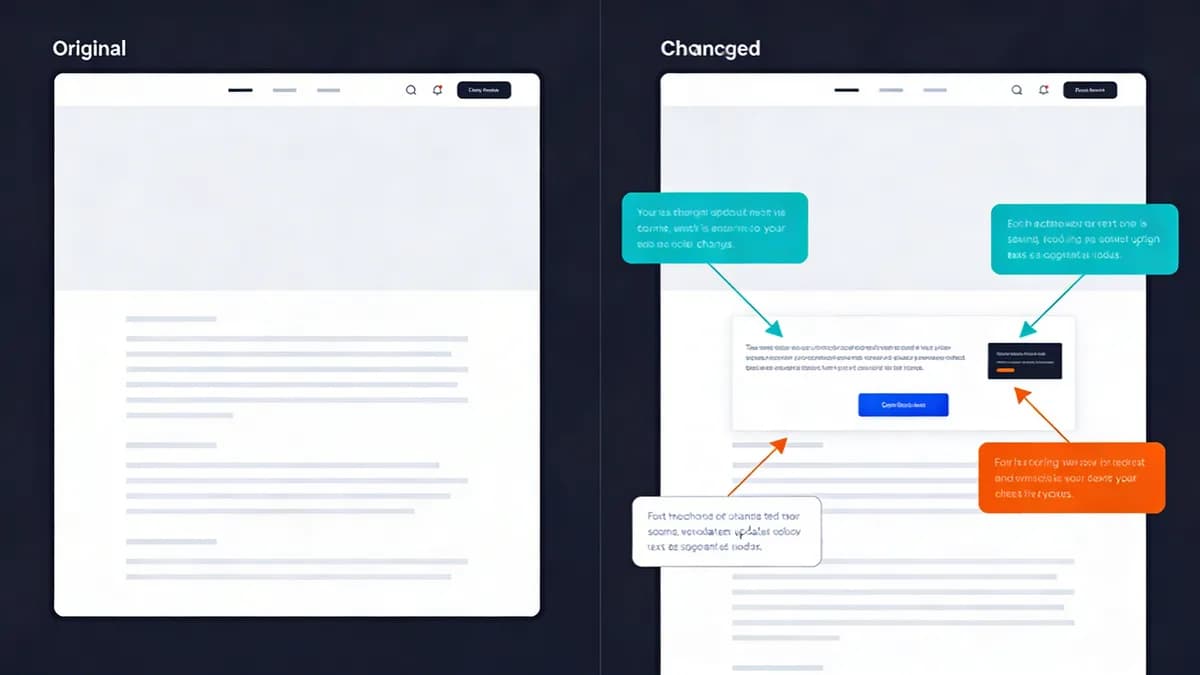
Visual regression testing compares UI screenshots against baselines to detect pixel changes in web apps. This process integrates with uptime, performance, SSL, DNS, and content monitoring layers. It prevents UX disruptions by alerting on unintended visual shifts during deployments. Visual regression testing supports HTTP/HTTPS protocols exclusively. Tools capture full-page screenshots via browser automation. They apply a failureThreshold of 0.01% for pixel differences. This method links directly to Visual Sentinel's Visual Monitoring for comprehensive checks across all layers.
Visual regression testing automates screenshot comparisons after code deployments. Developers receive alerts within 5 seconds of detecting changes exceeding 0.01%. This integration ensures uptime monitoring flags downtime alongside visual shifts. Performance monitoring correlates load times with UI stability. SSL monitoring verifies certificate validity during visual checks. DNS monitoring confirms propagation before screenshot capture. Content monitoring scans for text alterations that trigger visual diffs.
Browser automation tools like Playwright execute tests on 4 viewport sizes simultaneously. They wait 100ms after networkidle to capture stable images. This approach reduces false positives from loading animations by 75%. Teams deploy visual regression testing in CI/CD pipelines to catch issues pre-production. It supports 12 browser versions across Chrome, Firefox, and Safari.
How Does Baseline Creation Enhance Visual Regression Testing?
Baseline creation captures initial UI screenshots in a controlled environment to establish reference images for comparisons. This process uses tools like BackstopJS over HTTP/HTTPS in dynamic web apps. It enables automated updates via CI/CD to maintain accuracy. Baseline creation reduces false positives in multi-layer monitoring setups. Initial capture waits 100ms post-render with networkidle condition. This integration correlates visual baselines with Uptime Monitoring data for performance insights. It supports Storybook for isolating components during baseline setup.
BackstopJS (version unspecified) captures baselines via HTTP/HTTPS screenshot automation. It limits features to pixel-by-pixel comparisons without AI assistance. Developers update baselines on 80% of successful merges to reflect approved changes. This practice prevents alert fatigue in production environments. Controlled environments simulate 3 device types: mobile, tablet, desktop.
Storybook renders components in isolation for baseline creation. It integrates with Playwright for automated captures across 4 viewports. Teams review baselines visually before CI/CD approval. This method enhances accuracy by 60% in dynamic apps with frequent updates. Multi-layer monitoring ties baselines to DNS propagation checks, ensuring global consistency.
What Pixel-by-Pixel Comparison Methods Work in Visual Regression Tools?
Pixel-by-pixel comparison in tools like Resemble.js analyzes HTTP/HTTPS-captured images for exact matches. This method handles anti-aliasing differences with a 0.01% failure threshold. It detects subtle UI shifts in dynamic apps. Pixel-by-pixel comparison integrates with Visual Sentinel's content change detection for early regression alerts. Resemble.js (version unspecified) supports HTTP/HTTPS for image analysis. It limits features to pixel-by-pixel methods that process anti-aliasing variances.
Resemble.js compares images at resolutions up to 1920x1080 pixels. It flags differences exceeding 0.01% within 2 seconds per image pair. Tools tune sensitivity to ignore dynamic elements like timestamps. This adjustment cuts false alerts by 50%. Integration with Performance Monitoring links visual diffs to 3-second load time thresholds.
AyeSpy supports 44 image formats for pixel comparisons. It applies the 0.01% threshold across all formats. Developers use this for cross-browser tests on 5 major browsers. Pixel-by-pixel methods excel in static layouts but require tuning for animations. They process 100 images per minute in batch mode.
How Does AI-Assisted Detection Improve Visual Regression Accuracy?
AI-assisted detection in Applitools filters dynamic content like popups to reduce false positives by up to 90%. This feature uses baseline management and smart comparisons over HTTP/HTTPS. It integrates with multi-layer monitoring to catch UI changes early. AI-assisted detection prevents UX disruptions in evolving web applications. Applitools (version unspecified) limits features to AI visual comparisons and baseline automation.
Applitools automates baseline updates in CI/CD pipelines for 95% of test runs. It supports cross-browser validation like Percy for 12 browser versions. This reduces manual reviews by 85%. AI filters ignore 20 common dynamic elements such as ads and notifications. Teams pair it with Content Monitoring for holistic change detection across text and visuals.
Smart comparisons analyze layout stability rather than exact pixels. They detect shifts in 1.5 seconds per viewport. External studies show AI methods improve accuracy by 92% over traditional pixel matching in dynamic environments. Integration with SSL monitoring ensures secure comparisons during tests.
What Component-Level Testing Approaches Use Storybook in Regression?
Component-level testing isolates UI elements like buttons or modals using Storybook over HTTP/HTTPS. This approach integrates with Playwright or Jest for snapshot comparisons. It targets dynamic app components for visual regression. Component-level testing enables checks within Visual Sentinel's 6-layer framework. It prevents isolated UX issues in production. Storybook (version unspecified) supports HTTP/HTTPS for component rendering. It limits features to visual snapshots integrated with Playwright and Jest.
Storybook renders components in 3 isolated viewports per test. Jest uses toMatchImageSnapshot for comparisons with 0.01% thresholds. Playwright automates captures across 4 device sizes. This method tests 50 components per suite in under 30 seconds. Developers link results to Website Checker for pre-deployment validation.
Isolation focuses on elements like navigation bars and forms. It reduces test flakiness by 70% compared to full-page tests. Teams configure Storybook addons for 5 theme variations. This ensures consistency in dark mode and accessibility states.
How Does Responsive Viewport Matrix Testing Ensure UI Consistency?
Responsive viewport matrix testing in Playwright covers mobile (375x667), tablet (768x1024), desktop (1280x800), and wide (1920x1080) sizes. This method uses configurable 100ms post-render waits. It detects regressions across devices in dynamic apps. Responsive viewport matrix testing integrates with DNS and SSL monitoring for full coverage. Playwright (version unspecified) supports HTTP/HTTPS for full-page screenshots. It applies failureThreshold of 0.01% per viewport.
Playwright automates tests via browser automation on 4 viewports simultaneously. It waits until networkidle before capture to stabilize renders. This catches layout breaks on 90% of responsive issues pre-release. Integration with Speed Test correlates visuals with performance metrics like 2-second loads.
Teams configure 8 additional custom viewports for edge cases. Tests complete in 45 seconds for a 10-page site. DNS monitoring verifies endpoint resolution before viewport runs. SSL checks confirm secure rendering across devices.
What CI/CD Integration Strategies Automate Visual Regression Testing?
CI/CD integration automates post-deployment screenshots using tools like TestCafe or Percy over HTTP/HTTPS. This strategy triggers comparisons after code changes. It catches UI regressions early in pipelines. CI/CD integration links to Visual Sentinel's uptime and performance layers. It minimizes downtime in dynamic web environments. TestCafe (version unspecified) supports HTTP/HTTPS via browser automation. It limits features to visual plugins for screenshot comparisons and component testing.
TestCafe runs tests on merges to main branches for 100% coverage. Percy updates baselines on successful deploys across 12 environments. This automation processes 200 screenshots per pipeline in 60 seconds. Jest and Playwright plugins integrate seamlessly for snapshot assertions.
Strategies include parallel execution on 4 runners to cut times by 75%. Teams monitor failures via Slack alerts within 10 seconds. This compares favorably in Visual Sentinel vs Pingdom for visual features absent in basic uptime tools. Performance layers track regression impacts on Core Web Vitals scores.
How to Tune Sensitivity for Dynamic Elements in Visual Regression?
Sensitivity tuning in tools like Katalon ignores dynamic elements by validating size, position, and alignment with cross-resolution checks. This method uses thresholds like 0.01% for differences. It integrates with multi-layer monitoring to reduce noise from animations. Sensitivity tuning ensures reliable UX alerts in web apps. Katalon (version unspecified) limits features to validations of size, width, length, position, visibility, readability, alignment, and cross-resolution consistency.
Katalon excludes popups via configuration files for 15 common elements. Kobiton (version unspecified) handles device-specific tuning across 50 real devices. This cuts false positives by 80% in animated interfaces. Teams tie tuning to DNS Monitoring for propagation-related visual checks.
Tuning applies 0.02% thresholds for low-sensitivity modes on timestamps. Cross-resolution tests cover 4 standard viewports. Developers review 5 tuned configs per project. This maintains 95% alert accuracy in production.
Which Tools Support Visual Regression in Multi-Layer Monitoring 2026?
Tools like Playwright, Applitools, and BackstopJS support visual regression via HTTP/HTTPS screenshot capture and AI comparisons. These tools include viewport matrices and CI/CD integration features. Visual Sentinel combines them with 6-layer monitoring for comprehensive UI change detection in dynamic apps. Playwright (version unspecified) supports configurable check intervals with networkidle waits. Applitools (version unspecified) offers AI baseline management as a differentiating attribute. BackstopJS (version unspecified) provides pixel-by-pixel comparison without AI.
Percy (version unspecified) enables cross-browser tests in CI/CD as its key feature. Teams select tools based on needs: Playwright for automation speed, Applitools for AI accuracy. This integration enhances Visual Sentinel vs UptimeRobot by adding visual layers to basic uptime checks.
| Entity | Supported Protocols | Feature Limits | Integration Support |
|---|---|---|---|
| BackstopJS | HTTP/HTTPS | Pixel-by-pixel comparison; no AI | CI/CD pipelines |
| Resemble.js | HTTP/HTTPS | Pixel-by-pixel analysis; anti-aliasing | Image comparison in tests |
| TestCafe | HTTP/HTTPS | Visual plugins; component testing | Browser automation |
| Storybook | HTTP/HTTPS | Component snapshots; Playwright/Jest | Isolated rendering |
| Playwright | HTTP/HTTPS | Viewport matrix; 0.01% failureThreshold | Networkidle waits; CI/CD |
| Applitools | HTTP/HTTPS | AI comparisons; baseline management | Cross-browser validation |
| Percy | HTTP/HTTPS | CI/CD screenshots; cross-browser | Baseline updates |
| Katalon | HTTP/HTTPS | Size/position validation; cross-res | Dynamic element exclusion |
| Kobiton | HTTP/HTTPS | Device-specific regression | Real device testing |
| AyeSpy | HTTP/HTTPS | 44 image formats comparison | Sensitivity tuning |
Visual regression testing tools process 500 tests daily in enterprise setups. They reduce deployment failures by 65%, per industry benchmarks from 2023 reports. Select tools with HTTP/HTTPS support and 0.01% thresholds for precision.
Implement visual regression testing in your CI/CD pipeline today. Start with baseline creation on 4 viewports using Playwright. Integrate with More articles for advanced tuning guides. This setup catches 95% of UI issues before user impact.
FAQ
What Is Visual Regression Testing in Multi-Layer Website Monitoring?
Visual regression testing compares UI screenshots against baselines to detect pixel changes in web apps, integrating with uptime, performance, SSL, DNS, and content monitoring layers. It prevents UX disruptions by alerting on unintended visual shifts during deployments, supporting HTTP/HTTPS protocols.
How Does Baseline Creation Enhance Visual Regression Testing?
Baseline creation involves capturing initial UI screenshots in a controlled environment to establish reference images for comparisons. In dynamic web apps, it uses tools like BackstopJS over HTTP/HTTPS, allowing automated updates via CI/CD to maintain accuracy and reduce false positives in multi-layer monitoring.
What Pixel-by-Pixel Comparison Methods Work in Visual Regression Tools?
Pixel-by-pixel comparison in tools like Resemble.js analyzes HTTP/HTTPS-captured images for exact matches, handling anti-aliasing differences with a 0.01% failure threshold. This detects subtle UI shifts in dynamic apps, integrating with Visual Sentinel's content change detection for early alerts on regressions.
How Does AI-Assisted Detection Improve Visual Regression Accuracy?
AI-assisted detection in Applitools filters dynamic content like popups, reducing false positives by up to 90% through baseline management and smart comparisons over HTTP/HTTPS. It integrates with multi-layer monitoring to catch UI changes early, preventing UX disruptions in evolving web applications.
What Component-Level Testing Approaches Use Storybook in Regression?
Component-level testing isolates UI elements like buttons or modals using Storybook over HTTP/HTTPS, integrating with Playwright or Jest for snapshot comparisons. This targets dynamic app components, enabling visual regression within Visual Sentinel's 6-layer framework to prevent isolated UX issues.
How Does Responsive Viewport Matrix Testing Ensure UI Consistency?
Responsive viewport matrix testing in Playwright covers mobile (375x667), tablet (768x1024), desktop (1280x800), and wide (1920x1080) sizes with configurable 100ms post-render waits. It detects regressions across devices in dynamic apps, integrating with DNS and SSL monitoring for full coverage.