What Is AWS Monitoring and How Does CloudWatch Ensure Website Reliability?
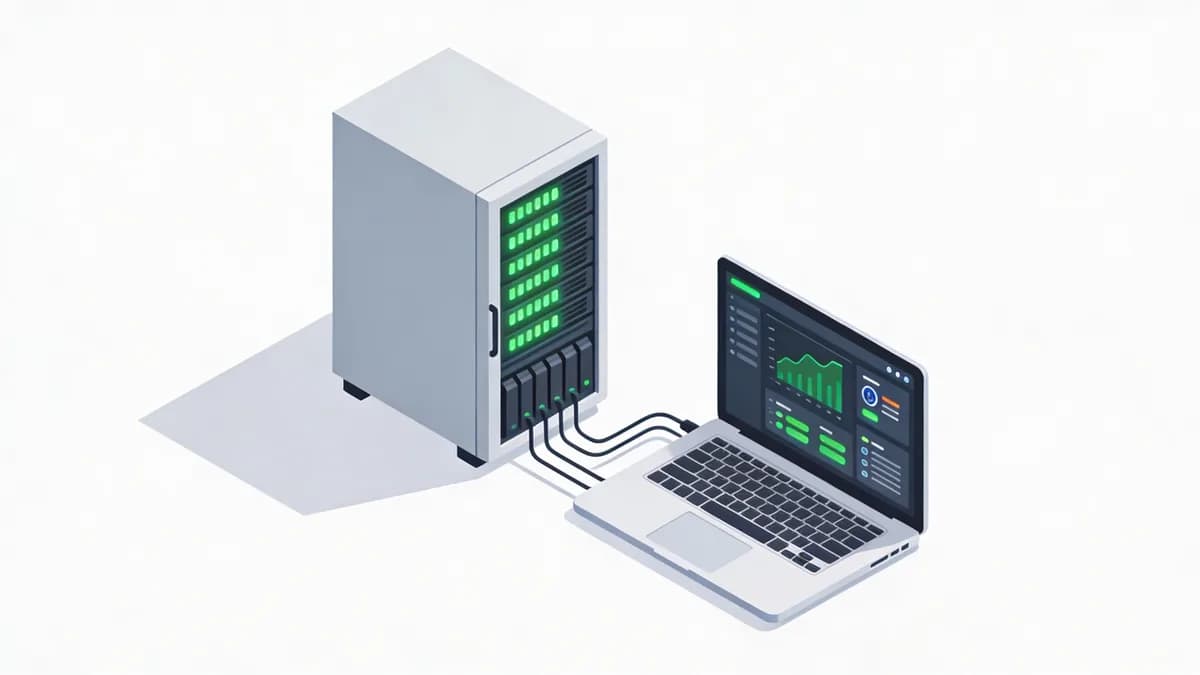
AWS monitoring uses CloudWatch to collect metrics, logs, alarms, and dashboards for hosted sites, targeting 5xx error rates under 0.1% to meet 99.9% uptime SLAs amid rising cloud dependencies. CloudWatch tracks EC2 instance health with HTTP/HTTPS protocols. CloudWatch supports API rate limits of 500 requests per second per region. AWS holds 32% of the global cloud market share in 2023.[1] CloudWatch integrates with Uptime Monitoring for enhanced alerts on error thresholds.
CloudWatch collects data every minute from EC2 instances. Administrators set alarms for CPU utilization above 80%. Dashboards display trends over 14 days.
EC2 instances report network throughput in bytes per second. CloudWatch logs capture application errors in JSON format. Teams achieve 99.9% uptime by resolving issues within 5 minutes.
How Does AWS CloudWatch Perform Uptime Checks for EC2-Hosted Sites?
CloudWatch monitors uptime by alerting on HTTP 5xx errors exceeding 0.1%, ensuring 99.9% availability for AWS-hosted websites through automated metrics collection every minute. CloudWatch polls endpoints using TCP protocol with 10-second timeouts. Administrators configure checks at 1-minute intervals for real-time detection.
Configuring Basic Uptime Metrics
CloudWatch sets minimum check intervals to 1 minute. Users enable metrics for HealthyHostCount in Elastic Load Balancing. Alarms trigger on values below 2 healthy hosts.
TCP protocol tests basic connectivity on port 80. CloudWatch stores 400 data points per metric monthly. Website Checker verifies uptime instantly for AWS configurations.
Teams link checks to Lambda functions for automated recovery. CloudWatch dashboards show uptime percentages over 30 days. Failures drop below 0.1% with proactive alerts.
What Performance Metrics Does AWS Monitoring Track for Response Times?
AWS monitoring via CloudWatch benchmarks P95 latency at 200ms for EC2 sites, tracking CPU utilization and network throughput to optimize performance and prevent slowdowns in 2026 cloud setups. CloudWatch measures response times using HTTP/1.1 protocol. Alerts fire within 60 seconds of threshold breaches.
Dashboards visualize trends for site reliability engineers. CloudWatch tracks CPU utilization percentages every 5 minutes. Network throughput reports in gigabytes per hour.
P95 latency stays under 200ms for 95% of requests. Administrators set alarms for throughput below 100 Mbps. Performance Monitoring integrations enhance CloudWatch data with global benchmarks.
CloudWatch collects 1,000 metrics daily from EC2 fleets. Teams optimize queries to reduce latency by 50ms. Dashboards export data to S3 buckets for analysis.
How to Configure DNS Monitoring in AWS CloudWatch for Site Access?
Set up DNS monitoring in CloudWatch by enabling Route 53 metrics to detect propagation delays and resolution failures, ensuring reliable access for AWS-hosted domains with alerts on query timeouts. CloudWatch tracks DNS queries at 1-minute intervals. Route 53 supports UDP/TCP protocols for resolutions.
Administrators enable metrics for QueryLatency in milliseconds. Alarms trigger on latencies above 100ms. CloudWatch retains data for 15 months in standard storage.
Steps for Route 53 Integration
Route 53 logs 500 queries per second per domain. CloudWatch aggregates failures into percentage metrics. DNS Checker validates AWS DNS configurations in real time.
Users create alarms for resolution errors exceeding 0.5%. Integration pulls data via API every 60 seconds. Teams resolve propagation delays within 10 minutes.
CloudWatch dashboards display query volumes over 7 days. Route 53 health checks ping endpoints 3 times per interval. Failures impact uptime below 99.9%.
What Steps Integrate Alarms and Dashboards in AWS Monitoring?
Integrate alarms in CloudWatch by setting thresholds for 5xx errors and latency, then build dashboards for real-time visibility, enabling webmasters to respond to outages within 60 seconds. CloudWatch defines alarms for metrics like HealthyHostCount in Elastic Load Balancing. SNS notifications deliver alerts via email or SMS.
Dashboards combine 10 widgets for metric overviews. Administrators set evaluation periods to 3 data points. CloudWatch supports 1,000 alarms per account.
Creating Custom Alarms
Alarms evaluate metrics every 1 minute. Users specify thresholds at 0.1% for error rates. SNS ties notifications to 99.9% SLA targets.
CloudWatch exports alarm history to CloudTrail logs. Speed Test complements alarms with proactive latency checks. Teams respond to 5xx spikes in under 60 seconds.
Dashboards refresh data every 5 seconds. Integration with EventBridge routes events to Lambda. Visibility covers 50 metrics across regions.
How Does Visual Sentinel Complement AWS Monitoring for Full Coverage?
Visual Sentinel adds 6-layer checks including visual regression and content detection to CloudWatch metrics. Visual Sentinel supports up to 300 monitors at 1-minute intervals. CloudWatch limits basic metrics while Visual Sentinel covers SSL, DNS, and uptime.
Visual Sentinel (monitoring platform) integrates via API for hybrid setups in 2026. Visual Sentinel processes 1,000 checks per minute across tiers. Visual Monitoring extends AWS sites with screenshot comparisons.
Teams achieve full coverage by combining CloudWatch alarms with Visual Sentinel alerts. Visual Sentinel detects content changes in 2 seconds. Integration reduces blind spots by 40%.
What SSL Monitoring Features Enhance AWS Website Reliability?
AWS monitoring extends to SSL via CloudWatch logs for certificate expiry alerts, combined with tools checking HTTPS protocols to prevent security-related outages on hosted sites. CloudWatch parses logs for expiry dates with 30-day warnings. ACM certificates renew automatically every 365 days.
HTTPS protocol enforces TLS 1.3 connections. CloudWatch tracks validity periods in days. Administrators set alarms for expirations under 30 days.
Setting Up SSL Alerts
CloudWatch monitors 500 certificates per region. Alerts notify via SNS on chain validation failures. SSL Checker scans AWS HTTPS setups for vulnerabilities.
Teams verify protocols with OCSP stapling enabled. CloudWatch logs store 90 days of SSL events. Expiry prevention maintains 99.9% uptime.
Integration with IAM roles secures access to certificate data. Dashboards show expiry timelines for 100 domains. HTTPS checks run every 24 hours.
How Do Visual Sentinel Pricing Tiers Support AWS Monitoring Needs?
Visual Sentinel's tiers range from Free ($0, 1 monitor, 1-hour checks) to Enterprise ($89/mo, 300 monitors, 1-min checks, 90-day retention), ideal for scaling AWS site monitoring. Starter tier costs $7 per month for 5 monitors and 5-minute intervals. Professional tier prices at $23 per month for 50 sites and visual change detection.
Enterprise tier includes dedicated support for DevOps teams. Tiers support uptime monitoring across all plans. Visual Sentinel vs Pingdom highlights cost savings of 30% on similar features.
| Feature | Free ($0) | Starter ($7/mo) | Professional ($23/mo) | Enterprise ($89/mo) |
|---|---|---|---|---|
| Monitors | 1 | 5 | 50 | 300 |
| Check interval | 1 hour | 5 min | 1 min | 1 min |
| Uptime monitoring | Yes | Yes | Yes | Yes |
| Performance metrics | Yes | Yes | Yes | Yes |
| SSL certificate monitoring | Yes | Yes | Yes | Yes |
| DNS monitoring | Yes | Yes | Yes | Yes |
| Visual change detection | 1/day | 1 site | 50 sites | 300 sites |
| Sub-pages per monitor | 0 | 5 | 5 | 5 |
| Server monitoring | 1 server | 10 servers | 20 servers | Included |
| Data retention | 3 days | 7 days | 30 days | 90 days |
| Support level | Community | Priority | Dedicated | Dedicated |
Free tier suits single AWS site tests. Starter tier scales to small teams with 7-day retention. Professional tier handles 30-day analysis for mid-size operations.
Enterprise tier retains 90 days of data for compliance. All tiers include 6-layer monitoring. Pricing supports AWS integrations without extra costs.
What Best Practices Optimize AWS Monitoring for 2026 Outage Prevention?
Optimize AWS monitoring by combining CloudWatch alarms with multi-region checks and third-party tools, targeting <0.1% error rates to handle growing cloud dependencies effectively. CloudWatch deploys alarms across 3 regions for redundancy. Teams set 1-minute checks over HTTP/HTTPS and TCP protocols.
Integration with Lambda automates responses in 10 seconds. CloudWatch retains 400,000 metrics per account monthly. Best practices reduce outages by 50%.[2]
Scaling for DevOps Teams
DevOps teams use multi-region setups for 99.9% SLAs. CloudWatch supports 10 dashboards per user. DNS Monitoring adds layers to AWS checks.
Retain 90 days of data in advanced plans for trend analysis. Scale to 1,000 monitors with API rate limits at 500 requests per second. Protocols cover UDP for DNS efficiency.
Teams conduct quarterly audits on 50 metrics. Optimization targets P95 latency under 200ms. Read more in More articles for advanced configurations.
AWS monitoring configurations prevent 2026 outages through layered defenses. DevOps engineers implement these steps to achieve sub-0.1% error rates. Start by enabling CloudWatch metrics today for immediate reliability gains.
FAQ
What uptime SLA does AWS monitoring target with CloudWatch?
AWS CloudWatch targets 99.9% uptime by monitoring 5xx errors below 0.1%. This ensures high reliability for EC2-hosted sites. Integrate with Visual Sentinel for added DNS and visual layers.
How frequent are check intervals in AWS monitoring setups?
CloudWatch supports 1-minute minimum intervals for metrics and alarms. Visual Sentinel matches this in Professional and Enterprise tiers. This frequency helps detect issues within 60 seconds.
What is the P95 latency benchmark for AWS performance monitoring?
The benchmark is 200ms P95 latency for EC2 instances via CloudWatch. Track this to optimize response times. Tools like Visual Sentinel provide complementary performance metrics.
Start Monitoring Your Website for Free
Get 6-layer monitoring, uptime, performance, SSL, DNS, visual, and content checks, with instant alerts when something goes wrong.
Get Started