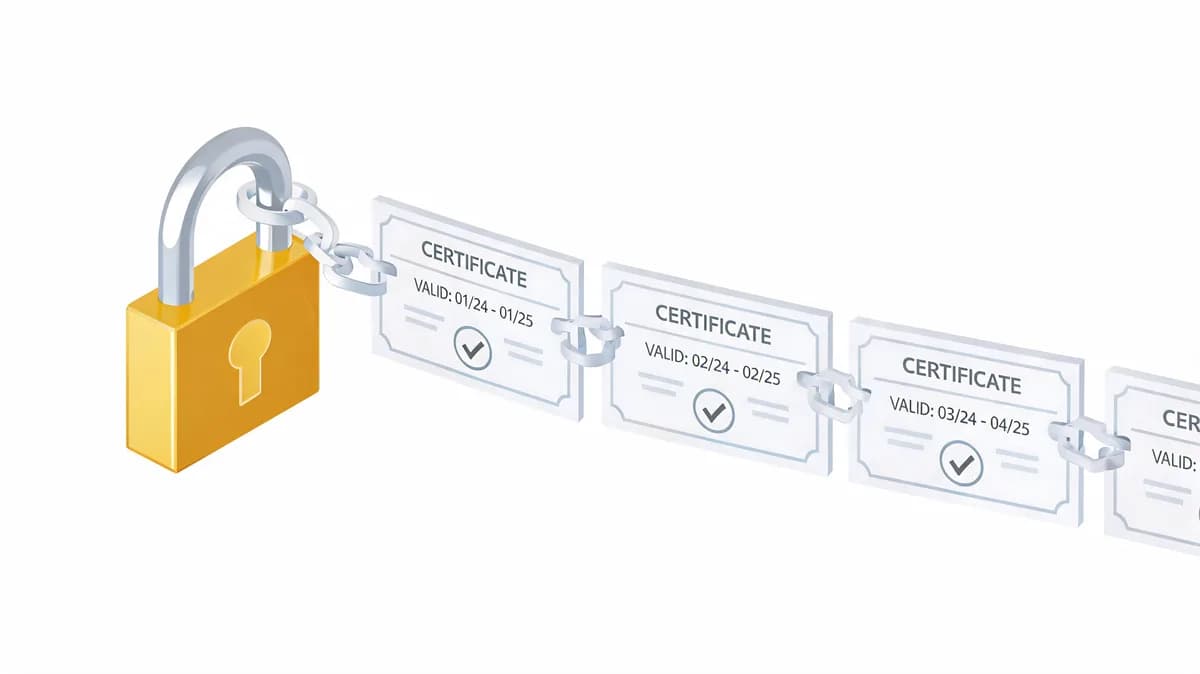
SSL certificate errors can bring your website to its knees in seconds. I've seen production sites go dark because of a single missing intermediate certificate, leaving users staring at a browser interstitial instead of your content. The usual cause is a server that sends its own certificate without the intermediate that links it to a trusted root.
Since March 15, 2026, publicly trusted certificates last at most 200 days, falling to 100 days in March 2027 and 47 days in March 2029, so you will renew and redeploy chains far more often. Here is how I debug and fix these errors.
Understanding SSL Certificate Chain Validation
What Is Certificate Chain Validation
Certificate chain validation is the process where browsers verify that your site's SSL certificate connects to a trusted root Certificate Authority (CA) through a complete chain of intermediate certificates. Think of it like a family tree that browsers use to establish trust.
When a user visits your HTTPS site, their browser performs this validation automatically. The browser starts with your site's leaf certificate and follows the chain upward through intermediate certificates until it reaches a root CA that's already trusted in the browser's certificate store.
If any link in this chain is missing or broken, the browser immediately displays a security warning. Users see messages like "Your connection is not private" or "NET::ERR_CERT_AUTHORITY_INVALID" instead of your website.
Common Chain Validation Error Types
The most frequent ssl certificate error I encounter is the incomplete certificate chain. This happens when intermediate certificates are missing from your server configuration, even though your leaf certificate is valid.
Untrusted Certificate Authority errors occur when your certificate comes from a CA that browsers don't recognize. Self-signed certificates always trigger this error, but it can also happen with legitimate CAs that aren't widely trusted.
Domain name mismatch problems arise when your certificate doesn't cover all the domains users are trying to access. This is especially common with Subject Alternative Name (SAN) certificates that aren't configured properly.
Impact on Website Accessibility
Browser security warnings are conversion killers. In my experience, most users immediately leave when they see certificate errors, regardless of how important your content might be.
Google has been using HTTPS as a ranking signal since 2014, but the larger cost of a broken chain is lost visits, because visitors leave at the warning page.
The business impact extends beyond user experience. Payment processors often require valid SSL certificates, and API integrations can fail when certificate validation errors occur.
Common SSL Certificate Chain Errors and Causes
Incomplete Certificate Chain Errors
The server sent the leaf certificate without its intermediate, so browsers that have not cached that intermediate cannot build a path to a trusted root. Your Certificate Authority provides these intermediates, but they don't always get installed correctly on your server.
Here's what typically happens: You install your leaf certificate but forget to include the intermediate certificate bundle. The certificate appears to work when you test it locally, but users with certain browsers or older systems see validation errors.
Different CAs structure their intermediate chains differently. Let's Encrypt uses a relatively simple chain, while commercial CAs like DigiCert or Sectigo might have multiple intermediate levels.
Untrusted Certificate Authority Issues
Self-signed certificates are the obvious culprit here, but legitimate CAs can also cause trust issues. New Certificate Authorities might not be included in older browser trust stores.
I've seen this happen when organizations use internal CAs for development environments. The certificates work fine on company machines with custom trust stores but fail for external users.
Cross-signed certificates add another layer of complexity. Some CAs maintain compatibility with older systems by cross-signing their intermediates with established root CAs.
Domain Name Mismatch Problems
SAN certificates should cover all your domains, but configuration errors are common. I've debugged cases where the certificate covered www.example.com but not example.com, causing validation failures for users who don't type the www prefix.
Wildcard certificates have their own gotchas. A *.example.com certificate covers api.example.com but not example.com itself or subdomain.api.example.com.
CDN configurations can also introduce domain mismatches. When your CDN presents a certificate that doesn't match your actual domain, users see validation errors even though your origin server is configured correctly.
Expired or Invalid Intermediate Certificates
Intermediate certificates have their own expiration dates, separate from your leaf certificate. I've seen cases where the leaf certificate was valid for another year, but an intermediate had already expired.
After a CA migration, the usual cause is that the server still presents the old intermediate, or the new CA's intermediate was never added to the chain file. Check the chain your server actually sends, not the files you downloaded.
Debugging SSL Chain Validation Failures
Using OpenSSL Command Line Tools
OpenSSL is my go-to tool for diagnosing certificate chain issues. The s_client command shows you exactly what certificates your server is presenting:
openssl s_client -connect example.com:443 -servername example.com -showcerts
The -servername flag sends SNI so you get the right certificate. The -showcerts flag prints the certificate list as the server sent it; it is not a verified chain. Count the certificates and check that you see your leaf certificate and at least one intermediate, then read the Verify return code line near the end. 0 (ok) means the chain validated. 21 (unable to verify the first certificate) or 20 (unable to get local issuer certificate) usually means the intermediate is missing.
To make OpenSSL stop with an error when verification fails, add -verify_return_error. It aborts the handshake on a verification error, which is handy in scripts:
openssl s_client -connect example.com:443 -servername example.com -verify_return_error </dev/null
To examine each certificate individually, split the output into one file per certificate. A plain openssl x509 on the whole output only prints the leaf:
openssl s_client -connect example.com:443 -servername example.com -showcerts </dev/null 2>/dev/null | awk '/BEGIN CERTIFICATE/{n++} n{print > ("cert" n ".pem")}'
openssl x509 -in cert1.pem -noout -subject -issuer -dates
openssl x509 -in cert2.pem -noout -subject -issuer -dates
Browser Developer Tools Analysis
In Chrome DevTools, open the Security panel, then Overview, and choose View certificate to inspect the certificate for the page's origin.
Firefox offers similar functionality through its Page Info dialog. The Security section shows certificate details and any validation errors the browser encountered.
Online SSL Testing Services
SSL Labs' free SSL Test is invaluable for comprehensive chain analysis. It provides a detailed grade based on various security factors.
The tool specifically identifies incomplete certificate chains and suggests fixes. It also tests compatibility with different browsers and operating systems.
A scheduled check from outside your own network can catch an intermittent chain problem that a one-time test misses.
Server Log Investigation
Apache and Nginx logs contain valuable clues about SSL errors. Look for entries mentioning "SSL_CTX_use_certificate" to identify certificate loading problems.
Common error patterns include:
- "SSL: error:140AB18F:SSL routines" (SSL_CTX_use_certificate, reason "ee key too small") means the certificate's key is smaller than the server's security level allows
- "SSL: error:14094416:SSL routines" means the peer sent a TLS alert that it considers the certificate unknown
Enable detailed SSL logging temporarily when debugging. For Apache, add LogLevel ssl:debug to your configuration. For Nginx, use error_log /var/log/nginx/error.log debug;.
Step-by-Step Fix Procedures
Installing Missing Intermediate Certificates
Start by downloading the complete certificate bundle from your Certificate Authority. Most CAs provide a "full chain" or "certificate bundle" file that includes your leaf certificate plus all necessary intermediates.
For Let's Encrypt certificates, the intermediate is usually included automatically, but verify this with:
openssl verify -CAfile /etc/ssl/certs/ca-certificates.crt /path/to/your/cert.pem
openssl verify prints OK only when it can build the path to a trusted root. If the intermediate is in a separate file, pass it with -untrusted intermediate.pem.
If you only have the leaf certificate, download the intermediate separately from your CA's website. Popular CAs like DigiCert and Sectigo provide intermediate certificate downloads in their customer portals.
Updating Server Configuration Files
On Apache 2.4.8 and later, put the leaf certificate followed by the intermediates in the file named by SSLCertificateFile:
SSLCertificateFile /path/to/fullchain.pem
SSLCertificateKeyFile /path/to/private.key
On Apache older than 2.4.8, keep the leaf in SSLCertificateFile and the intermediates in a separate SSLCertificateChainFile. Apache documents that directive as obsolete since 2.4.8:
SSLCertificateFile /path/to/cert.pem
SSLCertificateChainFile /path/to/intermediate.pem
SSLCertificateKeyFile /path/to/private.key
Nginx requires all certificates in a single file, ordered from leaf to root:
ssl_certificate /path/to/fullchain.pem;
ssl_certificate_key /path/to/private.key;
Always restart your web server after making configuration changes. Use systemctl restart apache2 or systemctl restart nginx depending on your setup.
Obtaining Complete Certificate Bundles
Different CAs provide bundles in various formats. DigiCert includes intermediates in their ZIP downloads, while Let's Encrypt's Certbot writes a fullchain.pem file (your certificate followed by the intermediates).
When working with commercial CAs, look for files named:
- fullchain.pem (complete chain)
- intermediate.pem or chain.pem (intermediates only)
- ca-bundle.crt (CA bundle)
Verify the order of certificates in your bundle. The leaf certificate should come first, followed by intermediates in the correct hierarchical order.
Testing Chain Completeness
After making changes, test from multiple locations using different tools:
- SSL Labs SSL Test for comprehensive analysis
- OpenSSL command line for quick verification
- Browser testing from different networks
- SSL Checker tools for automated validation
Monitor the results for 24-48 hours to ensure the changes propagated correctly. DNS caching and CDN configurations can delay the visibility of your fixes.
2026 SSL Changes and Compliance Requirements
CA/B Forum Ballot SC-081v3 Impact
Since March 15, 2026, maximum SSL certificate validity has been 200 days, down from 398 days. This change affects all publicly trusted certificates and requires significant updates to renewal workflows.
The phased reduction continues: 100 days from March 15, 2027, and just 47 days from March 15, 2029. These shorter lifespans are designed to improve security but demand robust automation.
Subject data reuse periods also shrink dramatically. Domain validation reuse follows the same schedule as the table below, reaching 10 days on March 15, 2029. Organization validation (OV) and Extended validation (EV) identity data is different: from March 15, 2026 it can be reused for 398 days (down from 825).
DNSSEC Validation Requirements
CA/B Forum Ballot SC-085 mandates DNSSEC validation for CAA records starting March 2026. Certificate Authorities must validate DNSSEC, when present, for the applicable CAA and domain validation lookups.
This requirement affects domain ownership verification. If DNSSEC is enabled but incorrectly configured, certificate issuance may fail.
Shortened Certificate Lifespans
The aggressive timeline for certificate lifespan reduction creates operational challenges:
| Date | Maximum Validity | Domain Validation Reuse |
|---|---|---|
| Before March 2026 | 398 days | 398 days |
| March 2026 | 200 days | 200 days |
| March 2027 | 100 days | 100 days |
| March 2029 | 47 days | 10 days |
These changes make manual certificate management practically impossible. Organizations need automated renewal systems that can handle frequent validation and reissuance.
Prevention and Monitoring Strategies
Automated Certificate Renewal
ACME protocol implementation is essential for handling shortened certificate lifespans. Let's Encrypt pioneered this approach, but commercial CAs also offer ACME for automated issuance.
Certbot remains the most popular ACME client, but alternatives like acme.sh and Caddy offer different features. Choose based on your server environment and automation requirements.
Set up renewal automation with sufficient buffer time. Leave enough buffer to fix a failed renewal before expiry, and scale that buffer to the lifetime: 30 days is generous on a 200-day certificate, but it is most of the life of a 47-day one.
Continuous SSL Monitoring
Run the openssl and SSL Labs checks when you are debugging. For ongoing checks, SSL Monitoring watches certificate trust and expiry on a schedule and sends expiry reminders 13, 3 and 1 days before expiry by default (20 and 6 days are optional).
Whatever tool you use, configure alerts for multiple scenarios:
- Certificate expiration warnings (for example 30, 15, and 7 days)
- Chain validation failures
- Certificate authority changes
- Domain name mismatches
In my experience, checking from more than one location helps identify regional issues that might not be visible from your primary location. Visual Sentinel checks run from Europe and the US.
ACME Protocol Implementation
Modern ACME clients handle certificate bundling automatically, reducing the risk of incomplete chains. However, verify that your chosen client properly configures intermediate certificates.
DNS-01 challenges work well for wildcard certificates and internal systems. HTTP-01 challenges are simpler but require web server access.
Test your ACME setup in staging environments first. Let's Encrypt provides a staging API that issues untrusted certificates for testing purposes.
Multi-Layer Website Monitoring
Comprehensive monitoring goes beyond SSL certificates. Services like Visual Sentinel combine SSL monitoring with DNS, uptime, and content monitoring to catch issues early.
DNS monitoring tracks changes to A, AAAA, CNAME, MX, TXT and NS records, which helps when a DNS change is behind a certificate problem. For DNSSEC and CAA, which the 2026 requirements make more important, check them yourself with dig or your DNS host. A complete checklist covers:
- DNS resolution from multiple resolvers
- DNSSEC validation status
- CAA record configuration
- Certificate transparency logs
Integration between monitoring layers helps correlate issues. An SSL failure might be caused by DNS problems rather than certificate configuration.
Best Practices for DevOps and SREs
Certificate Management Workflows
Standardize certificate deployment across all environments. I've seen too many production outages caused by differences between staging and production certificate configurations.
Document your certificate renewal process thoroughly. Include emergency procedures for manual renewal when automation fails.
Use infrastructure as code for certificate management. Tools like Terraform, Ansible, or Kubernetes cert-manager ensure consistent deployments.
Monitoring Alert Configuration
Set up escalating alerts for SSL issues:
- Warning alerts at 30 days before expiration (in Visual Sentinel the default reminders are 13, 3 and 1 days)
- Critical alerts at 15 days before expiration
- Emergency alerts for immediate chain validation failures
Configure different notification channels for different severity levels. Slack notifications work well for warnings, while PagerDuty or similar services handle critical alerts.
Test your alert configurations regularly. Simulate certificate failures to ensure your team receives notifications and knows how to respond.
Incident Response Procedures
Develop runbooks for common SSL certificate error scenarios. Include step-by-step troubleshooting guides and escalation procedures.
Maintain an emergency certificate renewal process that bypasses normal approval workflows. SSL outages require immediate response.
Document rollback procedures for certificate changes. Sometimes the quickest fix is reverting to a previous working configuration while you debug the underlying issue.
The landscape of SSL certificate management is evolving rapidly. The 2026 changes, with 100-day certificates next in March 2027, make automation and monitoring more critical than ever. Teams that invest in robust certificate management workflows now will be better prepared for the challenges ahead.
In my experience, the most successful organizations treat SSL certificates as critical infrastructure components, not afterthoughts. They implement comprehensive monitoring, maintain detailed documentation, and practice incident response procedures regularly.
Run the SSL Checker for a one-off check of your site now, and use SSL Monitoring for ongoing alerts. You can see your site's first check without a card, then start a 7-day trial (card required) or subscribe from $15/month.
Ready to try it on the site you run? Start with checks for your own site and the alerts they send.
Check your SSL certificate now
Verify the certificate, expiry date, issuer, and hostname coverage. No account is required.
Check SSL freeCommon questions
How do I identify a missing intermediate certificate in my SSL chain?
Run 'openssl s_client -connect HOST:443 -servername HOST -showcerts', with the server's hostname in place of HOST, to inspect the certificate chain and read the Verify return code line. You can also test with SSL Labs' free scanner, which shows if intermediate certificates are missing and provides an incomplete chain warning.
Why does my SSL certificate chain fail after migrating to a new Certificate Authority?
Chain failures after a CA migration usually occur because the server still presents the old intermediate, or the new CA's intermediate was never added to the chain file. Verify the chain your server actually sends and that all intermediate certificates are properly bundled.
What's the difference between a certificate chain error and an expired certificate?
Certificate chain errors occur when browsers cannot verify the path from your site's certificate to a trusted root CA, usually due to missing intermediates. Expired certificates are time-based failures where the certificate's validity period has ended. Both block HTTPS connections but require different fixes.
How will the 2026 SSL certificate changes affect my monitoring strategy?
Since March 15, 2026, certificate validity is at most 200 days instead of 398, falling to 100 days in March 2027 and 47 days in March 2029. You'll need automated renewal systems and more frequent monitoring alerts. Consider continuous SSL monitoring that checks both certificate expiration and chain completeness.
Can outdated browsers cause SSL certificate chain validation errors?
Yes, older browsers may not recognize newer root certificates or intermediate CAs in their trust stores. While you should encourage users to update browsers, ensure your certificate chain includes all necessary intermediates and test compatibility across different browser versions and operating systems.
What server configuration files need updating to fix chain validation errors?
For Apache 2.4.8 and later, put the leaf certificate followed by the intermediates in the file named by SSLCertificateFile (SSLCertificateChainFile is obsolete). For Nginx, combine all certificates (leaf + intermediates) in the ssl_certificate file in the correct order. Always restart or reload the web server after configuration changes and verify with SSL testing tools.