Last week, a client called me in a panic. Their e-commerce site was showing SSL warnings on mobile devices, disrupting mobile checkout. Desktop users saw no issues, but mobile customers couldn't complete purchases. The culprit? An incomplete certificate chain.
SSL certificate chain errors like this are becoming increasingly common, especially with the 200-day certificate validity changes in March 2026. As a DevOps engineer since 2019, I've seen these errors cost companies revenue and customer trust.
This guide will walk you through everything you need to know about SSL certificate chain errors – from understanding what causes them to implementing bulletproof prevention strategies.
Understanding SSL Certificate Chain Errors
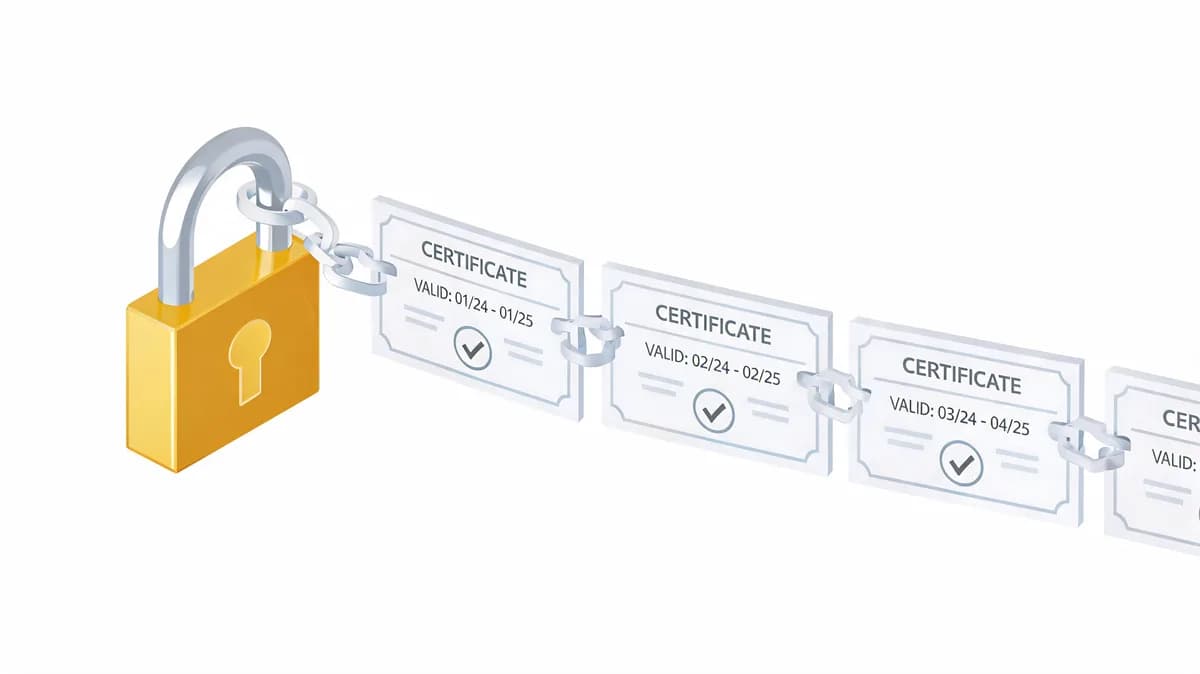
SSL certificate chain errors occur when browsers can't establish a complete trust path from your website's certificate to a trusted root certificate authority. Think of it like a broken chain of trust – if any link is missing or damaged, the entire security validation fails.
What Are Certificate Chains?
SSL certificates work through a hierarchical trust system with three main components:
- Root certificates: Stored in browsers and operating systems, these represent the ultimate trust authorities
- Intermediate certificates: Bridge the gap between root and leaf certificates
- Leaf certificates: Your actual website certificate
When a browser connects to your site, it validates this entire chain. If any certificate is missing, expired, or incorrectly configured, you'll get an ssl certificate error that blocks user access.
I've found that many developers understand individual certificates but struggle with the chain concept. The key insight is that browsers don't just check your certificate – they verify the entire path back to a trusted root.
Common Chain Validation Failures
The most frequent issues I encounter include:
- Missing intermediate certificates
- Incorrect certificate order
- Expired intermediate certificates
- Mixed certificate authorities
Each failure type creates different symptoms. A missing intermediate typically hits clients that have not cached it first (Android and API clients, for example), while incorrect ordering can cause intermittent failures across platforms.
Impact on Website Security and Performance
Certificate chain errors don't just break security – they devastate user experience. Incomplete chains are a common reason a site shows an SSL warning even when the leaf certificate itself is valid.
Mobile users are often hit first because desktop browsers cache intermediate certificates they have seen on other sites, which hides a missing intermediate, while Android clients expect the server to send the full chain.
The performance impact extends beyond user-facing issues. Browser warnings drive visitors away, and modern browsers block mixed content, breaking functionality even for users who bypass warnings.
The 2026 SSL Certificate Landscape: New Challenges
The SSL certificate landscape is undergoing its biggest change in years. Understanding these shifts is crucial for preventing future ssl certificate errors.
200-Day Validity Period Changes
Since March 15, 2026, maximum SSL certificate validity is 200 days, down from 398 days. The CA/Browser Forum Baseline Requirements (section 6.3.2) then step it down again: 100 days from March 15, 2027 and 47 days from March 15, 2029. This isn't just a minor adjustment – it fundamentally changes how we manage certificates.
The change affects renewal frequency dramatically:
| Certificates issued | Maximum validity | Renewals per year at the maximum |
|---|---|---|
| Before March 15, 2026 | 398 days | ~0.9 |
| March 15, 2026 to March 14, 2027 | 200 days | ~1.8 |
| From March 15, 2027 | 100 days | ~3.7 |
| From March 15, 2029 | 47 days | ~7.8 |
Increased Renewal Frequency Impact
Twice the renewals means twice the chances for a failed DNS validation, a missed deploy, or a configuration error, so check the chain your server actually serves after every renewal.
Operational Risk Factors
I've identified several risk factors that will become critical in the 200-day era:
- Manual renewal processes: Spreadsheet tracking and manual CSR generation will become unsustainable
- Approval bottlenecks: Organizations with complex approval workflows face higher failure risks
- Multi-environment coordination: Staging, production, and disaster recovery environments require synchronized updates
- Third-party dependencies: CDNs, load balancers, and SaaS platforms add complexity to renewal cycles
The organizations I work with that are already struggling with annual renewals will face significant challenges without process improvements.
Most Common SSL Certificate Chain Errors
Let me walk you through the specific ssl certificate error types you're most likely to encounter, based on many incidents I've debugged.
Incomplete Certificate Chain
When the server sends only the leaf certificate, clients that cannot fetch or recall the intermediate fail. Desktop browsers often cache intermediates from previous visits to other sites, which masks the problem. Android clients and many API clients do not, so the symptoms are mobile users reporting security warnings while desktop users see nothing.
The business impact can be severe. Say a store makes $2,000 an hour from mobile checkout (a hypothetical figure). Two days of warnings on mobile would put $96,000 of sales at risk.
Wrong Certificate Order
Certificate order matters more than most developers realize. Browsers expect certificates in a specific sequence: leaf certificate first, followed by intermediate certificates in hierarchical order.
I've seen teams install certificates in reverse order or randomly shuffle intermediates. This creates intermittent failures that are incredibly difficult to debug because they affect different browsers differently.
The error manifests as sporadic SSL warnings. These partial failures are often worse than complete outages because they're harder to detect and diagnose.
Missing Intermediate Certificates
Intermediate certificates are the most commonly overlooked component in SSL deployments. Many certificate authorities provide them as separate files, and installation instructions often treat them as optional.
They're not optional. Modern certificate hierarchies rely on intermediates to maintain security while keeping root certificates offline. When intermediates are missing, clients that don't already have them can't validate the trust path. This is the same failure described above, and the fix is the same for every client: serve the full chain (leaf plus intermediates) and reload the server.
I always recommend downloading the complete certificate bundle from your CA rather than trying to assemble components manually. This helps avoid intermediate certificate issues.
Expired Intermediate Certificates
This error type is particularly insidious because it develops gradually. Your leaf certificate might be valid for months, but if an intermediate expires, the entire chain breaks.
Certificate authorities occasionally need to rotate intermediate certificates due to security requirements or operational changes. If your server continues presenting expired intermediates, users will see ssl certificate errors even with a valid leaf certificate.
I've learned to check intermediate expiration dates separately from leaf certificates, because a valid leaf does not tell you about the certificates above it.
Step-by-Step SSL Chain Debugging Techniques
When facing SSL issues in production, systematic diagnosis is crucial. Here's my proven methodology for identifying and resolving certificate chain problems.
Command Line Tools for SSL Diagnosis
OpenSSL is your primary diagnostic tool for SSL certificate chain analysis. I use these commands daily for troubleshooting:
openssl s_client -connect example.com:443 -servername example.com -showcerts
openssl x509 -in certificate.crt -text -noout
The -servername flag sends SNI so you get the certificate for the right hostname. The -showcerts flag prints the certificate list exactly as your server sent it. Look for gaps between certificates or missing intermediates in the output, and read the Verify return code line near the end: 0 (ok) means the chain validated, while 21 (unable to verify the first certificate) or 20 (unable to get local issuer certificate) usually means the server did not send the intermediate. Note that -showcerts lists what the server sends; it does not by itself prove the chain is valid.
For deeper analysis, I extract individual certificates and verify each one:
openssl s_client -connect example.com:443 -servername example.com 2>/dev/null | openssl x509 > leaf.crt
openssl verify -CAfile ca-bundle.crt -untrusted intermediate.crt leaf.crt
Here -untrusted points to the intermediate certificate used to build the chain, and -CAfile to your trusted roots.
Browser Developer Tools Analysis
Browser developer tools provide excellent visual debugging for SSL issues. In Chrome DevTools, open the Privacy and security panel and use Security > Overview > View certificate to inspect the main origin's certificate.
The key indicators I look for:
- Certificate chain completeness: All certificates should be listed in hierarchical order
- Validity periods: Check both leaf and intermediate expiration dates
- Signature verification: Ensure each certificate is properly signed by its parent
Firefox's certificate viewer is particularly detailed, showing the complete trust path and highlighting any validation failures.
Online SSL Testing Methods
Several online tools complement command-line debugging:
- SSL Labs SSL Test: Provides comprehensive analysis including chain completeness, cipher strength, and protocol support
- SSL Checker tools: Quick validation of certificate installation and chain integrity
- Certificate transparency logs: Verify your certificates are properly logged and discoverable
I typically use SSL Labs for comprehensive analysis and lighter tools for quick validation during troubleshooting. The Visual Sentinel SSL Checker gives a quick check of a hostname's certificate.
Fixing Incomplete Certificate Chains
Once you've identified chain issues, systematic resolution follows established patterns. Here's how I approach the most common fixes.
Identifying Missing Intermediates
The first step is determining which intermediate certificates your chain requires. Your certificate authority should provide complete bundle files, but these are often overlooked during initial installation.
Download the full certificate bundle from your CA's website or support portal. Most authorities provide both individual certificate files and complete bundles. Always use the bundle to ensure completeness.
If you can't locate the bundle, use the Authority Information Access (AIA) extension in your leaf certificate:
openssl x509 -in leaf.crt -text -noout | grep -A 1 "Authority Information Access"
This reveals the URL where browsers can download missing intermediate certificates. Download and include these in your server configuration.
Proper Certificate Installation Order
Certificate order is critical and follows a specific hierarchy: leaf certificate first, then intermediate certificates in chain order, ending with the root certificate (which can be omitted). Here's the correct structure:
-----BEGIN CERTIFICATE-----
[Your domain certificate]
-----END CERTIFICATE-----
-----BEGIN CERTIFICATE-----
[Intermediate certificate 1]
-----END CERTIFICATE-----
-----BEGIN CERTIFICATE-----
[Intermediate certificate 2 - if needed]
-----END CERTIFICATE-----
Omit the root certificate from your server configuration. Clients already have their roots built in, so sending it only adds bytes to every handshake (TLS 1.3 says a certificate that specifies a trust anchor may be omitted).
Web Server Configuration
Each web server handles certificate chains differently. Here are the configurations I use most frequently:
Apache (2.4.8 and later):
SSLCertificateFile /path/to/certificate-with-intermediates.crt
SSLCertificateKeyFile /path/to/private.key
Nginx:
ssl_certificate /path/to/certificate-bundle.crt;
ssl_certificate_key /path/to/private.key;
IIS: Use the certificate management console to import the complete PKCS#12 file including intermediates.
In both servers the certificate file holds the leaf first, then the intermediates. Older Apache versions used a separate SSLCertificateChainFile for the intermediates; that directive has been obsolete since Apache 2.4.8, when SSLCertificateFile was extended to load intermediates from the same file.
Advanced Troubleshooting Scenarios
Complex environments introduce unique SSL challenges that require specialized approaches. These scenarios often confuse even experienced developers.
Mixed Certificate Authorities
Using certificates from multiple CAs in the same environment creates complex chain validation scenarios. I've encountered this in organizations that switched CAs mid-deployment or use different authorities for different services.
The main challenge is ensuring each certificate has its complete chain available. Each certificate the server sends needs its own chain back to a root the client trusts.
Load balancers complicate this further. If you're serving certificates from multiple CAs through the same load balancer, ensure each virtual host or SNI configuration includes its complete chain.
Cross-Signed Certificates
Cross-signing occurs when certificate authorities create multiple trust paths to the same certificate. This provides compatibility with older systems that might not recognize newer root certificates.
Let's Encrypt's transition from IdenTrust cross-signing to their own root certificate is a prime example. During the transition period, certificates had two valid trust paths, and servers needed to present the appropriate chain for maximum compatibility.
When dealing with cross-signed certificates, test against multiple client types:
- Modern browsers (Chrome, Firefox, Safari)
- Mobile browsers (iOS Safari, Android Chrome)
- Legacy systems (older Android versions, embedded devices)
- API clients (curl, programming language HTTP libraries)
Legacy Client Compatibility
Older Android devices (before 7.1.1) and embedded systems often have limited root certificate stores. These clients may reject certificates that work perfectly in modern browsers.
I maintain a compatibility testing matrix for critical applications:
| Client Type | Root Store | Compatibility Notes |
|---|---|---|
| Android 7.1.1+ | Full | Trusts ISRG Root X1 (Let's Encrypt) |
| Android before 7.1.1 | Does not trust ISRG Root X1 | Let's Encrypt's DST Root CA X3 cross-sign expired in 2024, so it is not a 2026 workaround |
For a Let's Encrypt certificate there is no chain left that Android before 7.1.1 trusts: the IdenTrust cross-sign of ISRG Root X1 expired on 30 September 2024. Those devices can still open the site in a browser that carries its own trust store, such as Firefox for Android. A cross-sign that has already expired does not fix it.
Preventing SSL Chain Errors with Monitoring
Monitor that the served chain validates for the hostname, and the expiry of each certificate in it. Expiration dates alone miss a chain that is incomplete or in the wrong order.
Automated Certificate Validation
Effective SSL monitoring validates multiple aspects simultaneously:
- Chain completeness: Verify all intermediate certificates are present
- Certificate order: Ensure proper hierarchical ordering
- Expiration tracking: Monitor both leaf and intermediate expiration dates
- Signature validation: Confirm each certificate is properly signed
- Protocol compliance: Test TLS version and cipher suite compatibility
I recommend monitoring from more than one location and testing with a client that does not cache intermediates. An ssl certificate error that affects only some clients can be hard to detect from a single desktop browser.
Tools like SSL Labs provide excellent one-time analysis, but production environments need continuous validation. Visual Sentinel's SSL monitoring validates the certificate with every uptime check (trust and hostname validation), fails when the trust path is incomplete, and sends expiry reminders 13, 3 and 1 days before expiry by default.
Renewal Lifecycle Tracking
With 200-day certificates already the maximum, and 100 days from March 2027, renewal lifecycle tracking becomes critical. Monitor the entire process from CSR generation through certificate installation.
Key monitoring points include:
- Renewal initiation: pick a lead time that fits the certificate's validity, for example 30 days before expiration
- Validation status: DNS, HTTP, or email validation progress
- Certificate issuance: Successful generation and delivery
- Installation verification: Proper deployment across all endpoints
- Chain validation: Complete trust path verification
This comprehensive tracking catches issues before they cause outages. I've prevented many certificate-related incidents by monitoring validation failures and installation problems.
Multi-Environment Testing
Production SSL issues often originate in staging or development environments with different certificate configurations. Maintain certificate parity across all environments to catch configuration errors early.
Test certificate changes in staging with the same monitoring tools and client configurations used in production. This includes:
- Load balancer configurations
- CDN certificate settings
- Application server SSL configurations
- Database connection SSL settings
Many organizations use self-signed certificates in development, missing configuration issues that only appear with real certificates. I recommend using valid certificates in staging environments whenever possible.
Emergency Response: Quick Fixes for Production Issues
When SSL certificate chain errors hit production, rapid response is essential. Here's my emergency playbook for minimizing downtime and user impact.
Immediate Mitigation Steps
The first priority is restoring service, even if the fix isn't perfect. Follow this sequence:
- Verify the problem scope: Determine which clients and regions are affected
- Check recent changes: Identify any certificate or configuration modifications
- Validate certificate files: Ensure all certificate files are readable and properly formatted
- Test certificate order: Verify leaf certificate appears first in the chain
- Restart web services: Sometimes SSL configuration changes require service restart
If only some clients fail, the fix is the same for all of them: serve the full chain (leaf plus intermediates) and reload the web server. A redirect to another hostname needs its own valid chain and hides the cause.
Rollback Procedures
Always maintain previous working certificate configurations for rapid rollback. I keep the last three certificate versions in a secure backup location with clear rollback instructions.
Rollback steps:
- Stop web services
- Replace certificate files with previous working versions
- Restart services
- Verify functionality across client types
- Document the rollback for post-incident analysis
Keep the previous full chain file next to the new one, so a rollback is a file swap and a reload.
Communication Strategies
Transparent communication during SSL incidents builds trust and manages expectations. Inform stakeholders immediately when SSL errors are detected, even before resolution begins.
Key communication points:
- Impact scope: Which users and services are affected
- Estimated resolution time: Provide realistic timelines based on problem complexity
- Workaround instructions: Help users access services through alternative methods
- Progress updates: Regular status updates every 30 minutes during active incidents
I've found that proactive communication prevents most escalations and maintains stakeholder confidence during resolution efforts.
SSL certificate chain errors will become more frequent and impactful as we transition to shorter certificate lifespans. The organizations that invest in proper monitoring, automation, and incident response procedures will maintain reliable services while others struggle with recurring outages.
The key is treating SSL certificates as critical infrastructure components that require the same attention as databases, load balancers, and application servers. With proper monitoring and systematic troubleshooting approaches, ssl certificate errors become manageable operational tasks rather than crisis situations.
Next step: run a chain check on your site now with the SSL Checker, then set expiry reminders and re-check after each renewal. SSL monitoring in Visual Sentinel validates the certificate with each uptime check; you can see your site's first check without a card, then start a 7-day trial (card required) or subscribe from $15/month.
Check your SSL certificate now
Verify the certificate, expiry date, issuer, and hostname coverage. No account is required.
Check SSL freeCommon questions
What causes SSL certificate chain errors?
SSL certificate chain errors typically occur when intermediate certificates are missing, installed in wrong order, or expired. This breaks the trust path from your certificate to a trusted root authority.
Why do SSL errors appear on mobile but not desktop?
Desktop browsers cache intermediate certificates they have seen on other sites, so a server that omits the intermediate still works there. Android and many other clients need the server to send the full chain, so an incomplete chain shows up as a mobile-only error.
How do I check if my SSL certificate chain is complete?
Use 'openssl s_client -connect your-hostname:443 -servername your-hostname -showcerts' and read the Verify return code line, or use an online SSL checker, to confirm the server sends the intermediate certificates.
What's the impact of the 2026 SSL certificate validity changes?
Since March 15, 2026, SSL certificates have a maximum 200-day validity instead of 398 days, requiring nearly twice as many renewals annually and increasing the risk of chain configuration errors. The limit falls to 100 days in March 2027 and 47 days in March 2029.
How can I prevent SSL certificate chain errors?
Automate renewals, monitor that the served chain validates and that every certificate in it is within its expiry, and re-check the chain after every renewal and deploy.
What should I do if my SSL certificate chain breaks in production?
Verify the certificate order, make sure all intermediate certificates are present in the file your server uses, reload the web server, and roll back to the previous working chain file if the fix is not immediate.