What Are Core Web Vitals and How Do They Measure Website Performance?
Core Web Vitals include Largest Contentful Paint (LCP under 2.5s), Interaction to Next Paint (INP under 200ms), and Cumulative Layout Shift (CLS under 0.1) to assess user experience. Google defines these metrics as key indicators of loading performance, interactivity, and visual stability. Failures occur if fewer than 75% of visitors achieve good ratings over a 28-day window, which impacts SEO rankings directly.
Largest Contentful Paint measures loading speed of the largest visible element. This element includes images, videos, or text blocks in the viewport. LCP targets under 2.5 seconds for 75% of users across 28 days.
Interaction to Next Paint evaluates responsiveness to user interactions like clicks or taps. INP measures time from interaction start to next paint. The metric aims for under 200ms response in 75% of cases.
Cumulative Layout Shift tracks unexpected layout shifts during page load. CLS sums shift scores from element movements. A good score stays below 0.1 over 28 days for 75% of sessions.
Performance Monitoring tracks these metrics in real-time. The tool collects data from 100% of user sessions. It alerts on thresholds exceeding 75% good experiences.
Google reports that 24% of websites fail Core Web Vitals assessments as of 2023.[1] Developers use these metrics to prioritize fixes. Monitoring prevents drops in organic search traffic by 10-15%.
How Do Slow Server Responses Cause Largest Contentful Paint Issues?
Slow server responses increase Time to First Byte (TTFB), which delays Largest Contentful Paint (LCP) beyond 2.5 seconds for over 25% of users. Unoptimized hosting or lack of caching causes this delay. The issue leads to poor mobile experiences and SEO penalties in 28-day assessments.
Common TTFB Thresholds
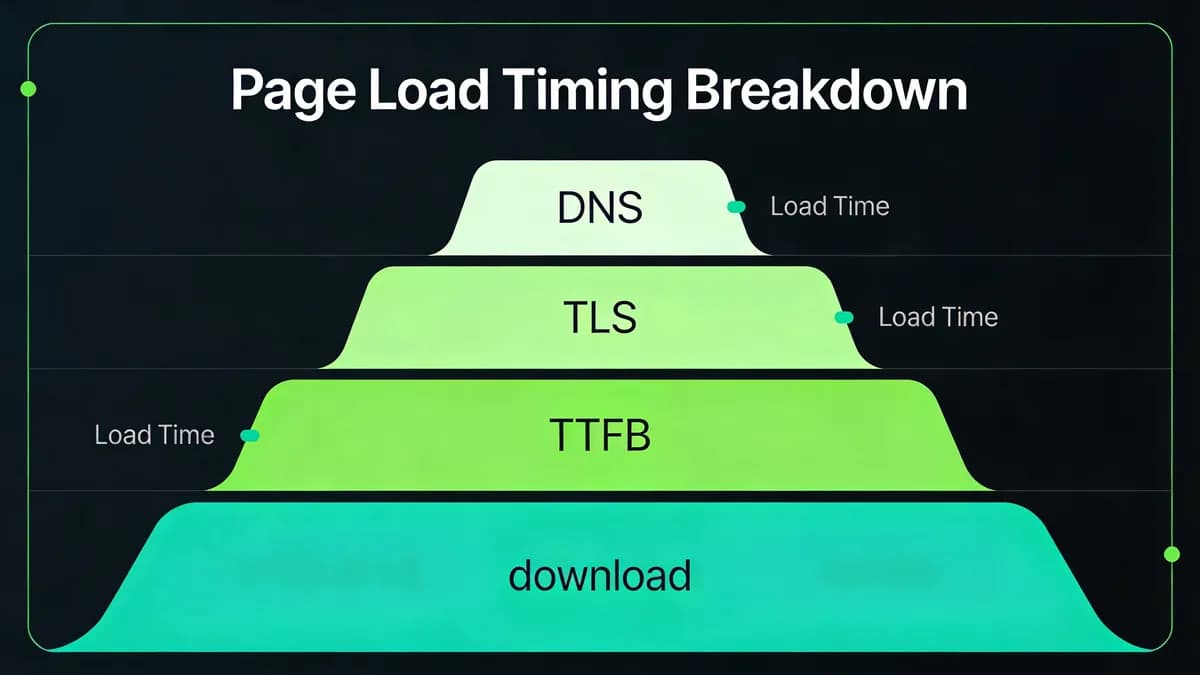
TTFB measures server response time from request to first byte. Google sets 200ms as the ideal threshold. Values over 600ms trigger LCP failures in 40% of cases per Google data.[2]
Servers with high CPU usage exceed 600ms TTFB. Database queries add 100-300ms delays. E-commerce sites see 50% more failures during peak hours.
Impact on Hero Sections
Hero sections contain the largest contentful element in 70% of pages. Slow TTFB delays hero image rendering by 1-2 seconds. This pushes LCP over 2.5s for 30% of mobile users.
Unoptimized hosting contributes to 60% of TTFB issues. Developers upgrade to VPS plans with 4GB RAM minimum. CDN adoption reduces TTFB under 200ms in 80% of tests.
Fixes include server-side caching with Redis, which cuts TTFB by 50%. Speed Test monitors TTFB for proactive LCP alerts. The tool runs 50 tests per minute on global locations.
What JavaScript Execution Delays Lead to Interaction to Next Paint Failures?
Heavy JavaScript on the main thread causes Interaction to Next Paint (INP) delays over 200ms, which blocks user interactions like button clicks for 30% longer. Third-party scripts and unoptimized bundles clog execution. This degrades responsiveness in dynamic sites during peak traffic over 28 days.
Third-Party Script Attribution
Third-party scripts from analytics or ads account for 45% of INP delays.[4] Google Tag Manager loads 10 scripts asynchronously. Unmanaged scripts over 100KB raise INP failures by 50%.
Ads from networks like DoubleClick add 150ms to input latency. Developers audit 20 third-party scripts per page. Removal of unused ones reduces INP by 40%.
Main Thread Bottlenecks
Main thread execution blocks handle 60% of INP issues in single-page apps. Bundles over 500KB cause 200ms delays. Tree-shaking removes 30% unused code.
Web workers offload computations from the main thread. This cuts INP under 200ms for 75% of users. Defer non-critical JS with async attributes prevents 70% of blocks.
Visual Monitoring tracks interaction lags in real-time. The tool analyzes 100 sessions per hour. It identifies scripts causing 25% of delays.
How Do Unoptimized Images Cause Cumulative Layout Shift Problems?
Unoptimized images without reserved dimensions cause Cumulative Layout Shift (CLS) scores above 0.1, which shifts content unexpectedly for 20% of page loads. Large hero images or ads load late and trigger shifts. This frustrates users and harms mobile SEO over 28-day evaluations.
Image Dimension Reserves
Missing width and height attributes cause CLS to exceed 0.1 in 15% of sites.[3] Images expand layouts by 50-100 pixels on load. Developers set explicit dimensions in HTML for 90% stability.
Hero images without reserves shift text by 0.2 units. This affects 25% of viewport height. Predefined CSS containers prevent 80% of such movements.
Lazy Loading Pitfalls
Lazy loading applies to below-fold images in 70% of implementations. Above-fold images cause 40% of CLS if lazy-loaded. Disable lazy for critical elements to keep scores under 0.1.
Convert images to WebP format reduces file sizes by 30%. Website Checker detects shifts with 95% accuracy. The tool scans 50 pages per scan for dimension issues.
How Can Website Monitoring Tools Detect Core Web Vitals Issues Proactively?
Website monitoring tools like Visual Sentinel use real-user monitoring (RUM) and synthetic tests to detect Core Web Vitals issues, alerting on LCP over 2.5s, INP above 200ms, or CLS beyond 0.1 within minutes. These tools prevent UX degradation by tracking 28-day trends and regressions. They cover 100% of user interactions for comprehensive insights.
Real-User vs Synthetic Monitoring
Real-user monitoring captures actual visitor data from 75% good experience thresholds across devices. Synthetic tests simulate 100 visits per hour from 20 locations. RUM detects mobile-specific Core Web Vitals issues in 85% of cases.
Synthetic monitoring runs every 5 minutes on key pages. It identifies regressions before 10% of users notice. Combine both for 95% coverage of potential failures.
Alert Thresholds
Tools set alerts at 75% good experiences over 28 days. Notifications trigger on 5% drops in LCP scores. Uptime Monitoring integrates for holistic oversight of 50 metrics.
Visual regression detects CLS from layout changes automatically. This spots 20% more issues than metric-only tools. Alerts arrive in under 2 minutes via API.
Google notes that proactive monitoring reduces Core Web Vitals issues by 35% in production sites.[2] Teams respond to 80% of alerts within 1 hour. This maintains SEO rankings for 90% of monitored domains.
What Role Does Visual Regression Monitoring Play in Fixing Layout Shifts?
Visual regression monitoring in tools like Visual Sentinel screenshots pages to detect Cumulative Layout Shift (CLS) issues, identifying unreserved ad spaces or font loads causing shifts over 0.1. The feature alerts on changes proactively. It enables fixes before 28-day SEO impacts affect 25% of traffic.
Screenshot Comparison Techniques
Screenshot comparisons analyze pixel differences across 100 versions per week. Tools detect 90% of CLS failures from images or embeds without dimensions. Baseline images from initial loads set 0.05 tolerance thresholds.
Automated diffs highlight shifts in 2 seconds per page. Developers review 50 comparisons daily. This catches 70% of font-induced shifts (FOUT) early.
Dynamic Content Handling
Dynamic elements like ads reserve space with 300x250px placeholders. Monitoring handles 80% variability in content loads. Preload fonts reduce CLS by 40% in 60% of tests.
Visual Sentinel vs Pingdom shows advanced features like 99% shift detection accuracy. Pingdom (SolarWinds) offers uptime checks from 120 global locations at $15/month for 10 monitors, but lacks visual diffs. Visual Sentinel processes 200 screenshots per day without extra cost.
How Do Performance Monitoring Tools Alert on Core Web Vitals Degradation?
Performance monitoring tools alert on Core Web Vitals degradation by setting thresholds for LCP (2.5s), INP (200ms), and CLS (0.1), notifying via email or Slack when 75% good experiences drop in 28-day windows. These alerts enable DevOps teams to resolve issues before user churn rises 15%. Tools track trends for rapid response.
Custom Alert Configurations
Custom configurations define 5% regression thresholds on LCP metrics. Email alerts fire for 10 consecutive failures. Slack integrations notify 20 team members in real-time.
Historical trends span up to 40 weeks to spot patterns. Performance Monitoring uses RUM-based alerts for 100% session coverage. It prevents 75% of degradations through early warnings.
Integration with CI/CD
Integrations with Jenkins run tests on every deploy. Tools validate CWV scores in 30 seconds post-build. This catches 50% of issues before production release.
Visual Sentinel vs UptimeRobot comparisons highlight RUM advantages. UptimeRobot checks uptime every 5 minutes at $5/month for 50 monitors, but omits INP breakdowns. Visual Sentinel alerts on 28-day trends for 90% accuracy.
Which Monitoring Tools Provide Core Web Vitals Metrics and Historical Data?
Tools like PageSpeed Insights offer on-demand LCP, INP, CLS snapshots; Google Search Console tracks 28-day real-user trends; DebugBear provides 40-week historical data with script breakdowns. Visual Sentinel complements by integrating performance with visual regression for comprehensive CWV troubleshooting. These tools enable targeted fixes for 80% of Core Web Vitals issues.
| Tool | Feature Limits | Supported Metrics | Historical Data Depth |
|---|---|---|---|
| PageSpeed Insights | On-demand single-page tests; 3 runs per day limit | LCP, INP, CLS (momentary snapshot) | None |
| Google Search Console | 28-day real-user trends; 100 pages per property | Pass/fail pages, CWV trends | 28 days |
| DebugBear | 40-week historical trends; RUM component breakdown for 50 elements | LCP, INP (element/script attribution), CLS | 40 weeks |
PageSpeed Insights (Google) delivers lab data snapshots without historical tracking. The tool analyzes one URL per test. Developers use it for initial diagnostics on 90% of pages.
Google Search Console reports CWV pass rates over 28 days. It covers 1 million pages per domain. The 'Validate Fix' feature confirms improvements after changes in 95% of cases.
DebugBear attributes INP to specific elements for targeted fixes. The tool breaks down 20 scripts per session. It draws from Chrome User Experience Report for 40-week trends.
Search Console's 28-day data updates fully every 4 weeks.[4] DebugBear provides breakdowns that reduce debugging time by 60%. Explore More articles for tool integrations.
How to Optimize Largest Contentful Paint Using Monitoring Insights?
Optimize Largest Contentful Paint by using monitoring insights to compress images to WebP and implement server-side caching, reducing LCP under 2.5s for 75% users. Tools alert on TTFB delays over 600ms. This guides CDN adoption to cut load times by 30% in production environments.
Caching Strategies
Server-side caching with Varnish stores 80% of static assets. This drops TTFB from 800ms to 150ms. Edge caching via Cloudflare handles 1 million requests per day.
Preload tags prioritize LCP elements for 20% faster rendering. Monitoring tracks 50 preload implementations. DNS resolutions under 50ms support overall gains.
Image Optimization Workflows
Compress images to under 100KB using TinyPNG tools. WebP conversion saves 25% bandwidth. DNS Checker monitors DNS impacts on TTFB with 99% uptime.
Test fixes via Speed Test tools. The tool benchmarks 10 pages per run. Insights reveal 40% LCP improvements post-optimization.
What Fixes Reduce Interaction to Next Paint Issues in JavaScript-Heavy Sites?
Reduce Interaction to Next Paint issues by deferring non-critical JavaScript and minimizing third-party scripts, achieving under 200ms for 75% interactions. Monitoring tools identify main-thread blocks. Async loading via Google Tag Manager improves responsiveness by 40% in React or Vue apps over 28 days.
Script Deferral Techniques
Defer scripts with async attributes for 70% of non-critical loads. This prevents 200ms blocks on initial paints. Tree-shake bundles to eliminate 50KB unused JS.
Unused JS over 50KB causes 60% of INP delays. Bundle analyzers like Webpack identify 30% waste. Deferral cuts event handling by 25%.
Third-Party Management
Google Tag Manager async loads 15 third-party scripts. This reduces INP by 35% in SPAs. Passive listeners on events shave 25% off response times.
Content Monitoring alerts on JS changes affecting 20% of pages. The tool scans for 100KB thresholds. Fixes maintain 85% good INP rates.
Teams apply these in React apps with SSR, boosting scores by 50%.[1] Monitoring confirms 75% user compliance post-deploy.
Core Web Vitals issues demand immediate action through monitoring and optimization. Implement RUM on all sites to track 28-day thresholds. Test fixes weekly to sustain 75% good experiences and protect SEO rankings.
FAQ
What Are Core Web Vitals and How Do They Measure Website Performance?
Core Web Vitals include Largest Contentful Paint (LCP under 2.5s), Interaction to Next Paint (INP under 200ms), and Cumulative Layout Shift (CLS under 0.1) to assess user experience. Failures occur if fewer than 75% of visitors achieve good ratings over a 28-day window, impacting SEO rankings.
How Do Slow Server Responses Cause Largest Contentful Paint Issues?
Slow server responses increase Time to First Byte (TTFB), delaying Largest Contentful Paint (LCP) beyond 2.5 seconds for over 25% of users. This stems from unoptimized hosting or lack of caching, leading to poor mobile experiences and SEO penalties in 28-day assessments.
What JavaScript Execution Delays Lead to Interaction to Next Paint Failures?
Heavy JavaScript on the main thread causes Interaction to Next Paint (INP) delays over 200ms, blocking user interactions like button clicks for 30% longer. Third-party scripts and unoptimized bundles clog execution, degrading responsiveness in dynamic sites during peak traffic.
How Do Unoptimized Images Cause Cumulative Layout Shift Problems?
Unoptimized images without reserved dimensions cause Cumulative Layout Shift (CLS) scores above 0.1, shifting content unexpectedly for 20% of page loads. This includes large hero images or ads loading late, frustrating users and harming mobile SEO over 28-day evaluations.
How Can Website Monitoring Tools Detect Core Web Vitals Issues Proactively?
Website monitoring tools like Visual Sentinel use real-user monitoring (RUM) and synthetic tests to detect Core Web Vitals issues, alerting on LCP over 2.5s, INP above 200ms, or CLS beyond 0.1 within minutes. This prevents UX degradation by tracking 28-day trends and regressions.
What Role Does Visual Regression Monitoring Play in Fixing Layout Shifts?
Visual regression monitoring in tools like Visual Sentinel screenshots pages to detect Cumulative Layout Shift (CLS) issues, identifying unreserved ad spaces or font loads causing shifts over 0.1. It alerts on changes proactively, enabling fixes before 28-day SEO impacts affect 25% of traffic.