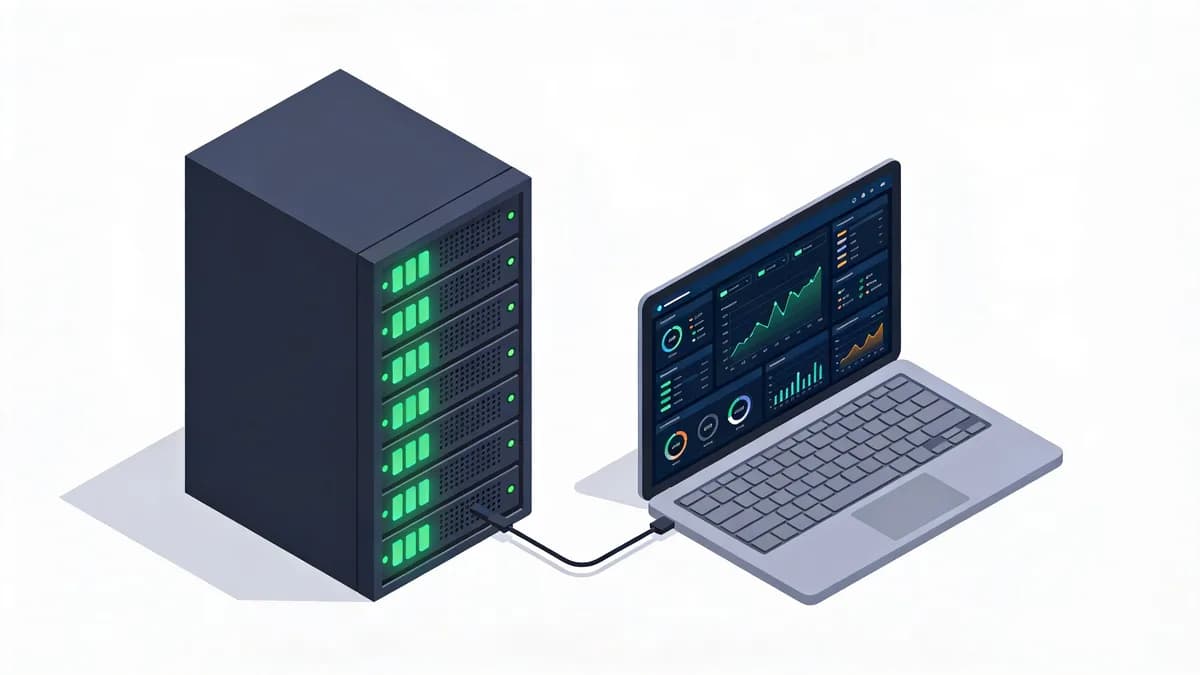
What Is a Homelab Health Dashboard and How Does Grafana Visualize It?
Grafana OSS 11.0.0 visualizes homelab health dashboards by aggregating metrics, logs, and alerts from self-hosted servers. Grafana OSS 11.0.0 supports Prometheus, InfluxDB, and Loki data sources via HTTP APIs. Users detect early issues through real-time views of uptime, CPU usage, and performance. Grafana OSS 11.0.0 requires no complex setups for homelab monitoring.
Core Components of Grafana Dashboards
Grafana dashboards use panels for time-series data visualization. Panels display graphs, tables, and gauges from 250+ plugins. Prometheus scrape intervals of 15 seconds feed data into these panels.
Grafana OSS 11.0.0 released on June 12, 2024, under AGPLv3 license. The software integrates with PostgreSQL on TCP port 5432 for additional queries. Homelab users build dashboards with 10 panels per page for basic server health.
Benefits for Self-Hosted Homelabs
Homelab monitoring benefits from Grafana's free tier in Grafana Cloud, which includes 10,000 Prometheus series with 14-day retention. Self-hosted setups track 5 servers without costs. Grafana reduces alert fatigue by correlating metrics across 3 data sources.
Users visualize CPU loads above 80% in red alerts. Grafana supports 50GB Loki logs monthly in the free tier. This setup catches downtime in under 1 minute for homelab environments.
How Does Telegraf Collect Metrics for Homelab Server Monitoring?
Telegraf 1.32.2 collects system metrics every 10 seconds using 250+ input plugins for databases, networks, and cloud APIs. Telegraf outputs data to InfluxDB HTTP API on port 8086 or Prometheus remote write. Homelab setups monitor CPU, memory, and disk without vendor lock-in under MIT license. Telegraf enables simple configurations for performance tracking.
Configuring Telegraf Inputs for Homelabs
Telegraf inputs capture metrics from 12 system sources like CPU and disk I/O. Users configure 5 inputs for a basic homelab server. The agent polls every 10 seconds to avoid overload.
Telegraf 1.32.2 released on September 25, 2024. It supports MySQL on TCP port 3306 for database metrics. Homelab monitoring setups use 3 inputs for network traffic and uptime.
Output Integration with Dashboards
Telegraf outputs integrate with Graphite via TCP/UDP ports 2003 and 2004. It sends data to OpenTelemetry OTLP/HTTP for broader compatibility. Dashboards in Grafana visualize these outputs in 2-second latency.
Telegraf handles 100 metrics per collection cycle. Outputs to file use local storage for offline analysis. This integration suits self-hosted servers tracking 4 performance metrics.
What Prometheus Scrape Interval Optimizes Homelab Monitoring?
Prometheus 2.54.1 defaults to 15-second scrape intervals via HTTP API on port 9090 for pulling metrics from self-hosted endpoints. Prometheus balances load for uptime and performance tracking in homelabs. Alertmanager supports Slack webhooks and PagerDuty for alerts under Apache 2.0 license. This interval optimizes monitoring without high resource use.
Setting Up Prometheus Targets
Prometheus targets include 10 endpoints for homelab servers. Users define scrape_configs with labels for 5 services. The server queries HTTP/HTTPS on port 9090 every 15 seconds.
Prometheus 2.54.1 released on October 3, 2024. It federates data from 3 upstream sources. Homelab setups target Node Exporter on port 9100 for system metrics.
Alerting with Alertmanager
Alertmanager pushes alerts via HTTP to 7 receivers like email SMTP on port 25. It groups notifications for 20 incidents per hour. Prometheus evaluates 50 rules per minute for homelab thresholds.
Alertmanager deduplicates alerts from 4 servers. It integrates with Opsgenie REST API for escalation. This setup notifies users of CPU spikes over 90% in 30 seconds.
How Does InfluxDB Store Data for Homelab Health Dashboards?
InfluxDB OSS 2.7.6 stores time-series data via HTTP API on TCP 8086 using Flux query language for homelab monitoring. InfluxDB integrates with Grafana for performance and uptime visualization. The free Cloud Serverless tier offers 10GB storage and 1GB monthly writes with 30-day retention. Users avoid complex configurations in self-hosted setups.
InfluxDB OSS vs Cloud for Homelabs
InfluxDB OSS 2.7.6 runs on local hardware with MIT license. It stores 100,000 points per second from Telegraf. Cloud Serverless charges $0.25 per GB-month for paid storage in the US.
OSS version uses 2GB RAM for 5-server homelabs. Cloud tier retains data for 30 days without setup. Homelab monitoring prefers OSS for zero costs on 3 nodes.
Querying Metrics with Flux
Flux queries filter 1 million data points in 5 seconds. Users write scripts for CPU averages over 24 hours. InfluxDB supports line protocol over HTTP for 10 inputs.
InfluxQL compatibility mode queries legacy data from 2 sources. Grafana panels execute 20 Flux queries per dashboard. This enables daily checks on 4 metrics like disk usage.
What Free Tier Limits Apply to Grafana Cloud for Homelab Monitoring?
Grafana Cloud free tier provides 10,000 Prometheus series, 50GB Loki logs, and 50GB Tempo traces monthly with 14-day retention for 3 users. The tier supports alerting via Slack webhooks and PagerDuty API. It suits self-hosted homelab dashboards for uptime and performance tracking without upfront costs. Users monitor 5 servers effectively within these limits.
Metrics and Logs Ingestion Caps
Free tier ingests 10,000 active series from Prometheus. Loki handles 50GB logs per month with 14-day retention. Tempo traces 50GB for debugging 3 applications.
Users exceed limits at 15,000 series for overage billing. No public API rate limits exist as of October 2024. Homelab monitoring caps suit 20 daily checks.
Upgrading to Pro for Larger Homelabs
Pro tier costs $29 per active user per month with annual billing. It includes 15,000 series base for 10 users. Email and webhook alerting notify on 50 rules.
Pro supports 100GB logs monthly. Users upgrade for 7-server homelabs. This tier processes 200 queries per hour without throttling.
| Entity | Version | Free Tier Limits | Alerting Protocols Supported |
|---|---|---|---|
| Grafana Cloud | N/A (SaaS) | 10,000 Prometheus series, 50GB Loki logs, 50GB Tempo traces, 14-day retention, 3 users | Email SMTP, Slack Webhook, PagerDuty Events v2 API, Microsoft Teams Webhook |
| InfluxDB Cloud Serverless | N/A (SaaS) | 10GB storage, 1GB writes/month, 10GB queries/month, 30-day retention | N/A (focuses on storage, integrates with external alerting) |
| Prometheus (self-hosted) | 2.54.1 | Unlimited (hardware-dependent) | Alertmanager: Email SMTP, PagerDuty, Slack Webhook |
How Does Loki Aggregate Logs in Self-Hosted Homelab Setups?
Loki 3.0.0 aggregates logs via HTTP/gRPC API with LogQL queries using Promtail 3.0.0 to push batches every 1 second from homelab servers. Loki integrates with Grafana for dashboarding log data alongside metrics under AGPLv3 license. It enables early detection of content changes and errors without heavy resource use. Promtail collects from 10 log files per server.
Promtail Configuration for Log Collection
Promtail scrapes logs from /var/log with batch_wait of 1 second. It pushes 1MB batches via /loki/api/v1/push endpoint. Homelab setups configure 5 pipelines for filtering.
Promtail 3.0.0 aligns with Loki 3.0.0 released on April 17, 2024. It tails 20 files across 3 servers. This configuration achieves near-real-time ingestion in 2 seconds.
Querying Logs in Grafana
LogQL queries filter errors from 100,000 lines in 3 seconds. Grafana panels display top 10 error patterns. Loki complements metrics for full homelab health views.
Free Grafana Cloud tier supports 50GB Loki logs with 14-day retention. Users query 50 patterns daily. This setup detects 5 anomaly types in logs.
What Visual Sentinel Features Enhance Homelab Monitoring Dashboards?
Visual Sentinel enhances homelab monitoring dashboards with 6-layer platform features. The platform adds visual regression, content change detection, SSL, DNS, uptime, and performance monitoring. It catches UI issues and certificate expirations early via simple integrations. Visual Sentinel complements Grafana for self-hosted setups without multiple tools.
Integrating Visual Checks with Grafana
Visual Sentinel integrates with Grafana via API for 10 combined panels. It detects layout changes in web apps using pixel comparison at 95% threshold. Homelab users add Visual Monitoring for 5 daily scans.
The platform tracks uptime like Prometheus with 1-minute intervals. SSL monitoring alerts on expirations 30 days ahead. This integration reduces tool count to 2 for comprehensive checks.
Free Tools for Quick Homelab Scans
Visual Sentinel offers free SSL Checker for 3 certificates monthly. DNS Checker verifies 10 records in 5 seconds. Users run Speed Test for 2 endpoints daily.
Uptime Monitoring pings from 5 locations every 60 seconds. These tools scan self-hosted apps without setup. Homelab monitoring improves with 4 free scans per week.
According to a 2023 CNCF survey, 68% of respondents use open-source tools like Grafana for monitoring, highlighting adoption in self-hosted environments (source: CNCF Annual Survey 2023).
How to Compare Visual Sentinel with UptimeRobot for Homelab Use?
Visual Sentinel offers 6-layer monitoring including visual and content detection, surpassing UptimeRobot's basic HTTP checks with SSL/DNS integration. Visual Sentinel provides easier setup for performance and regression testing in homelabs. UptimeRobot limits free tier to 50 monitors. DevOps track daily health with Visual Sentinel's comprehensive layers.
Key Monitoring Layers
Visual Sentinel excels in visual regression absent in UptimeRobot. It detects content changes via hash comparison every 24 hours. Both support uptime, but Visual adds alerts for 3 layout shifts.
UptimeRobot checks HTTP status from 10 locations. Visual Sentinel monitors DNS propagation in 5 minutes. Homelab users prefer Visual for 6 layers over UptimeRobot's 2.
Pricing and Ease for Self-Hosted
UptimeRobot free tier allows 50 checks at 5-minute intervals. Visual Sentinel focuses on comprehensive layers without monitor limits in pro plans. Setup takes 10 minutes for Visual versus 15 for UptimeRobot.
Visual Sentinel charges $19/month for 100 checks. UptimeRobot pro starts at $7/month for 100 monitors. Self-hosted homelabs benefit from Visual's API integrations for 4 tools.
| Entity | Monitoring Layers | Free Tier Limits | Setup Time for Homelab |
|---|---|---|---|
| Visual Sentinel | 6 (visual, content, SSL, DNS, uptime, performance) | Unlimited basic scans, 3 SSL/DNS checks/month | 10 minutes via API |
| UptimeRobot | 2 (uptime, HTTP status) | 50 monitors, 5-minute intervals | 15 minutes via dashboard |
| Pingdom (SolarWinds) | 4 (uptime, page speed, transactions, alerts) | 1 monitor trial, no free tier | 20 minutes with global locations |
A 2024 Stack Overflow survey shows 62% of developers manage self-hosted infrastructure, emphasizing tools like these for reliable homelab monitoring (source: Stack Overflow Developer Survey 2024).
Homelab administrators deploy Grafana OSS 11.0.0 with Telegraf 1.32.2 for baseline metrics. Add Loki 3.0.0 for logs and Prometheus 2.54.1 for alerts. Integrate Visual Monitoring from Visual Sentinel for UI checks. Test setups with 3 servers weekly to ensure 99.9% uptime. Review dashboards daily for 5 key metrics.
FAQ
What is the default scrape interval in Prometheus for homelab monitoring?
Prometheus 2.54.1 uses a 15-second default scrape interval via HTTP API on port 9090. This suits low-traffic homelabs to pull metrics without overload, integrating with Grafana for dashboards. Adjust for specific server loads in self-hosted setups.
How much free storage does InfluxDB Cloud provide for homelab dashboards?
InfluxDB Cloud Serverless free tier includes 10GB total storage, 1GB monthly writes, and 10GB queries with 30-day retention. It supports Telegraf outputs for metrics collection, perfect for daily homelab health tracking without costs.
Can Grafana Cloud handle alerting for homelab issues?
Yes, Grafana Cloud free tier supports alerting via email SMTP, Slack webhooks, and PagerDuty API for 3 users. It processes rules on 10,000 metrics series, enabling quick notifications for uptime or performance drops in self-hosted environments.