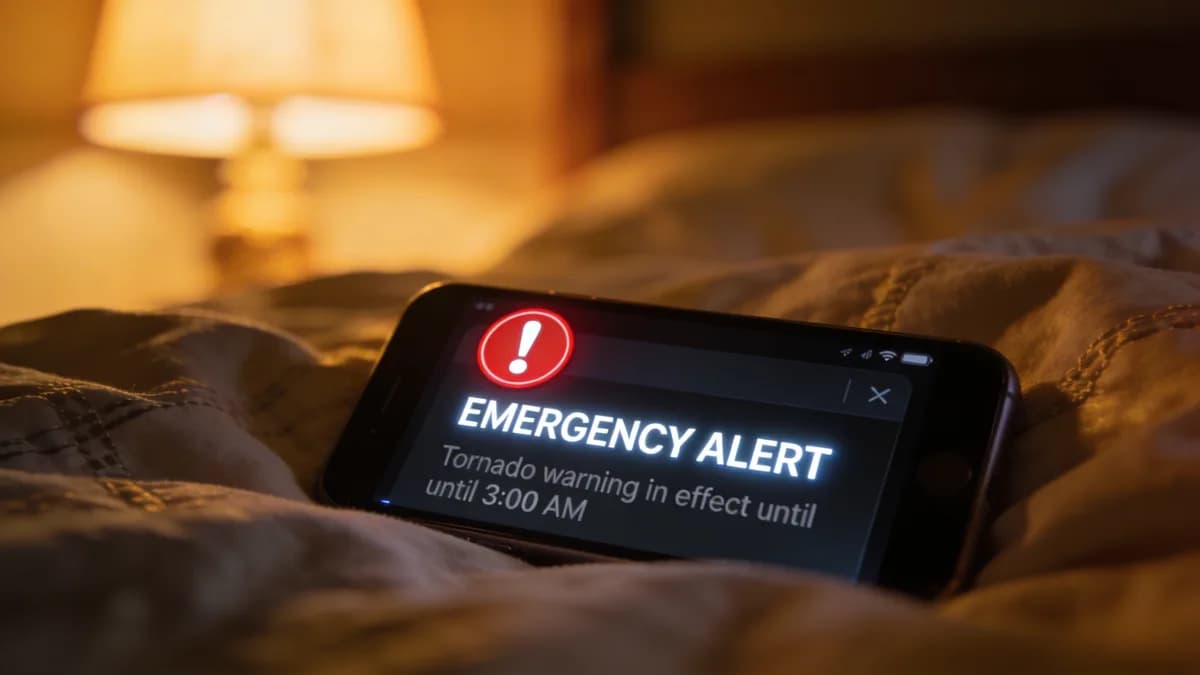
When your website goes down at 3 AM, your customers don't wait until morning to find alternatives. They bounce immediately, taking their business elsewhere while you sleep peacefully, unaware of the revenue bleeding away. This is precisely why understanding what uptime monitoring is has become non-negotiable for any serious online business in 2026.
As a DevOps engineer since 2019, managing infrastructure for everything from scrappy startups to enterprise platforms, I've seen teams lose revenue from outages they didn't even know were happening. The difference between companies that thrive and those that struggle often comes down to one thing: knowing when their digital assets fail, and knowing fast.
What is Uptime Monitoring? Definition and Fundamentals
Uptime monitoring is an automated system that continuously checks if your website, server, or API is accessible by sending requests from multiple global locations at regular intervals, typically every 30 seconds to 5 minutes. When failures, errors, or performance issues are detected, the system sends an alert to your team so you can respond before customers notice problems.
Think of it as a digital heartbeat monitor for your online presence. Just as hospitals monitor patients' vital signs around the clock, uptime monitoring watches your website's vital signs 24/7/365.
How Uptime Monitoring Works
The process is elegantly simple yet powerful. Monitoring services deploy automated scripts across a global network of servers. These scripts send HTTP requests to your website at the interval you choose, measuring response times and validating that everything returns the expected results. Intervals vary by tool and plan: some services offer 30 seconds, and Visual Sentinel's fastest is every minute on Business and Agency (every 5 minutes on Solo and Starter).
When I set up monitoring for a client's e-commerce platform last year, we configured checks from 12 different geographic regions. This caught a CDN failure that was only affecting users in Southeast Asia, something we never would have discovered through manual testing from our US-based office.
The monitoring system tracks several key metrics during each check. DNS resolution time shows how quickly your domain resolves to an IP address. Connection time measures how long it takes to establish a connection with your server. Time to first byte indicates server processing speed, while total response time captures the complete user experience.
Uptime vs. Availability: Key Differences
Here's where many teams get confused, and I've seen this misconception cause real problems.
Uptime measures whether your site responds to requests, while availability measures whether it actually functions properly for users.
Uptime is binary: your site either responds or it doesn't. If your server returns any HTTP response (even an error page), many basic uptime monitors will consider it "up." Availability goes deeper, checking whether users can actually complete important actions like logging in, making purchases, or accessing key content.
I learned this distinction the hard way early in my career. Our monitoring showed the site as available, but customers were complaining about checkout failures. The site was technically "up" and responding with 200 status codes, but a database connection issue was breaking the payment process. We were measuring uptime but not true availability.
This is why comprehensive monitoring strategies combine multiple approaches. Basic uptime monitoring catches server failures and network issues. Synthetic transaction monitoring verifies that critical user workflows function correctly. Together, they provide complete visibility into your site's health.
Why Uptime Monitoring Matters for Your Business
The business impact of downtime extends far beyond the immediate inconvenience. Downtime costs depend on the site, its customers and the affected services, but you can put a rough number on it. Say a store makes $2,000 an hour in sales. A 30-minute outage at peak is $1,000 of orders you cannot get back, before refunds and customers who do not return (a hypothetical example; use your own revenue).
Revenue Impact of Downtime
Every minute your site is down, you're potentially losing customers and revenue. E-commerce sites are particularly vulnerable. Even brief interruptions can trigger customer abandonment that persists long after service is restored.
In my experience working with online retailers, downtime can undermine customer confidence. The psychological impact of an unavailable website creates lasting doubt about reliability, especially for new customers who haven't yet developed brand loyalty.
Beyond immediate lost sales, downtime affects customer lifetime value. When users can't access your service during critical moments (like trying to book a flight during a flash sale or accessing banking information during an emergency), they often switch to competitors permanently.
SEO and Search Rankings
Google documents what happens when your server is unavailable. Responses with a 5xx status or a 429 make Google's crawlers slow down, in proportion to the number of URLs that are failing. Any content Google receives with a 5xx response is ignored. URLs that are already indexed are kept for a while, but a URL that persistently returns a server error is eventually dropped from the index. Once your site returns normal 2xx responses again, Google gradually increases its crawl rate.
So a short outage mostly costs you crawl time, while a long or repeated one puts indexed pages at risk. Monitoring tells you about a 5xx problem while it is still short.
Customer Trust and Brand Reputation
Modern consumers expect digital services to work flawlessly. When your website fails, it doesn't just inconvenience users. It damages your brand's credibility. Social media amplifies this effect, as frustrated customers often share their negative experiences publicly.
Trust is particularly crucial for financial services, healthcare, and e-commerce platforms where users share sensitive information. A single significant outage can trigger customer churn that takes years to recover from, especially if competitors maintain better reliability during the same period.
Proactive monitoring helps maintain customer confidence by enabling rapid response to issues. When problems occur, having detailed monitoring data allows you to communicate transparently about what happened and what you're doing to prevent recurrence.
Key Uptime Monitoring Metrics and Benchmarks
Understanding uptime percentages is crucial for setting realistic expectations and SLA targets. The math is straightforward: (Uptime ÷ Total Time) × 100 = Uptime Percentage. However, the business implications of different uptime levels vary dramatically.
Understanding Uptime Percentages
99.9% uptime equals 8.76 hours of downtime per year, often considered the minimum acceptable level for production websites. This might sound impressive, but those 8+ hours can occur at the worst possible times, like during Black Friday sales or end-of-quarter reporting periods.
99.99% uptime allows just under 53 minutes of downtime annually, the standard for high-availability systems. Achieving this level requires redundant infrastructure, automated failover systems, and comprehensive monitoring.
99.999% "five nines" uptime permits only about 5.3 minutes of downtime per year, reserved for mission-critical systems where any interruption causes significant business impact. This level requires substantial investment in infrastructure and monitoring tools.
Choosing an Uptime Target
Set the target from what your customers need, not from a round number. A checkout page or login deserves a stricter target than an internal wiki. Some SaaS providers publish tiered SLAs, such as one figure for standard plans and a higher one for enterprise customers, usually with service credits when uptime falls below the commitment. Check the SLA's terms, and measure your own uptime so you can hold a provider to it.
In my experience, teams often focus too heavily on achieving higher uptime percentages without considering the cost-benefit ratio. Each extra nine usually needs redundancy, such as a second region or automated failover, and that redundancy has to be paid for and tested.
Response Time Metrics
Beyond simple up/down status, modern uptime monitoring tracks multiple performance indicators.
DNS resolution time is usually well under a few hundred milliseconds; as a rule of thumb, watch for lookups that take noticeably longer than your normal baseline. Longer resolution times often indicate DNS server issues or misconfigured records.
Connection establishment time measures how quickly your server accepts incoming requests. As a rule of thumb, connection times that climb to a second or more suggest server overload or network connectivity problems. This metric often provides early warning of capacity issues before complete failures occur.
Time to first byte (TTFB) indicates server processing efficiency. Google's web.dev guidance treats a TTFB of 0.8 seconds or less as good and anything above 1.8 seconds as poor. Set your own target from your baseline. Gradually increasing TTFB values can predict impending performance degradation.
Types of Uptime Monitoring Methods
Different monitoring approaches serve specific purposes, and comprehensive strategies typically combine multiple methods. Understanding these options helps you choose the right tools and configuration for your specific needs.
HTTP/HTTPS Monitoring
HTTP monitoring verifies that your website returns expected status codes and content within acceptable timeframes. This is the most common form of uptime monitoring, checking that users can successfully load your web pages.
Advanced HTTP monitors also validate SSL certificates, because an expired certificate makes browsers show a security warning instead of your site. They can also check for specific content on pages, confirming that your site isn't just returning error pages that technically have 200 status codes.
I've configured HTTP monitors to check for specific text strings on critical pages. For an e-commerce client, we monitored product pages for the "Add to Cart" button text. This caught a deployment issue where the shopping cart functionality was broken even though the pages loaded normally.
Modern HTTP monitoring also tracks redirect chains. A bad redirect rule can loop until the browser gives up. This is particularly important for sites that frequently update their URL structure or implement SEO redirects.
Ping Monitoring
Ping monitoring sends ICMP packets to your server to measure basic connectivity and response times. While simpler than HTTP monitoring, ping tests provide valuable insights into network-level issues that might affect all services on a server.
Ping monitoring excels at detecting network outages, routing problems, and server hardware failures. However, it can't identify application-level issues. Your server might respond to pings while your web application remains inaccessible due to software problems.
I use ping monitoring as a first-line diagnostic tool. When HTTP monitors report failures, checking ping results helps determine whether the issue is network-related or application-specific. This speeds up troubleshooting and helps teams focus their investigation efforts.
Geographic ping monitoring reveals regional connectivity issues. A server might be perfectly accessible from North America while experiencing routing problems in Europe or Asia. This information is crucial for global services with distributed user bases.
Synthetic Transaction Monitoring
Synthetic monitoring simulates real user interactions by executing scripted workflows like logging in, searching for products, or completing checkout processes. This approach catches functional problems that basic uptime monitoring might miss.
Complex web applications often fail in subtle ways that don't trigger traditional uptime alerts. A login system might accept credentials but fail to create proper sessions, leaving users unable to access protected content. Synthetic monitoring catches these workflow interruptions.
I've implemented synthetic monitoring for critical business processes across numerous client sites. For a financial services platform, we created scripts that logged in, checked account balances, and initiated transfers. This caught a database replication lag that was causing inconsistent account information display.
The key to effective synthetic monitoring is focusing on your most critical user journeys. Don't try to monitor every possible interaction. Instead, identify the 3-5 workflows that generate the most revenue or have the highest user impact.
Real User Monitoring (RUM)
Real User Monitoring aggregates performance data from actual visitors to provide insights into real-world user experiences. Unlike synthetic monitoring, which uses predetermined scripts, RUM captures how your site performs for diverse users across different devices, browsers, and network conditions.
RUM excels at identifying performance issues that only affect specific user segments. Mobile users might experience slow loading times that desktop users never encounter. Users in certain geographic regions might face connectivity issues that synthetic monitoring from major data centers wouldn't detect.
The challenge with RUM is interpreting the data meaningfully. Real users behave unpredictably. They might have slow internet connections, outdated browsers, or be multitasking while using your site. Establishing baselines and identifying genuine problems requires careful analysis of the collected metrics.
Best Practices for Uptime Monitoring in 2026
Effective uptime monitoring requires more than just setting up basic checks and hoping for the best. After years of refining monitoring strategies across diverse environments, I've identified several key practices that dramatically improve detection accuracy and response times.
Optimal Check Intervals
For production websites, monitor about once a minute from multiple locations. Some tools offer 30-second checks, and intervals vary by tool and plan. More frequent checks provide faster problem detection but increase server load and monitoring costs. Less frequent monitoring delays issue discovery, potentially allowing problems to impact more users.
Non-critical services can typically use 5-minute intervals without significant risk. Development and staging environments often work well with 10-15 minute checks, since immediate detection is less crucial for these systems.
I've found that check frequency should align with your incident response capabilities. If your team can't respond to alerts within 2 minutes, checking every 30 seconds provides minimal additional value compared to 2-minute intervals.
Consider your service's typical failure patterns when setting intervals. Database-driven applications often experience gradual performance degradation before complete failure, making frequent monitoring valuable for early warning. Static websites typically fail more abruptly, making moderate intervals sufficient.
Multi-Location Monitoring
Monitor from several geographic regions with multi-region confirmation before triggering alerts. The number of regions varies by tool; Visual Sentinel checks from Europe and the US. Single-location monitoring often generates false positives due to local network issues, ISP problems, or temporary routing failures.
Geographic diversity also reveals regional performance variations that affect user experience. A CDN misconfiguration might only impact users in specific regions, while your primary monitoring location shows normal performance.
I always configure monitoring to require confirmation from multiple locations before sending alerts. For a global SaaS platform, we required 3 out of 7 monitoring locations to report failures before triggering notifications. This helped distinguish local failures from wider availability issues.
Consider your user base distribution when selecting monitoring locations. If 60% of your traffic comes from North America, ensure adequate monitoring coverage in that region. However, don't neglect other areas entirely. Even small user segments deserve reliable service.
Alert Configuration
Configure multi-channel alerts with appropriate escalation procedures. Email alerts work well for non-urgent issues, but critical failures need a faster channel such as a push notification, a chat platform like Slack, or an on-call tool such as PagerDuty. Alert channels vary by tool, so check which ones yours supports.
Avoid alert fatigue by carefully tuning notification thresholds. Too many false positives train teams to ignore alerts, while overly conservative settings delay response to genuine problems. Start with moderate sensitivity and adjust based on your team's feedback and response patterns.
I recommend implementing alert escalation procedures that automatically notify additional team members if initial alerts go unacknowledged. For a 24/7 service, we configured alerts to escalate from the primary on-call engineer to the secondary backup within 10 minutes, then to management within 30 minutes.
Document clear procedures for different alert types. A brief response time spike might only require monitoring, while complete service failure demands immediate investigation. Having predefined response procedures speeds up resolution and reduces stress during incidents.
Integration with DevOps Workflows
Modern monitoring tools should integrate seamlessly with your existing DevOps infrastructure. API integrations allow automated responses to certain types of failures, while webhook notifications can trigger incident management workflows.
Consider integrating monitoring data with your deployment pipeline. Automated rollbacks triggered by monitoring alerts can minimize the impact of problematic releases. However, implement these automations carefully to avoid unnecessary rollbacks due to temporary issues.
Status page integration keeps customers informed during incidents without requiring manual updates. Automated status updates based on monitoring data improve communication consistency and reduce the workload on your response team during high-stress situations.
Beyond Basic Uptime: Multi-Layer Monitoring Approach
While basic uptime monitoring answers "Is my site responding?", comprehensive monitoring addresses broader questions about security, performance, and user experience. Modern threats and user expectations require a multi-layered approach that goes far beyond simple ping tests.
SSL Certificate Monitoring
SSL certificate monitoring prevents security warnings and site inaccessibility by tracking certificate expiration dates and validity. Expired certificates break HTTPS access and trigger browser warnings that drive away users.
Certificate monitoring should warn you well in advance of expiry, with time for renewal and deployment, and send more than one reminder. Visual Sentinel's default reminders are 13, 3 and 1 days before expiry, with optional reminders at 20 and 6 days. Advanced monitoring also validates certificate chains. Intermediate certificates have to be configured correctly or some browsers reject the site.
I learned the importance of comprehensive SSL monitoring when a client's site became inaccessible due to an expired intermediate certificate. The primary certificate was valid, but a missing intermediate certificate in the chain caused browser errors for all users. A certificate chain check would have flagged the missing intermediate certificate.
Some tools also watch certificate transparency logs, which publicly record issued certificates, so you can spot a certificate issued for your domain that you did not request. That can reveal misuse of your domain.
DNS Monitoring
DNS monitoring ensures that your domain names resolve correctly to the intended IP addresses. DNS failures can make your site completely inaccessible even when your servers are running perfectly.
DNS monitoring should check resolution from multiple geographic locations and DNS providers. Different regions might receive different IP addresses due to geographic load balancing, and monitoring helps ensure these configurations work correctly.
I've seen DNS issues cause partial outages that were difficult to diagnose. A misconfigured DNS record routed traffic to a decommissioned server, creating intermittent failures that only affected some users. Comprehensive DNS monitoring from multiple locations can help identify such changes.
Advanced DNS monitoring also tracks record propagation after changes. This is particularly important for organizations using complex DNS setups with multiple providers or geographic routing.
Visual Regression Detection
Visual monitoring captures screenshots of your web pages and detects layout changes, broken elements, or visual defects that traditional monitoring might miss. Your site might load successfully while displaying incorrectly due to CSS failures, missing images, or JavaScript errors.
Visual monitoring excels at catching deployment issues that break page layouts without affecting core functionality. A CSS file might fail to load, making your site technically accessible but visually unusable for customers.
I implemented visual monitoring for an e-commerce client after a deployment accidentally removed product images from category pages. The pages loaded normally and returned correct HTTP status codes, but customers couldn't see products to purchase. Visual monitoring compares screenshots on a schedule, so it would have flagged the missing product images at its next check.
Visual monitoring tools compare screenshots and usually let you ignore regions or tune sensitivity, so content that changes on every load, such as ads or clocks, does not cause constant alerts.
Content Change Monitoring
Content monitoring checks that the text you expect is on a page, and flags pages where text appears or disappears. It catches a page that returns a 200 status but shows an error message, a blank template, or text someone should not have been able to add.
In Visual Sentinel a single expected-text setting is available on the uptime check on every plan, and content monitoring with must-contain and must-not-contain rules starts on Starter. For example, a product page can be required to contain "Add to Cart", and a checkout page can be required not to contain "Something went wrong". Pair it with the HTTP check so that a page which loads but says the wrong thing still raises an alert. Content checks do not replace visual checks: one reads the words, the other compares how the page looks.
Conclusion
Uptime monitoring tells you quickly that a site has stopped responding, and the layers around it (SSL, DNS, visual and content checks) tell you when it responds but is still broken. Start with an HTTP check on your most important page, add SSL and DNS checks, then add visual and content checks where a silent failure would cost you most.
You can run a first check on your site with the Website Checker without a card. Visual Sentinel plans start at $15/month after a 7-day card trial, and Pricing lists what each plan includes.
Check your site while you read
Run a free check for regional reachability, response time, redirect handling, TLS evidence, and DNS resolution. No account is required.
Check a site freeCommon questions
What is the difference between uptime monitoring and website performance monitoring?
Uptime monitoring checks if your site is accessible and responding, while performance monitoring measures how fast and efficiently it loads. Uptime focuses on availability (up/down status), whereas performance monitoring analyzes speed, resource usage, and user experience metrics.
How often should I check my website's uptime?
For production websites, check about once a minute from multiple global locations; some tools offer 30-second checks. Non-critical sites can use 5-minute intervals. More frequent monitoring provides faster detection but increases server load and monitoring costs. Intervals vary by tool and plan.
What uptime percentage should I aim for?
Set the target from what your customers need. 99.9% allows about 8.76 hours of downtime a year, and 99.99% allows about 53 minutes. Higher targets need redundancy, which costs more, so choose the level your business and budget justify.
Can uptime monitoring prevent website downtime?
Uptime monitoring detects downtime quickly but cannot prevent it. However, early detection enables rapid response to minimize impact. Combining uptime monitoring with proactive performance and infrastructure monitoring can help identify issues before they cause complete outages.
Do I need uptime monitoring if I have a small website?
Yes, even small websites benefit from uptime monitoring. Downtime affects visitors, trust and revenue regardless of site size, and Google slows its crawling when your server returns errors. A basic check is affordable and tells you when your site is not reachable.
What should I do when I receive an uptime alert?
First, verify the issue isn't a false positive by checking from multiple locations. If confirmed, investigate server logs, check hosting provider status, and follow your incident response plan. Document the incident and analyze root causes to prevent future occurrences.