Client website monitoring

Agency uptime monitoring that catches broken pages.

Every client site gets an uptime check every minute and a screenshot check as often as every 15 minutes. When a page breaks, goes blank or looks hacked while uptime still passes, your team gets an email alert with the before and after, and the biggest changes go into the client's report.

10-day free trial of the Business plan. No card needed with a work email. With a personal email address, you add a card and are charged on day 11 unless you cancel. Business is $80 USD a month, or $800 USD a year. 30-day money-back guarantee.

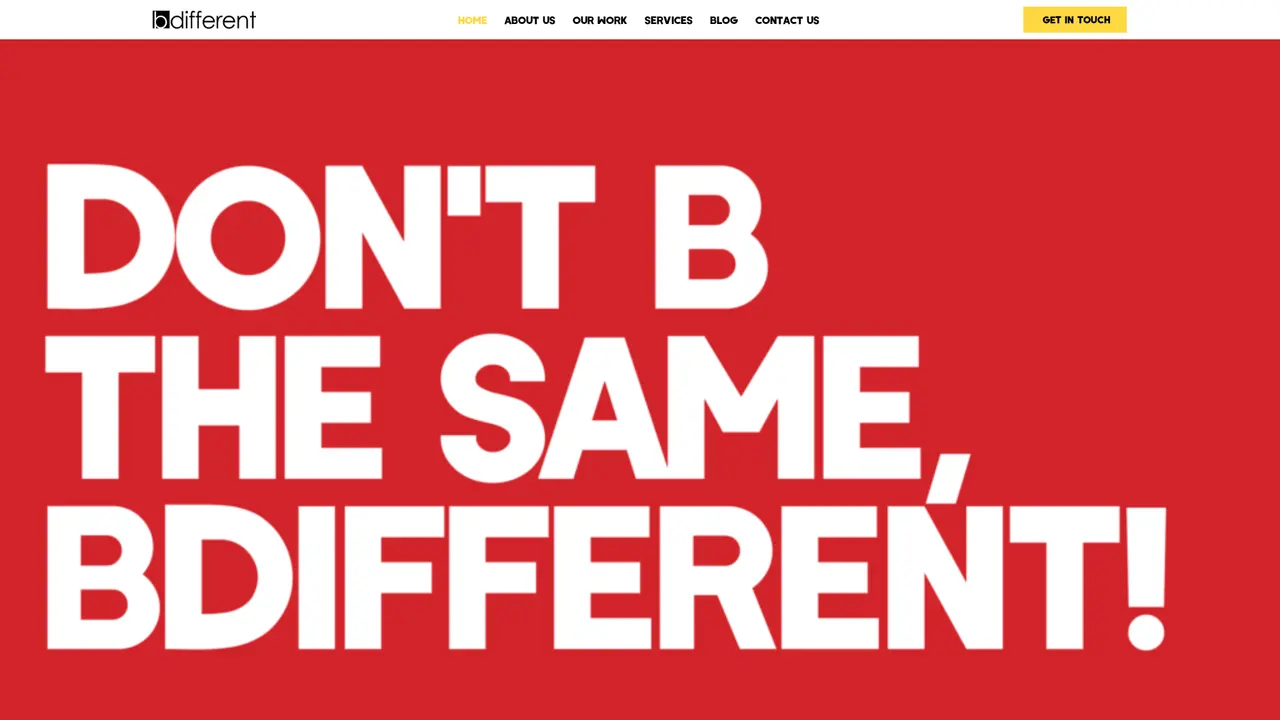
Beforebdifferent.ie before: a full-width red hero reading Don't B the same, Bdifferent, with a styled menu and a yellow Get in touch button
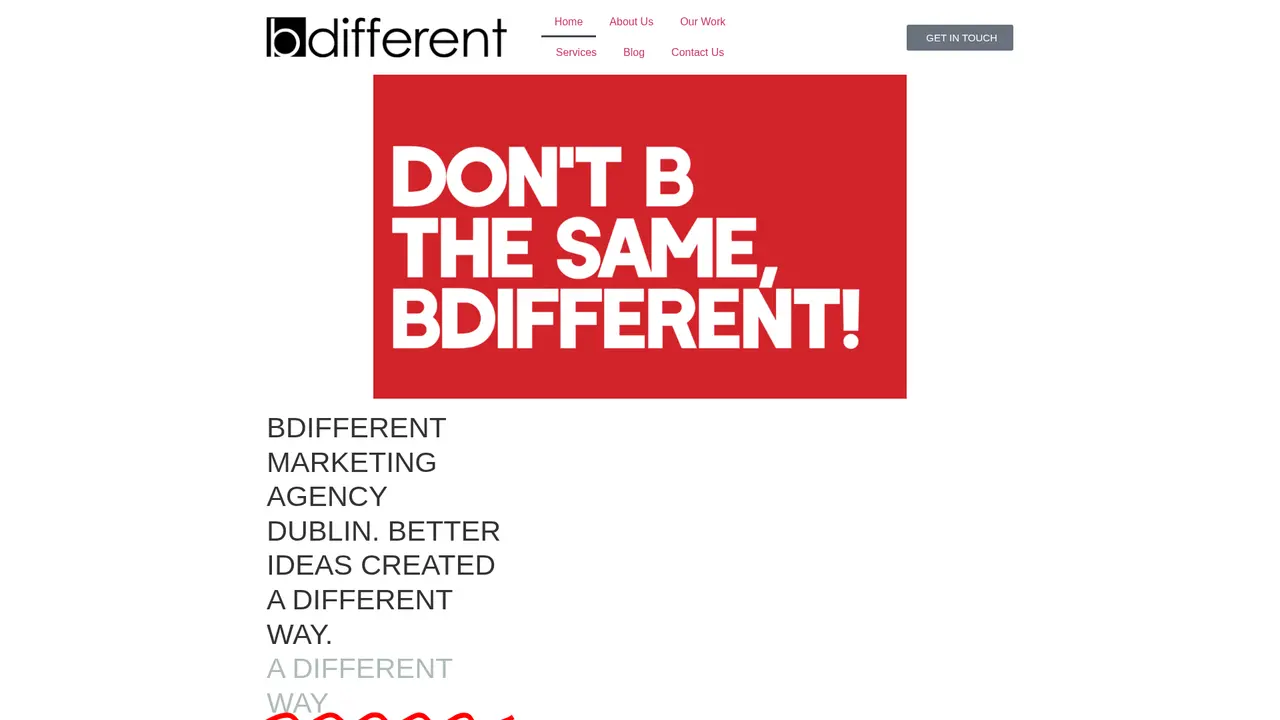
Afterbdifferent.ie after: an unstyled page with a plain two-line menu, a small boxed image and grey headings stacked on the left
A site we monitor, bdifferent.ie, 24 July 2026: 62.23% of the visible screen changed while every uptime check passed. Shared with permission. See the full record

Business covers 60 client sites. For up to 300 or white-label reports, Agency is $300 USD a month. Compare the two plans

What an uptime check misses on a client site

Agency uptime monitoring checks every client site from outside, every minute, and alerts the agency when one stops responding. Visual Sentinel also takes a screenshot of each page as often as every 15 minutes, so a page that still loads but shows a setup screen, a blank page or a hacked layout is caught too.

Screenshot checks pause while a site is down, so a visual-change alert means a page was up but no longer matched the screenshot you approved, which an uptime check alone would call fine.

Across all customers, 48.8% of the problem alerts we sent in the 30 days to 19 November 2026 were not downtime: mostly slow pages, visual changes (15.6%), expiring domains, changed domain records or certificate problems. Rates from our alert logs; they count alerts, not incidents.

I tried UptimeRobot and ChecklyHQ, but neither solved the problem of finding broken pages until we checked manually. With Visual Sentinel, we get instant alerts and can fix our WordPress sites quickly instead of finding issues by accident.
Eric D.Powered Storage

Eric works with our founder on other projects.

See the cost for your portfolio

Uptime for a whole portfolio

  • One alert when a shared server takes many client sites down

    Link client sites to the server they run on. When several fail together, your team gets one grouped alert for the server. Business includes 10 servers, Agency 20.

  • Certificate and domain warnings

    By default your team gets an alert 13 days before a client's SSL certificate expires and 50 days before its domain registration does, then again closer to the date.

  • Confirmation before a down alert

    A site checked from several regions is reported down when every selected region confirms it, so trouble in one region does not count as downtime.

From people who look after client sites

Recorded in the workspace of Ryan's agency, which has used Visual Sentinel free since October 2026; Ryan is a friend of our founder. Client sites are blurred and unnamed.

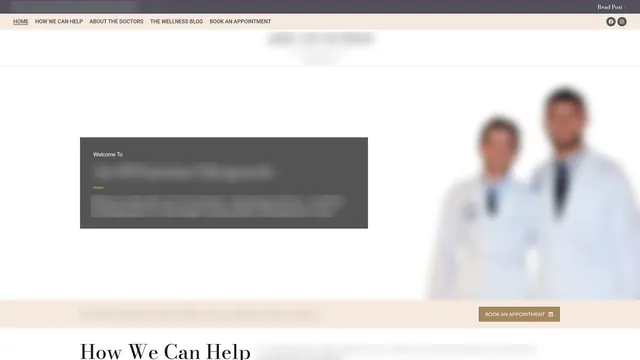
BeforeBefore, blurred: a clinic homepage with a menu, a welcome panel and a photo of two people in white coats
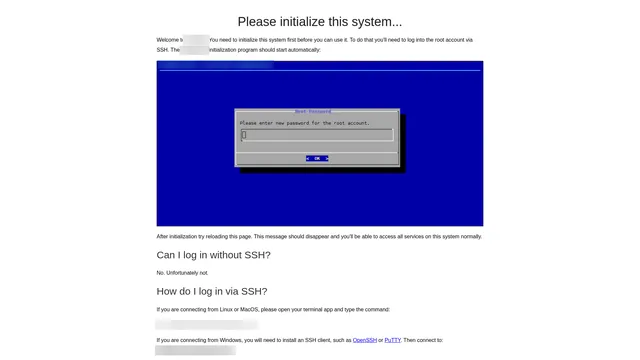
AfterAfter, blurred: a plain server setup page with a blue console box asking for a new admin password

A chiropractic clinic's homepage

· 52.92% of the visible screen changed

At 01:45 UTC the screenshot showed a server setup page asking for a new admin password. The alert went out 16 seconds after the screenshot. Every 5-minute uptime check passed from 01:15 to 02:15 UTC. The page looked right again at 17:00 UTC.

Free account · Ryan is a friend of our founder

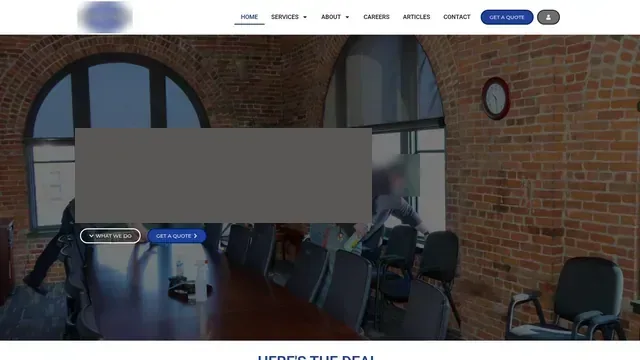
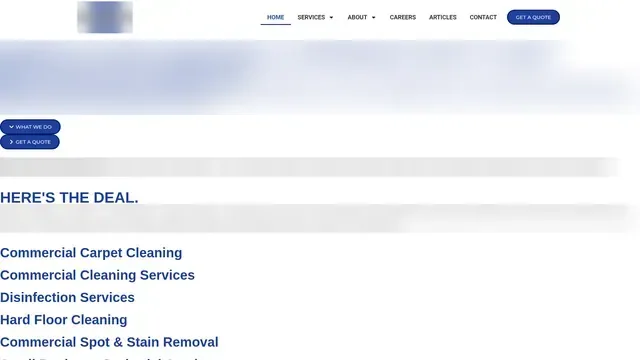
BeforeBefore, blurred: a cleaning company homepage with a large photo of a cleaner in a brick-walled meeting room
AfterAfter, blurred: the photo is gone and the page shows large plain blue headings and lines of text

A cleaning company's homepage

· 79.38% of the visible screen changed

At 18:45 UTC the screenshot showed the hero photo gone and the page unstyled. The alert went out 17 seconds after the screenshot. Every 5-minute uptime check passed from 18:15 to 19:15 UTC. The page looked right again at 19:45 UTC.

Free account · Ryan is a friend of our founder

Across all customers, of the visual-change alerts we could match to a saved screenshot (88% of them), half went out within 18 seconds of it and 9 in 10 within a minute and a half (30 days to 19 November 2026).

Visual Sentinel picked up and detected a rogue XMR crypto miner that injected itself via Magento. Alerted me of the issues, made it obvious what the problem was, and I could get repairs done immediately. Took us 18 minutes from start to finish to completely scrape out this garbage after diagnosis finished, and around an hour of downtime total. Wouldn’t have had any idea without your tools.
Ryan, agency owner, May 2026

See both recordings in full

Client website monitoring for 60 or 300 sites

Against the tools you already pay for

Screenshots of 60 client sites every 15 minutes need 3.5 times Visualping's largest self-serve plan; Business covers them for $80 a month.

What 60 or 150 client sites cost each month: Visual Sentinel, an uptime add-on, a visual-change tool and a client-report tool. Vendor prices read 19 November 2026.
What you pay for60 client sites150 client sites
Visual SentinelBusiness, $80 a month: uptime every minute, screenshots every 15 minutes, client reportsAgency, $300 a month: the same, plus white-label reports
Uptime add-on in your site managerManageWP Uptime Monitor: $25 a month up to 100 sites. WP Umbrella: part of its $2.19 a site a monthManageWP: 2 stacked bundles, $50 a month. WP Umbrella: included
A visual-change tool, Visualping's largest self-serve plan$350 a month: each of 60 pages (one per site) about every 52 minutes; every 15 minutes needs 172,800 checks a month$350 a month: each page about every 2 hours 10 minutes
A client-report tool, for monitoring reports onlyAgencyAnalytics: $20 a client a month billed yearly, volume pricing on request from 25 clients, no uptime checks listedThe same

Prices in USD for a 30-day month, read on 19 November 2026: ManageWP Uptime Monitor (opens in a new tab), ManageWP (opens in a new tab), WP Umbrella (opens in a new tab), Visualping (opens in a new tab) and AgencyAnalytics (opens in a new tab) pricing.

Your site manager keeps updates, backups and plugin work. Visual Sentinel replaces the uptime add-on and a visual or monitoring-only report tool.

Business or Agency

Business and Agency compared: sites, pages per site, people, status pages, white-label reports, price and cost per site
What the plan includesBusinessAgency
Client sites with screenshot checks60300
Pages per siteup to 6up to 6
People550
Client status pages on a custom domain550
White-label reportsNoYes
Price, USD$80 a month or $800 a year$300 a month or $3,000 a year
Cost per site, all sites in use$1.33$1

Cost per site each month:

  • 30 sites, Business: $2.67
  • 61 sites, Agency: $4.92 ($4.10 billed yearly)
  • 150 sites, Agency: $2

In the median paying agency portfolio, 18% of client sites got a visual-change alert in four weeks. On 60 sites, that is about 11.

Our alert logs, 28 days to 19 November 2026: the median among paying Business, Agency and custom-plan customers with 10 or more sites. An alert can also be an intended change.

On Agency you may resell the monitoring and reports in your care plans, under your brand. Read the resale terms

10-day free trial, no card with a work email · 30-day money-back guarantee · Card and charge terms

More than 300? Talk to us.
What your clients receive

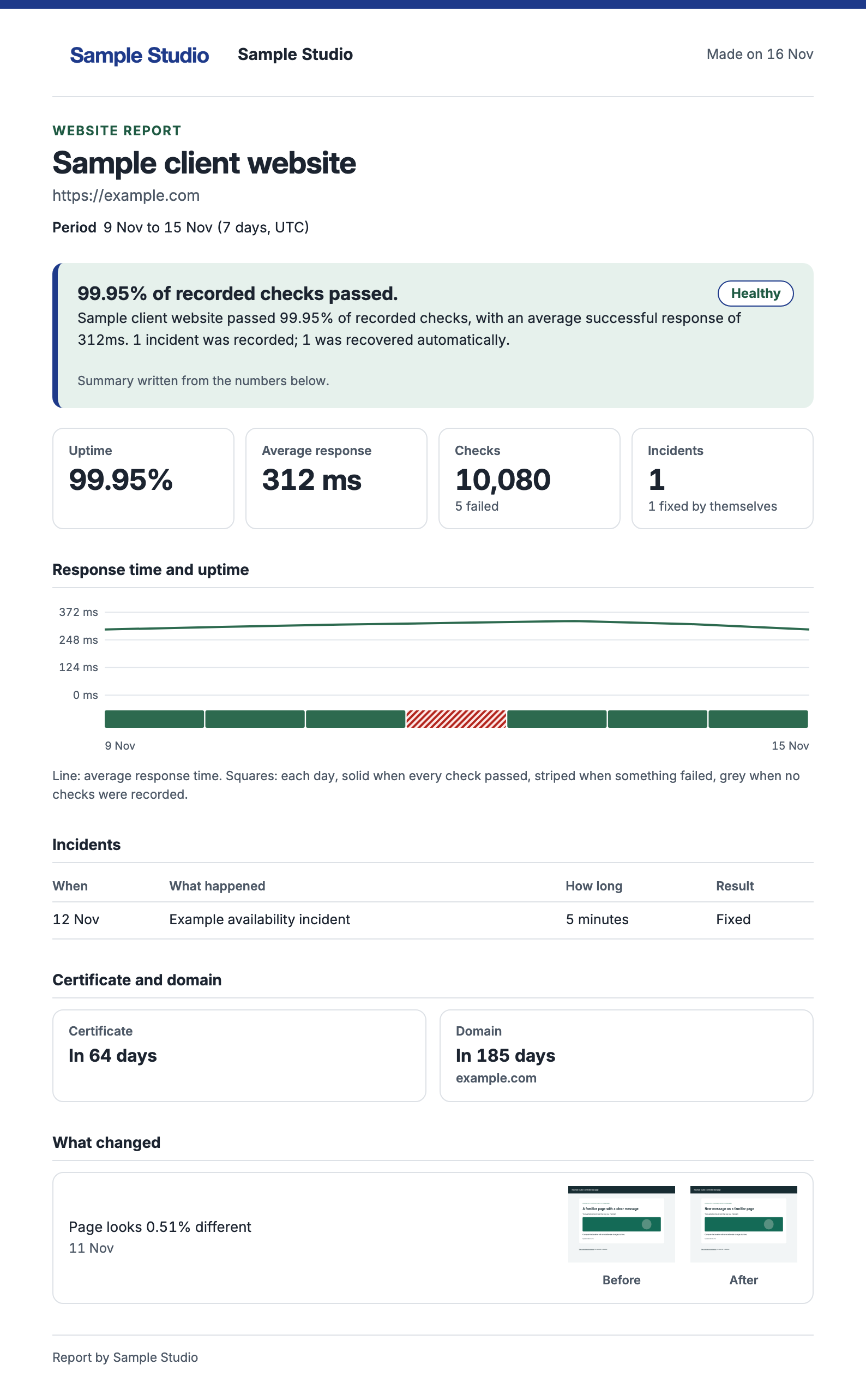
Each client site can get its own report weekly, twice a month or monthly, with a PDF: uptime, incidents and the before and after of up to five of the biggest visual changes. Connect GA4 and Search Console to add visitors and search clicks.

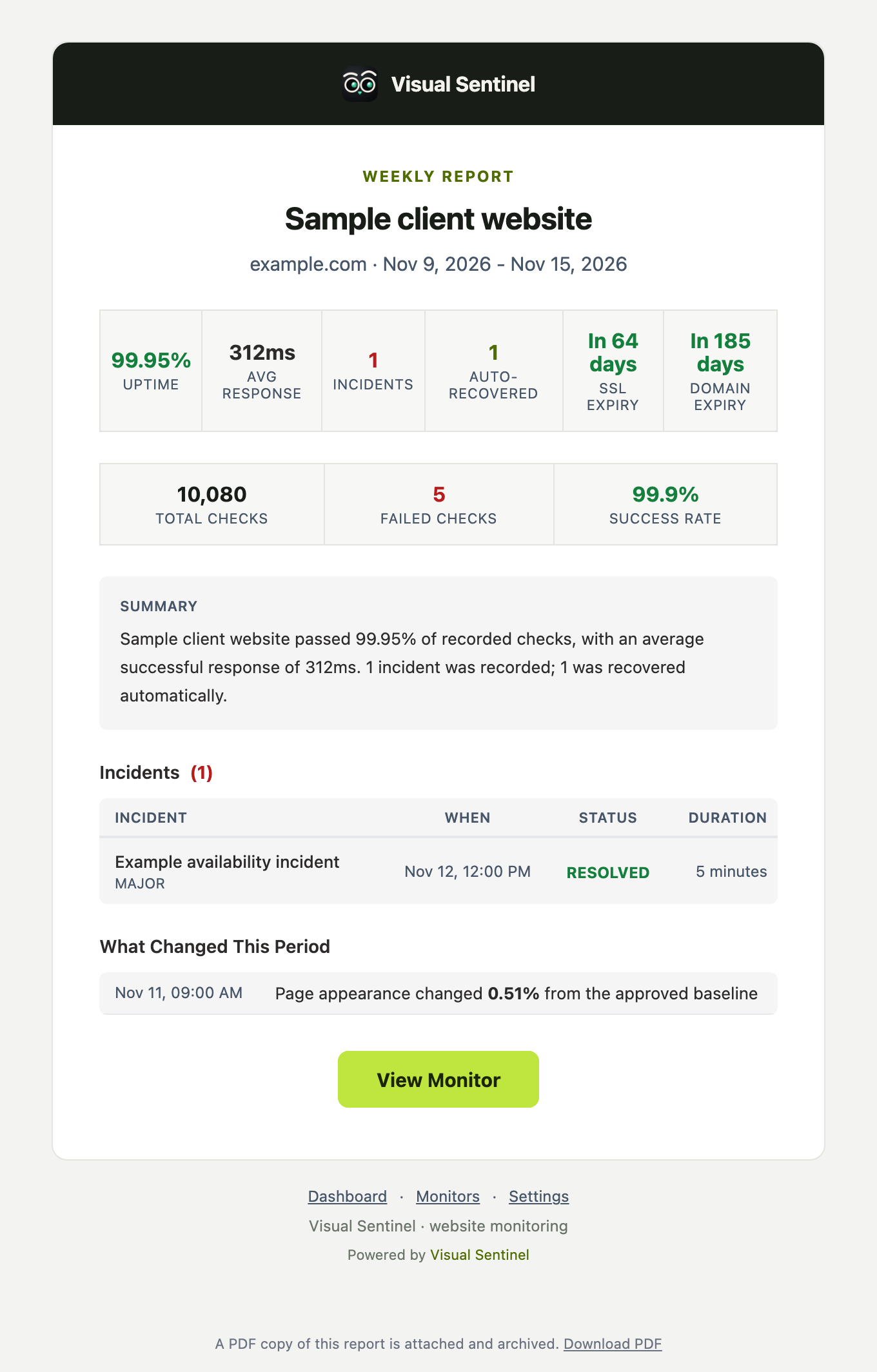
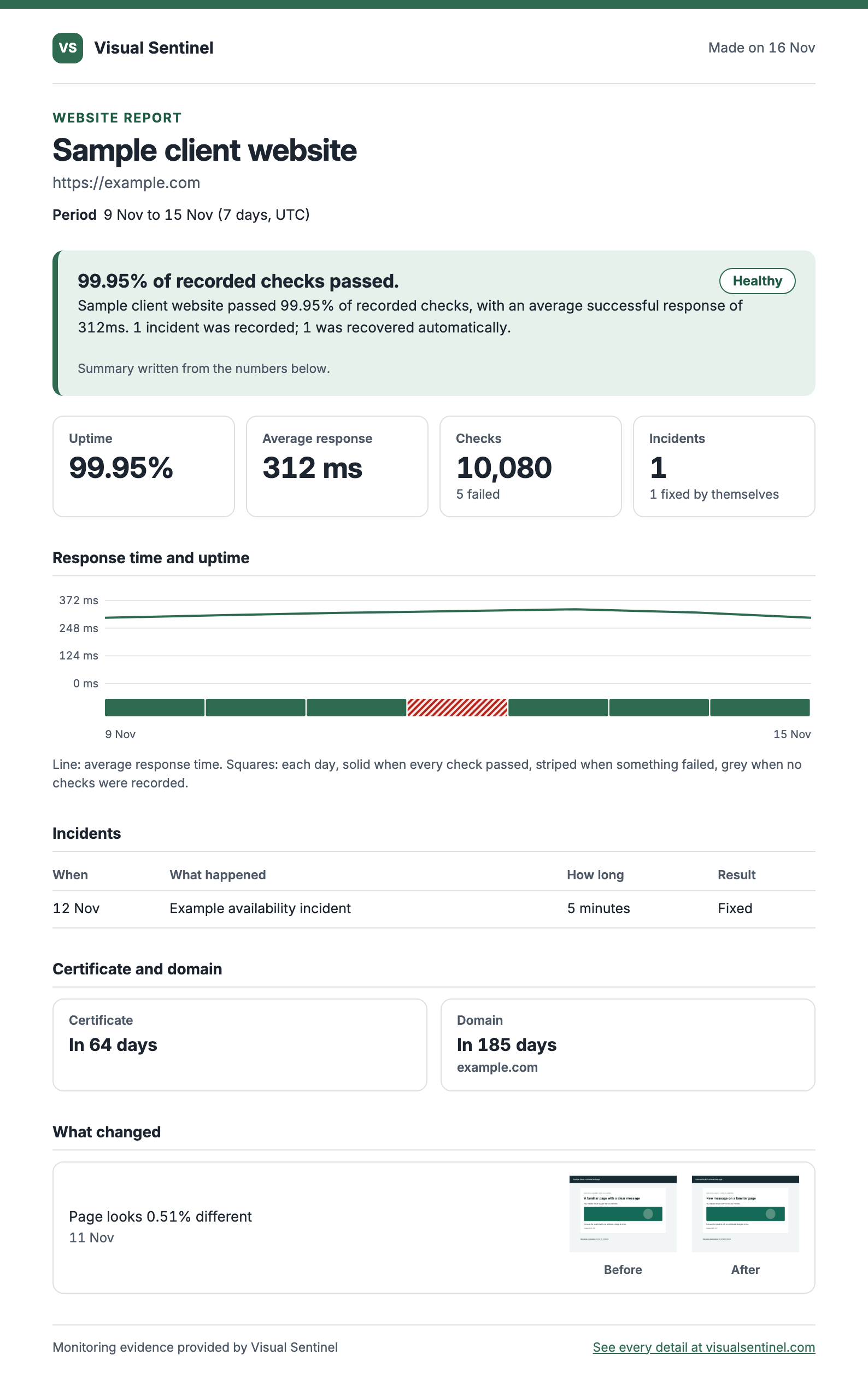
Business: the report carries our name

Sample weekly report email from a Business workspace, under the Visual Sentinel header: 99.95% uptime, 312 ms average response time, one incident and a short summary of the week.Sample client report PDF without white-label, first page: the Visual Sentinel name, 99.95% of checks passed, the headline figures and a response time chart for 9 to 15 November.
Sent as Visual Sentinel <noreply@visualsentinel.com>.Sample: made-up agency, synthetic data, real report code.

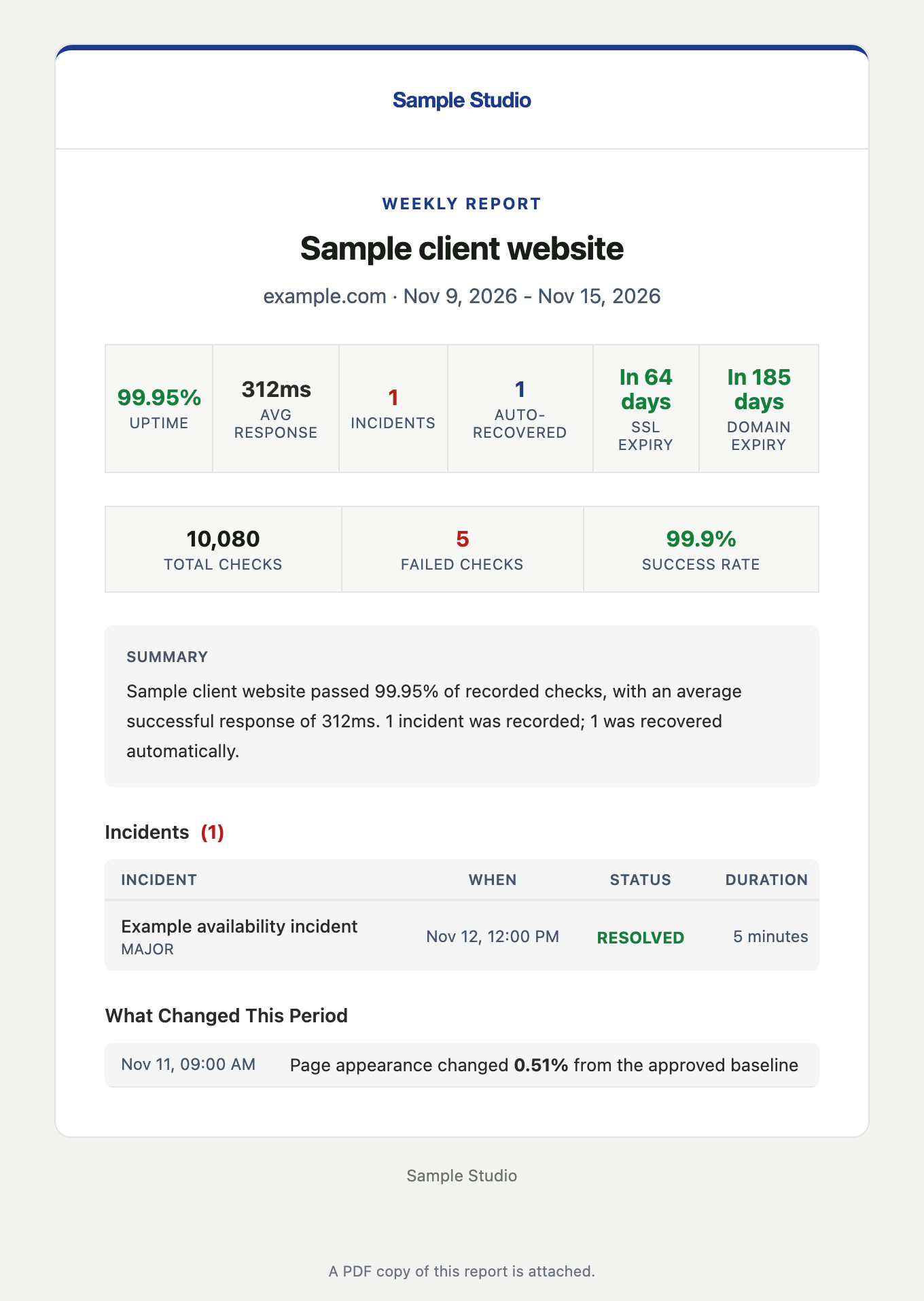
Agency with white-label on: it carries yours

Sample weekly report email with white-label on, under the Sample Studio logo in navy: 99.95% uptime, 312 ms average response time, one incident and a short summary of the week.Sample client report PDF with white-label on, first page: the Sample Studio logo and name, 99.95% of checks passed, the headline figures and a response time chart for 9 to 15 November.
Sent as Sample Studio <noreply@visualsentinel.com>.Sample: made-up agency, synthetic data, real report code.

With white-label on, Agency reports carry your name, logo and From name. They come from our address unless you connect your own mail server, which both plans can do. Share links stay on a visualsentinel.com address.

Open a sample report or read how white-label reports work.

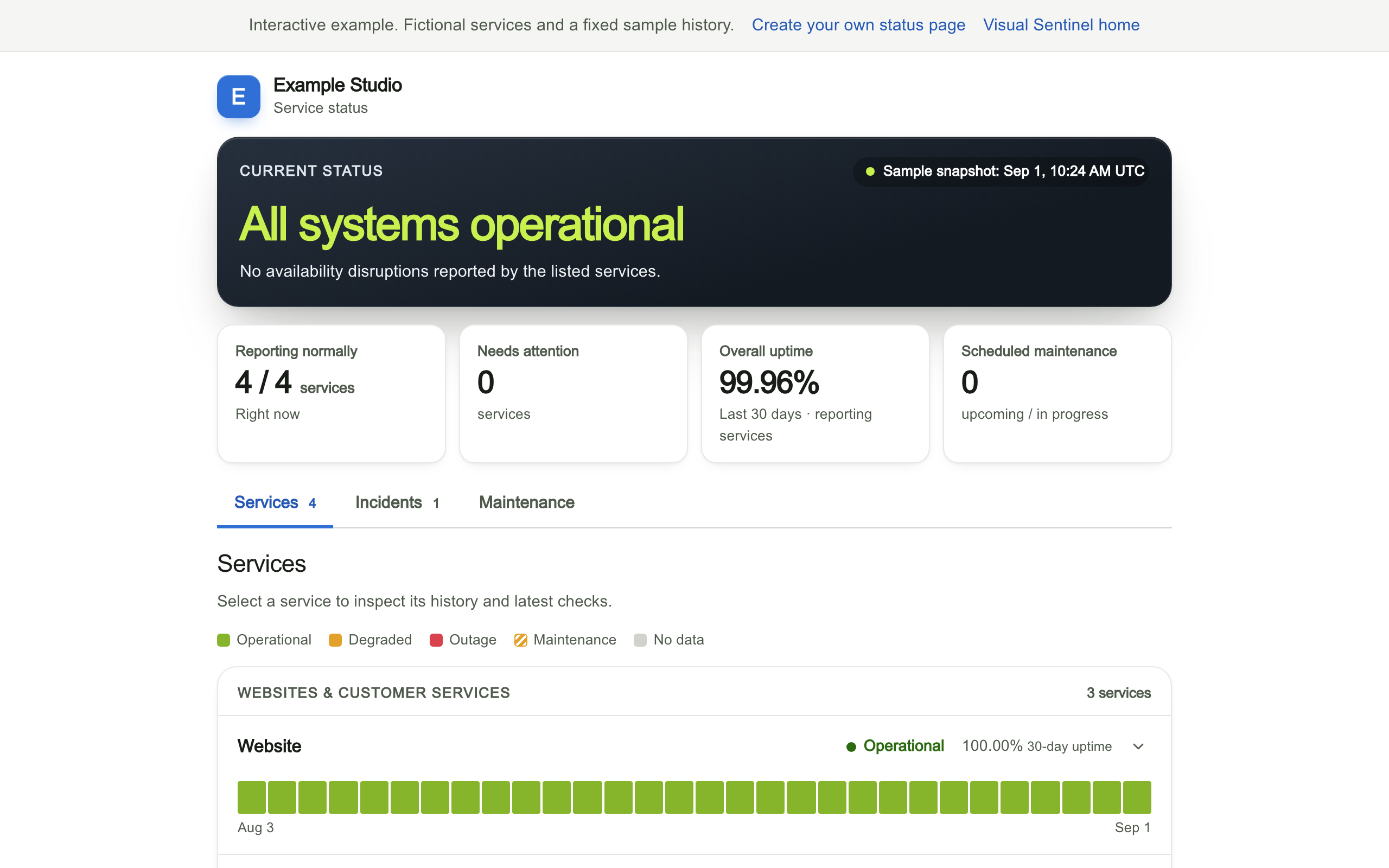
Demo status pageDemo status page for a made-up studio, showing the current status, uptime cards and a list of services with daily uptime bars

Clients can also have a status page on their own domain, with your logo: 5 on Business, 50 on Agency. Open the demo status page

Works beside ManageWP, MainWP or WP Umbrella

  • Uptime alerts

    ManageWP sells one-minute uptime checks as an add-on, and MainWP's free core checks each site as often as every 5 minutes. Business and Agency check every minute.

  • Screenshots of each page

    ManageWP Safe Updates screenshots one page you choose, and WP Umbrella runs a visual check, while an update runs. Ours run on a schedule, as often as every 15 minutes on up to 6 pages per site.

  • The client report

    ManageWP and WP Umbrella send maintenance reports. Ours adds the before and after of the biggest visual changes.

Vendor pages read 19 November 2026: ManageWP Safe Updates (opens in a new tab) and client reports (opens in a new tab), WP Umbrella features (opens in a new tab), MainWP uptime (opens in a new tab).

Compare us with ManageWP or AgencyAnalytics, or see care plans on one dashboard and checks after plugin updates.

Set up a client portfolio in three steps

  1. Add the sites

    Import them from MainWP, upload a CSV or paste a list, then pick where your team's alerts go. Each site's first screenshot becomes the one later checks compare against.

  2. Tag each site with its client

    Filter the monitor list by a client's tag to see only that client's sites.

  3. Schedule each client's report

    Pick how often it goes out and the address it goes to.

Or send us three client sites and we set them up free, as a 3-site Proof Pack.

We read each request before we start.

Questions agencies ask

Can I try it without booking a call?

Yes. Start the 10-day free trial and add your sites yourself; their first checks run right away. Or send us three client sites and we set them up free.

Will I get an alert for every small change?

No. You set how much of a page has to change before we alert you, from 0.1% to 30%, and hide parts that change on purpose, like rotating banners. Turn on summaries and small changes arrive daily or weekly instead.

Does it only work with WordPress?

No. Visual Sentinel monitors any public website: WordPress, Shopify, Webflow, Wix, custom builds and web apps.

Can I organize sites by client?

Yes. Tag each site with its client, or let the MainWP import bring client names across as tags.

What happens when a client site goes down at 2am?

When every selected region confirms the site is down, your team gets an alert on the channels you choose, such as email, WhatsApp, Slack, Microsoft Teams or PagerDuty.

Can agencies in Australia, the UK, India or Europe use it?

Yes. Plans are billed in USD.

Get the before and after when a client page breaks.

10-day free trial, no card with a work email · 30-day money-back guarantee · Card and charge terms

  • instant signup
  • optional assisted setup