website issue monitoring
Website change monitoring that knows when a page looks wrong.
Visual Sentinel takes real-browser screenshots of your live pages, compares them to the last good version, and alerts you when layouts shift, images disappear, or a section breaks. Visual monitoring (screenshot change detection) catches what an uptime check cannot see, because a page can load successfully and still look broken.
7-day free trial, card required. From $15 USD a month. 14-day money-back guarantee.
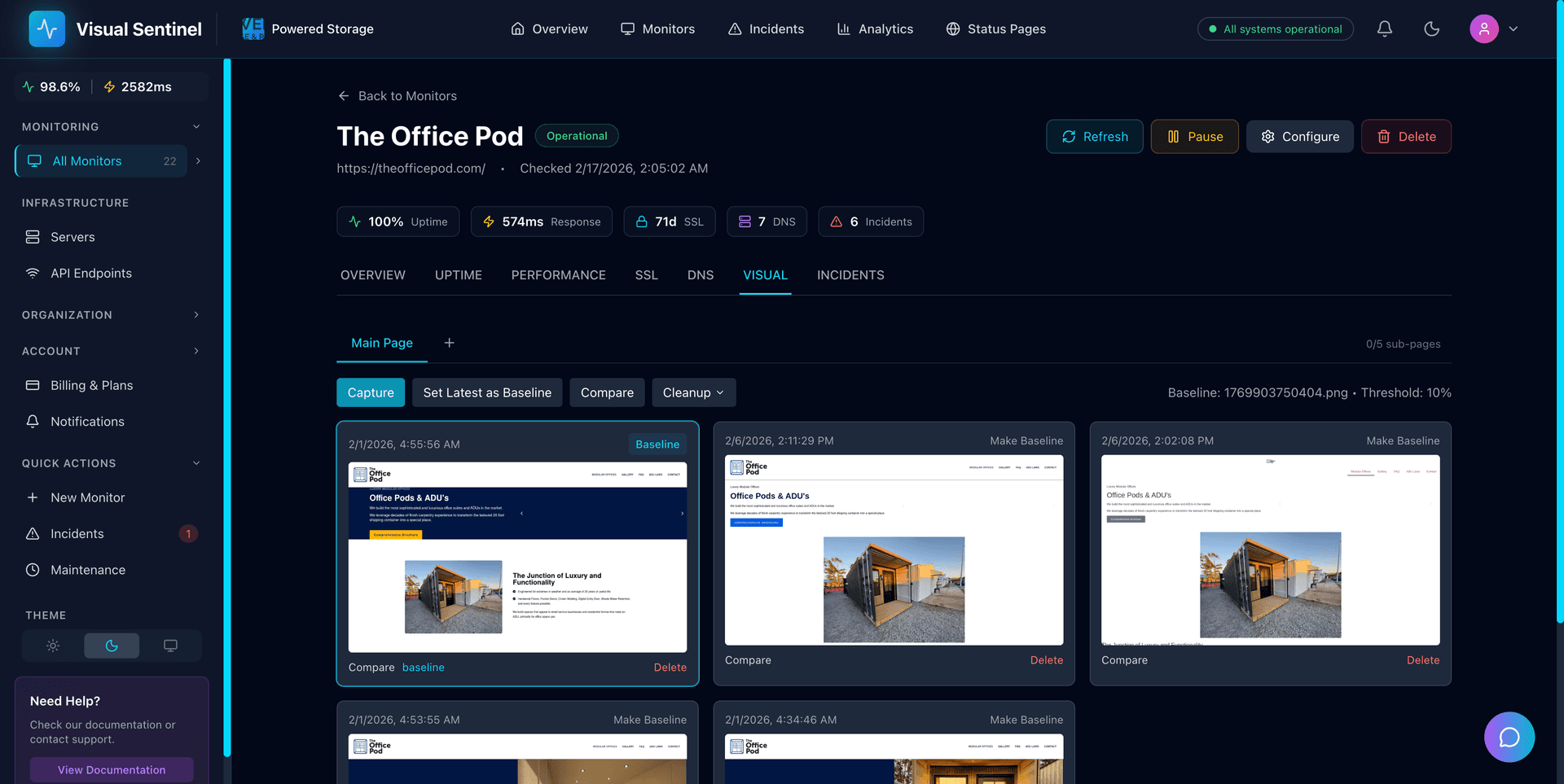
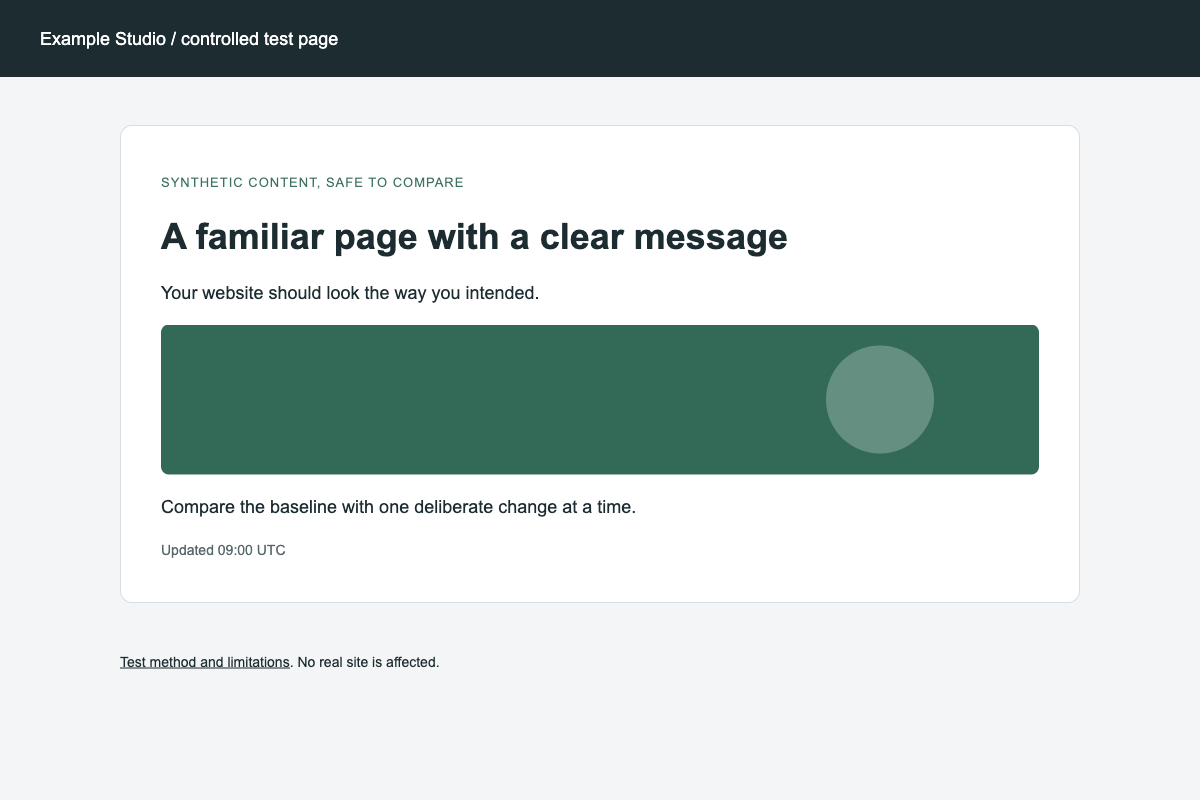
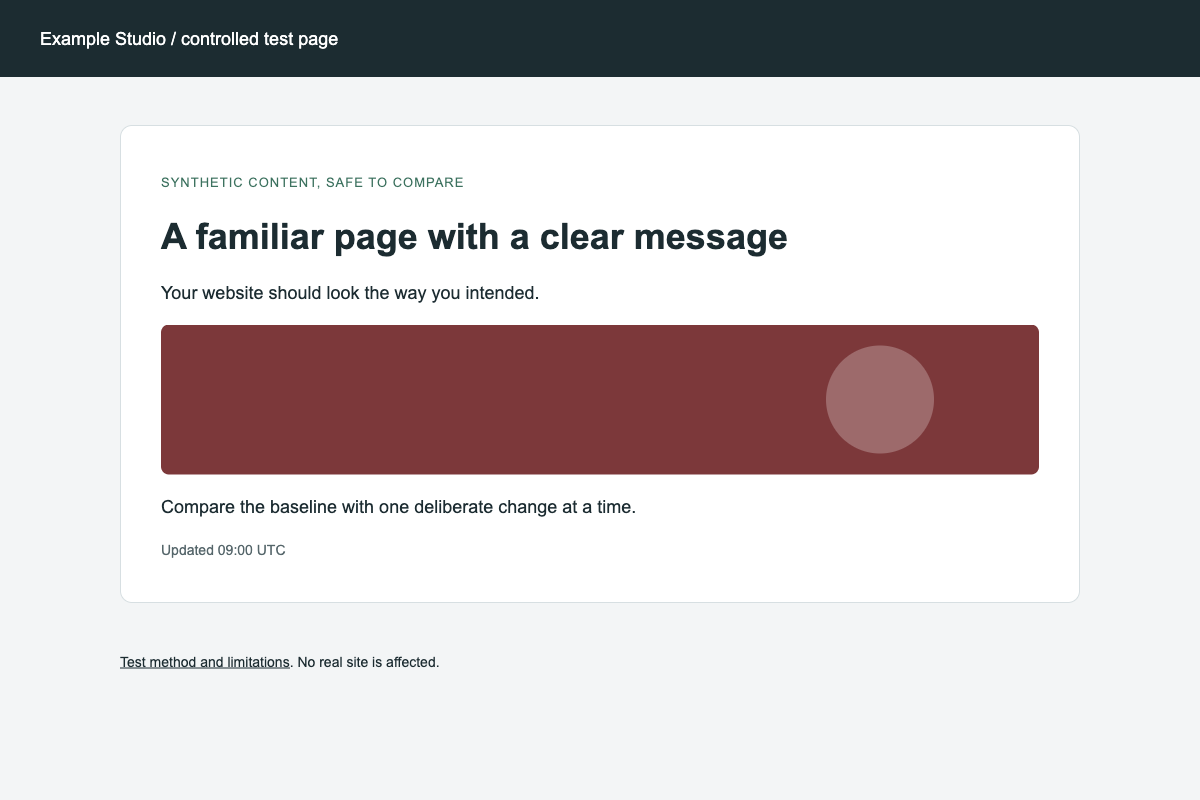
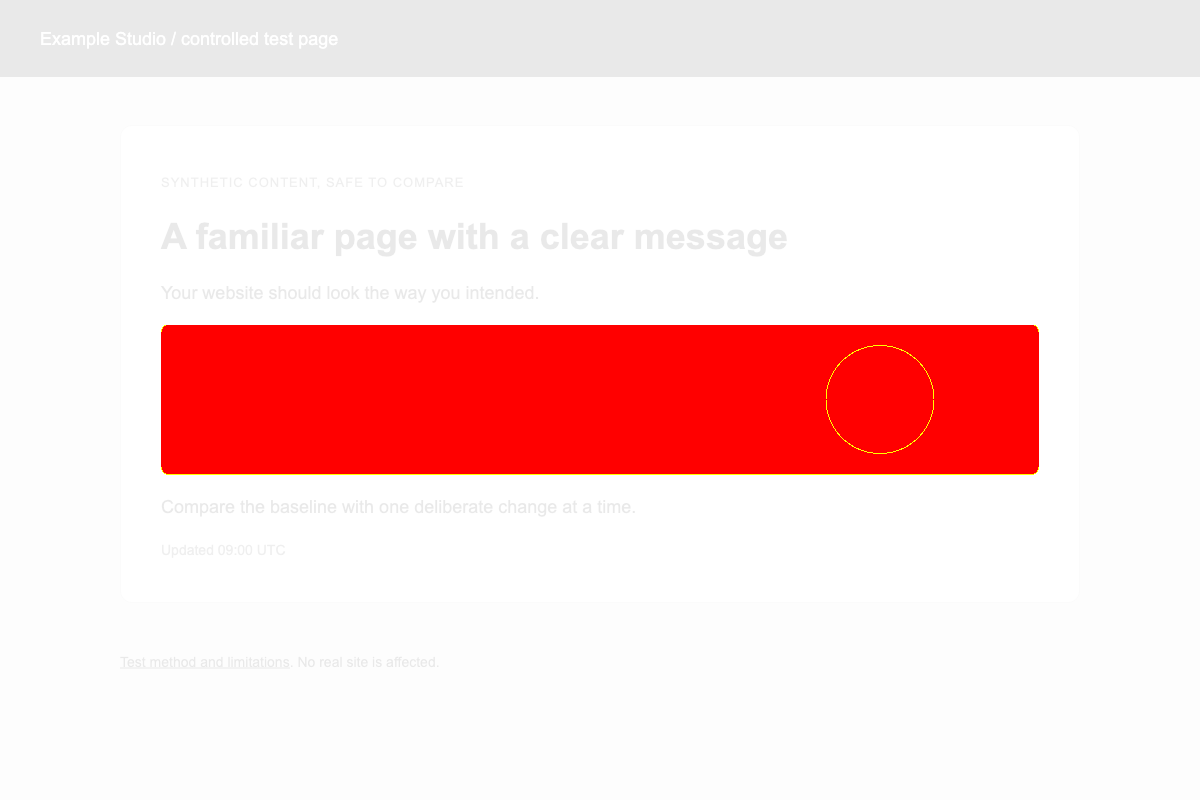
definition
What Is Visual Monitoring?
Visual monitoring (also called screenshot monitoring or visual website monitoring) takes scheduled screenshots of your live pages and compares them against a known-good baseline. When CSS breaks, an image disappears, a layout shifts, or a third-party script changes the page, you get an alert with a side-by-side diff. A page can load successfully while showing a blank screen or broken design. Uptime tools miss that. Visual Sentinel renders pages in a real Chromium browser the way visitors see them, then compares each screenshot with a configurable sensitivity threshold so ads and timestamps do not flood you with noise.
customer voices
What our users say.
I tried UptimeRobot and ChecklyHQ, but neither solved the problem of finding broken pages until we checked manually. With Visual Sentinel, we get instant alerts and can fix our WordPress sites quickly instead of finding issues by accident.
Powered Storage
We run an agency and due to Elementor updates or cache issues, some client websites would break. We only found out from client complaints because UptimeRobot didn't catch visual issues. After switching to Visual Sentinel, we get alerts about broken pages in minutes. Would recommend 5/5.
The DWCO
Managing many projects, I can't always keep an eye on every website. When something broke after an update, we wouldn't know until someone reached out. After using Visual Sentinel, life has become a lot easier knowing we'll be alerted via Slack and any team member can jump on it immediately.
CueBytes
what you get
Built for issues customers actually notice.
Automated Screenshots
Each scheduled visual check renders your page in a real browser and stores a full-page screenshot. Visual captures run every 30 minutes on Solo or every 15 minutes on Starter and higher.
Pixel-Level Comparison
Detect layout shifts, missing assets, font changes, and color differences before they become support tickets.
Adjustable Sensitivity
Set your own threshold for what counts as a "change." Ignore dynamic content like ads or timestamps while catching real issues.
Scheduled Visual Change Alerts
When a scheduled visual check detects a qualifying change, route an alert with side-by-side evidence of what changed.
Screenshot History
Browse historical screenshots to see how your site has evolved. Pinpoint exactly when a visual issue was introduced.
More Than Screenshots
Screenshot monitoring runs alongside uptime, performance, SSL, DNS, and content checks in the same monitor.
What website change monitoring covers
Website change monitoring tells you when a page you care about no longer matches the version you approved. Visual Sentinel watches for three kinds of change on the same monitor and sends the evidence to the place your team already reads alerts.
Layout and design changes
A real browser opens the page and takes a screenshot of what a visitor sees, then compares it with your approved baseline. A difference above your threshold (10% when you add a monitor) raises an alert that can include before, after and difference images. Included from Solo.
Text and content changes
On Starter and higher, choose the parts of a page to watch, such as a price, a legal notice or an “In stock” label. Each check reads that visible text and records what was added or removed.
Signs of defacement
When watched text changes, Visual Sentinel also looks for common defacement patterns, such as “hacked by” text or a sudden block of gambling or pharmacy spam, and shows the reason next to the change. A replaced page design also shows up in the screenshot comparison.
How often it checks
- Solo: screenshot checks every 30 minutes on one website (the address you add plus up to 3 more pages).
- Starter: screenshot checks every 15 minutes on up to 5 websites, and text checks every 5 minutes.
- Business and Agency: screenshot checks every 15 minutes on up to 60 websites and 300 websites respectively (up to 6 pages each), and text checks as often as every minute.
These are the shortest intervals each plan allows. You can set a longer one on any monitor.
Where the alerts go
Every paid plan can send change alerts to email, Slack, Microsoft Teams, Discord, Telegram, WhatsApp, PagerDuty, Opsgenie and webhooks. Route each monitor to the channels that fit it, for example a client's pricing page to the account manager and the checkout page to the on-call developer.
Worked example
This is an illustrative scenario, not a customer story. A small online shop on Starter watches its home page and its pricing table. A theme update goes out on a Tuesday afternoon and the hero image fails to load, pushing the “Shop now” button below a blank block. The site still loads, so an uptime check stays green. Within 15 minutes, the next screenshot check finds the page more than 10% different from the baseline and posts an alert to the shop's Slack channel with a link to the before and after images. The owner rolls the theme back, and the following check matches the baseline again. Later that week a colleague edits a price, and the text check records the old and new price on the monitor.
Monitor Website Changes Automatically
Track visual changes and, on Starter or higher, configured content elements on their scheduled checks. Get evidence when a monitored change crosses your threshold.
Most monitors only watch for outages. Visual Sentinel watches for changes too. On each scheduled visual check, we render the page in a real browser, take a full-page screenshot, and compare it pixel-by-pixel against the most recent confirmed baseline. If the difference exceeds your configured threshold, an alert can include a side-by-side comparison and a highlighted diff image. Solo visual checks run every 30 minutes; Starter, Business, and Agency run them every 15 minutes.
Pair visual monitoring with Starter-or-higher content monitoring, which extracts visible text from configured CSS selectors in fetched source HTML. That combines “the page looks different” screenshot evidence with “the configured text changed” evidence. The content worker does not execute page JavaScript or diff arbitrary markup.
Common change-monitoring use cases
- Catch deploy regressions. When a CSS update shifts the hero, breaks the checkout button, or drops a section, the next visual check can produce an alert with a screenshot diff.
- Watch competitor pricing. Track the price element on a competitor's pricing page; get notified the moment they raise or drop prices.
- Watch product availability. Track the “Add to cart” or “Out of stock” element on a target product page; get alerted when it changes state.
- Government and policy pages. Track legal text, deadlines, or policy updates on .gov pages without checking them manually.
- Content drift detection. If your CMS allows team edits, content monitoring catches accidental edits to legal pages, pricing tables, or product descriptions.
- Third-party widget watching. When a third-party script (analytics, chat widget, ad provider) starts distorting the layout, visual monitoring flags it before your users do.
How the change-detection threshold works
Each monitor has a configurable visual mismatch threshold (10% when you add a monitor). The diff is calculated across the full rendered page; if more than the threshold percentage of pixels differ between the new screenshot and the baseline, the monitor flags a change. For pages with dynamic content (timestamps, ads, rotating featured items), raise the threshold; for pages where every pixel matters (a tightly designed landing page, a checkout flow), lower it.
For text-specific tracking on Starter or higher, content monitoring follows the uptime cycle while visual captures keep their separate schedule. Define one or more CSS selectors per monitor; the content check extracts the selected text and can alert when it changes. It answers a narrower question than the pixel comparison.
Check frequency
Visual monitoring starts on Solo. Solo captures every 30 minutes; Starter, Business, and Agency capture every 15 minutes. Business and Agency add 1-minute uptime checks while visual captures remain at 15 minutes.
Your first check runs when you add your site. The trial needs a card and is billed on day 8 unless you cancel.
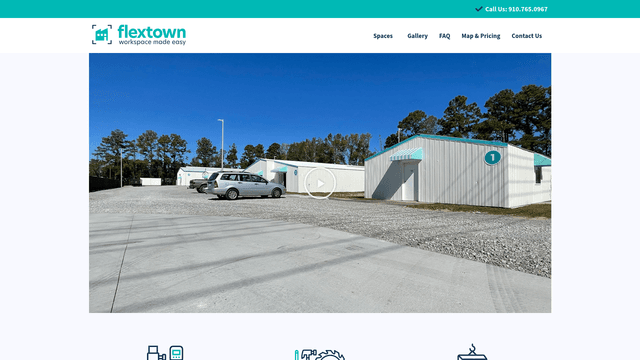
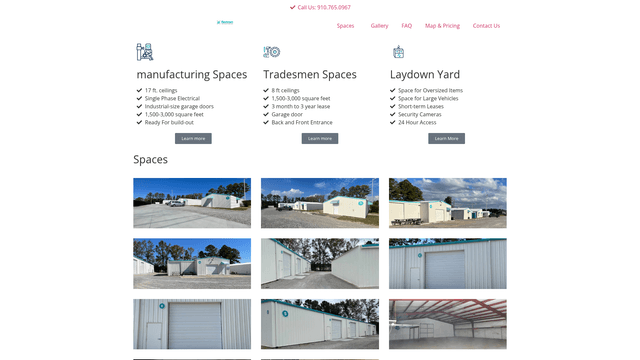
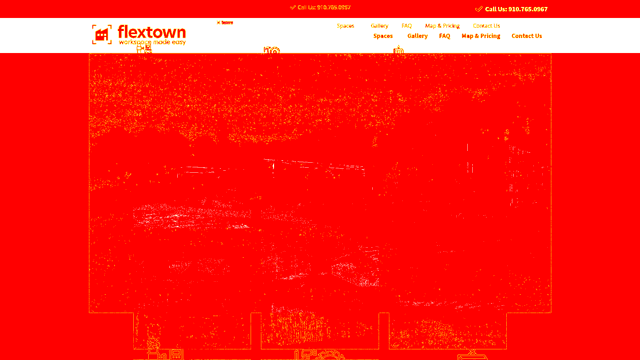
Caught in the Wild
These are real production issues detected by Visual Sentinel. No demos, no staging, actual monitoring in action.



Visual monitoring, not just page-change alerts
Tools built only for website change detection (for example Visualping) watch a page for visual or text edits. That is useful. Production sites also go down, lose SSL, drift DNS, expire domains, or respond as healthy while the layout is quietly broken. Visual Sentinel covers those layers on the same monitor.
Change-detection only
- Screenshot or text watch on selected URLs
- Strong for competitive price or content tracking
- Usually separate from uptime and SSL tooling
Visual Sentinel
- Visual monitoring with real-browser screenshots and diffs
- Uptime, SSL, DNS, performance, content, domain expiry
- Multi-site agency workflows and public status pages
Related guides
Want the method behind the screenshots?
Read the privacy-safe visual regression methodology and synthetic fixture before monitoring a real site.
Read the visual regression methodologyhow it works
Three steps, no extensions.
Add Your Page
Enter the URL you want to visually monitor. We capture a baseline screenshot immediately.
Set Sensitivity
Choose how sensitive the comparison should be. Filter out dynamic elements that change normally.
Review Changes
When we detect a visual change, you get an alert with a side-by-side comparison showing exactly what changed.
Frequently asked questions
What is visual monitoring?
Visual monitoring (screenshot monitoring / visual change detection) takes scheduled screenshots of your live web pages and compares them to a baseline. When the page looks wrong (layout shift, missing image, blank section, broken CSS) you get an alert with a side-by-side diff, even when the site still loads successfully.
How does screenshot monitoring work technically?
We use Playwright with a real Chromium browser to render your page and take a full-page screenshot. Each new screenshot is compared pixel-by-pixel against the baseline. If the difference exceeds your configured threshold, we flag it as a visual change.
Won't dynamic content like ads trigger false positives?
We have a configurable mismatch threshold. You can adjust sensitivity so that small, expected changes (ads, timestamps, user-generated content) don't trigger alerts. Only significant visual changes will be flagged.
Is visual monitoring the same as Visualping or change-detection-only tools?
Change-detection tools often watch one page for visual or text edits. Visual Sentinel includes that, and also runs uptime, SSL, DNS, performance, content, and domain-expiry checks on the same monitor, with multi-site agency workflows. See our Visualping comparison for details.
Is this the same as visual regression testing in CI/CD?
It's complementary. CI/CD visual tests catch issues before deployment. Visual Sentinel catches issues in production: deployment misconfigurations, CDN problems, third-party script changes, or any visual issue that CI/CD wouldn't catch.
Can you show me a real example?
Yes. We have documented case studies with before/after screenshots, pixel diff overlays, and incident timelines. See our case studies page for real production incidents caught by Visual Sentinel.
Can it detect when an Elementor or WordPress update breaks my design?
It can detect a visible difference when the next scheduled visual capture is compared with the confirmed baseline. Solo captures every 30 minutes; Starter, Business, and Agency capture every 15 minutes. If the change crosses your threshold, the alert can include a side-by-side comparison.
start with a first check
Start watching the pages your visitors see.
Solo is $15 USD a month. Eligible customers get a 7-day card trial, then pay on day 8 unless cancelled, or subscribe now.
- 30-minute visual checks on Solo
- original screenshot evidence
- cancel trial before billing