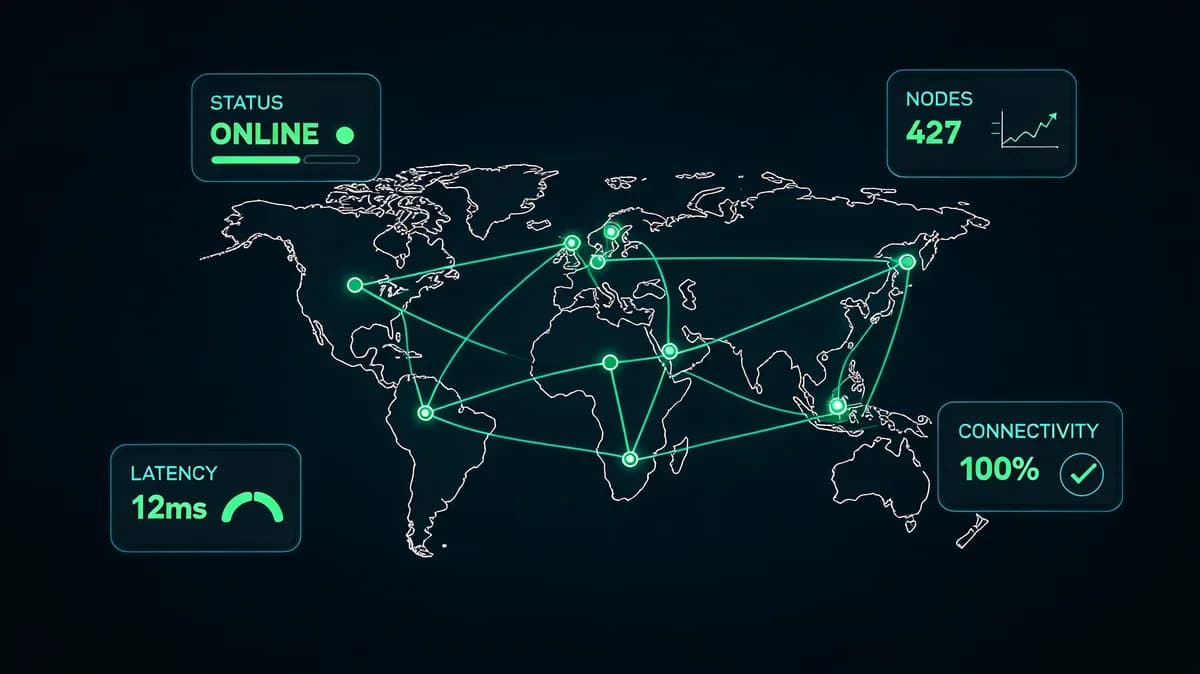
Running a home server in 2026 isn't just about setting up the hardware and walking away. Whether you're hosting personal websites, running a NAS, or managing containerized applications, your home infrastructure needs the same level of monitoring attention as enterprise systems. The difference is that you are likely the only person on call when something breaks at 3 AM.
In my experience helping teams transition from basic uptime checks to comprehensive monitoring strategies, I've seen how proper home server monitoring transforms a hobby project into a reliable service. The complexity of modern home labs (Docker containers, virtual machines, and multiple services) demands a systematic approach to visibility and alerting.
Why Home Server Monitoring Matters in 2026
The Cost of Downtime for Self-Hosters
When your home server goes down, the impact extends beyond personal inconvenience. If you're hosting websites, family photo storage, or development environments, downtime translates to real costs. If the server holds your family photos or runs a site you rely on, an outage means lost access and lost time.
For home servers supporting remote work or small businesses, achieving 99.9% uptime (allowing only 8.76 hours of downtime per year) becomes crucial. This benchmark, while ambitious for home setups, provides a realistic target that balances availability with maintenance requirements.
Modern Home Lab Complexity
Today's home servers rarely run single applications. I've seen setups running everything from Plex media servers and NextCloud instances to development databases and CI/CD pipelines. This complexity creates multiple failure points that traditional monitoring approaches miss.
Container orchestration with Docker Compose or Kubernetes adds another layer of complexity. When a container fails silently or a volume runs out of space, you need monitoring that catches these issues before they cascade into larger problems.
Security and Performance Benefits
Effective home server monitoring serves as an early warning system for security incidents. Unusual CPU spikes, unexpected network traffic, or abnormal disk I/O patterns often indicate compromise attempts or successful breaches.
Performance monitoring helps optimize resource allocation and plan capacity upgrades. Understanding your server's baseline performance patterns enables better decision-making about hardware upgrades and service placement.
Essential Metrics for Home Server Monitoring
Core Performance Metrics
CPU load monitoring should track both instantaneous and average load over 1, 5, and 15-minute intervals. For home servers, sustained CPU usage above 80% for more than 5 minutes typically indicates a problem requiring investigation.
Memory usage becomes critical when running multiple services. Set alerts when available RAM drops below 20% to prevent swap thrashing that can make your server unresponsive. Also watch swap usage, because heavy swapping usually means too little RAM.
Disk I/O metrics reveal bottlenecks before they impact user experience. Monitor read/write operations per second, average response times, and queue depths. High I/O wait times (above 10% consistently) suggest storage performance issues.
Network and Connectivity Monitoring
Network monitoring for home servers requires both internal and external perspectives. Track bandwidth utilization to identify unusual traffic patterns that might indicate security issues or misconfigured services.
Latency monitoring helps identify network path issues that affect service responsiveness. Monitor ping times to your ISP's gateway, major DNS servers, and critical external services your applications depend on.
External uptime monitoring provides the visitor's perspective of your services. An external uptime monitoring service checks your site from outside your network and can see problems your internal checks miss.
Storage and Capacity Planning
Disk space monitoring prevents the most common cause of home server failures. Set alerts when any filesystem reaches 85% capacity, giving you time to clean up or expand storage before critical services fail.
SMART data monitoring provides early warning of disk failures. Track reallocated sectors, pending sectors, and other SMART attributes that indicate developing hardware problems. Most monitoring tools can parse SMART data and alert on concerning trends.
Capacity forecasting uses historical data to predict when storage will reach capacity. This proactive approach prevents emergency midnight disk cleanup sessions.
Best Free and Open-Source Monitoring Tools
LibreNMS for Comprehensive Monitoring
LibreNMS is a full-featured free SNMP monitoring system for home servers. It polls devices over SNMP, monitors network equipment, and draws performance graphs without licensing costs.
Installation needs a web server (the LibreNMS docs recommend NGINX), PHP and MariaDB, plus SNMP configured on the devices you want to poll. The web interface provides intuitive dashboards showing real-time network topology, device health, and historical performance data.
I've deployed LibreNMS in environments ranging from single home servers to multi-site networks. It has wide vendor support, and switches, NAS boxes and servers can all be polled with SNMP.
Prometheus and Grafana Stack
The Prometheus and Grafana combination offers unmatched flexibility for custom monitoring scenarios. Prometheus excels at time-series data collection, while Grafana provides beautiful, customizable dashboards.
To start, run node_exporter on the home server. It listens on HTTP port 9100 by default and exposes host metrics for Prometheus to pull. Then add it as a target in prometheus.yml:
scrape_configs:
  - job_name: homeserver
    static_configs:
      - targets: ['192.168.1.10:9100']
Replace the address with your server's. Once the target shows as up in Prometheus, build or import a Grafana dashboard on top of it.
Custom dashboards become powerful when monitoring containerized applications. Use cAdvisor for Docker container metrics and create Grafana panels showing resource usage per container, making capacity planning more granular.
Zabbix for Enterprise Features
Zabbix provides enterprise-grade monitoring capabilities in an open-source package. Its agent-based architecture works well for home servers requiring detailed monitoring and complex alerting scenarios.
Zabbix templates let you apply the same checks to many hosts. Auto-discovery features automatically detect and monitor new services as you expand your home lab.
Zabbix supports escalations, maintenance periods and correlation rules that tie problems to their resolutions. These features prove valuable when managing multiple services with different criticality levels.
Commercial Solutions for Home Server Monitoring
Cloud-Based Monitoring Services
Datadog offers a free tier supporting up to 5 hosts, making it viable for small home server deployments. The platform covers infrastructure and application monitoring.
New Relic includes 100GB of free monthly data ingestion, suitable for basic home server monitoring. The platform's strength lies in application performance monitoring and distributed tracing for complex service architectures.
PRTG provides comprehensive network monitoring with a free version supporting up to 100 sensors. PRTG monitors devices over SNMP and other protocols using sensors.
Hybrid On-Premises Solutions
Hybrid solutions combine cloud-based dashboards with on-premises data collection. This approach provides external accessibility while keeping sensitive data local.
Pandora FMS runs agents on your hosts and has a free open source edition. The dashboard can be reached remotely.
NinjaOne focuses on endpoint monitoring with remote management capabilities. It is designed for business use, so it is usually more than a home server needs.
Cost-Effective Options for Home Labs
When evaluating commercial solutions, consider total cost of ownership beyond licensing fees. Factor in setup time, maintenance requirements, and learning curve steepness.
Some vendors have personal or home lab plans, so check each vendor's pricing page before assuming you need a business license.
Free tiers often provide sufficient functionality for single-server deployments. Evaluate upgrade paths carefully to avoid vendor lock-in as your monitoring requirements grow.
Setting Up External Uptime Monitoring
Monitoring Self-Hosted Websites
External monitoring provides the visitor's perspective of your self-hosted services. Configure checks from multiple geographic locations to identify regional connectivity issues.
HTTP/HTTPS monitoring should verify both response codes and content validity. Simple uptime checks miss scenarios where your server responds with error pages or degraded functionality.
API endpoint monitoring becomes crucial for self-hosted applications. Monitor key API responses, authentication systems, and database connectivity to catch issues before users notice problems.
SSL Certificate and DNS Monitoring
SSL certificate monitoring prevents unexpected service interruptions from expired certificates. Most monitoring platforms include certificate expiry checks, but dedicated tools like SSL checkers provide more detailed validation.
Alert at least a couple of weeks before expiry. If you use Visual Sentinel, SSL monitoring reminders default to 13, 3, and 1 days before expiry (optional at 20 and 6), which still leaves time for renewal and testing. Also check the full chain, because a missing intermediate certificate shows browser warnings even when the expiry date is fine.
DNS monitoring ensures your services remain accessible through domain names. Monitor A records, MX records, and other critical DNS entries for unauthorized changes or propagation issues.
Global Monitoring Perspectives
Use monitoring probes in the regions your users connect from.
Compare response times across different probe locations to identify ISP routing issues or geographic performance problems. This data helps optimize CDN configurations or server placement decisions.
Consider IPv6 monitoring if your ISP and services support it, so you catch problems that affect only IPv4 or only IPv6.
Configuring Alerts and Notifications
Smart Alerting Strategies
Effective alerting balances responsiveness with alert fatigue prevention. Set thresholds by criticality: critical services alert immediately, less important ones can tolerate brief degradation.
Implement escalation policies that account for your availability. Start with email alerts, escalate to push, Telegram, or WhatsApp after, for example, 15 minutes, and consider automated remediation for common issues.
Use alert correlation to reduce notification volume during widespread outages. When multiple services fail simultaneously, send summary alerts instead of individual notifications for each affected service.
Multi-Channel Notifications
Email alerts remain reliable for non-urgent notifications and provide detailed context for troubleshooting. Configure rich HTML emails with graphs and relevant metrics.
Push notifications, Telegram or WhatsApp work for urgent alerts when you are away from your desk. Keep them for service-down and security events so they stay meaningful.
Discord and Slack integration works well for home lab environments where multiple family members or friends help maintain services. Create dedicated channels for different alert severities.
Avoiding Alert Fatigue
Tune alert thresholds based on historical data rather than arbitrary values. Analyze metric patterns over several weeks to identify normal operating ranges and set thresholds accordingly.
Implement alert suppression during maintenance windows. Schedule regular maintenance periods and configure monitoring to suppress non-critical alerts during these times.
Use intelligent alerting features when available. Modern platforms offer machine learning-based anomaly detection that adapts to your system's behavior patterns, reducing false positives.
Advanced Home Server Monitoring Techniques
Container and VM Monitoring
Container monitoring requires specialized approaches beyond traditional host-level metrics. Monitor container resource limits, restart counts, and health check status to identify problematic containers.
Docker monitoring works best with dedicated exporters like cAdvisor or Docker's built-in metrics endpoint. Track per-container CPU, memory, and network usage to identify resource-hungry applications.
Virtual machine monitoring depends on your hypervisor platform. VMware, Proxmox, and other platforms provide APIs for guest VM monitoring. Monitor both host and guest metrics for complete visibility.
Log Analysis and Correlation
Centralized logging transforms troubleshooting from reactive to proactive. Collect logs from all services into a central location for correlation and analysis.
ELK Stack (Elasticsearch, Logstash, Kibana) provides powerful log analysis capabilities. Configure Logstash to parse different log formats and create Kibana dashboards for visual log analysis.
Grafana Loki offers a lighter-weight alternative to Elasticsearch for log aggregation. Its integration with Grafana provides unified metrics and logs visualization.
Predictive Maintenance
Use historical data to predict component failures before they occur. Track trends in disk SMART data, temperature sensors, and performance metrics to identify degrading components.
Capacity planning prevents resource exhaustion issues. Analyze growth trends for disk usage, memory consumption, and network traffic to plan upgrades proactively.
Automated remediation handles common issues without manual intervention. Configure scripts to restart failed services, clean temporary files, or rotate logs when specific conditions occur.
Troubleshooting Common Monitoring Issues
Agent Installation Problems
SNMP configuration often causes initial setup difficulties. Get it working from the command line before you add the device to a monitoring platform:
- Install and enable the SNMP daemon on the device (
snmpd, from the Net-SNMP package) and install thesnmpcommand-line tools on the machine that will poll it. - Prefer SNMPv3, which has authentication and encryption. With snmpd stopped, create a read-only user with the Net-SNMP shortcut:
net-snmp-config --create-snmpv3-user -ro -a SHA -x AES -A authpassphrase -X privpassphrase monitor. The-roflag addsrouser monitortosnmpd.conffor you (without it the user gets read-write access), and-a SHA -x AESmatch the test command below (the shortcut defaults to MD5 and DES). Passphrases must be at least 8 characters. If you use SNMPv2c instead, set a long random community string, neverpublic. - By default snmpd listens on UDP port 161 on all IPv4 interfaces. Limit access to the monitoring host with your firewall, or bind it to one address with
agentaddress. - Restart snmpd, then test from the monitoring host:
# SNMPv3
snmpwalk -v3 -u monitor -l authPriv -a SHA -A 'authpassphrase' -x AES -X 'privpassphrase' 192.168.1.10 sysName
# SNMPv2c
snmpwalk -v2c -c yourcommunity 192.168.1.10 sysName
If you get a timeout, check the firewall and the agentaddress setting. If you get an authentication error, recheck the user name and passphrases.
SSH key authentication simplifies agent deployment and eliminates password-related issues. Configure passwordless SSH access for monitoring accounts and restrict permissions to necessary commands only.
Windows WMI monitoring requires specific service configurations and firewall exceptions. Enable WMI service, configure DCOM settings, and ensure monitoring accounts have appropriate WMI permissions.
Network Connectivity Issues
Firewall configurations often block monitoring traffic. Document required ports for each monitoring protocol and create specific firewall rules rather than disabling firewalls entirely.
NAT and port forwarding complicate external monitoring setups. Configure static port mappings for monitoring services and ensure dynamic DNS updates when using residential internet connections.
Network segmentation can isolate monitoring traffic from production services. Create dedicated VLANs for monitoring communications to improve security and troubleshooting.
Performance Impact Concerns
Monitoring agents are small, but measure them. Benchmark your system before and after agent installation to quantify actual performance impact.
Polling intervals significantly affect monitoring overhead. Start with longer intervals (5-10 minutes) and decrease only for critical metrics requiring higher resolution data.
Data retention policies prevent monitoring databases from consuming excessive disk space. Configure appropriate retention periods based on your analysis needs and available storage.
Start with basic uptime and performance monitoring, then add more as your setup grows. Pick tools that match your technical comfort level and leave room for expansion.
Your next step: set up an external check on your public URL first, then add host metrics. You can run a first check on your site with Visual Sentinel and compare it with what your internal tools report. For related setups, see our self-hosted monitoring for homelabs guide.
Check your site while you read
Run a free check for regional reachability, response time, redirect handling, TLS evidence, and DNS resolution. No account is required.
Check a site freeCommon questions
What's the best free monitoring tool for a single home server?
LibreNMS is a full-featured free option for home server monitoring, with network and server polling at no cost. For simpler setups, combining Prometheus with Grafana provides custom dashboards and alerting.
How do I monitor my self-hosted website's uptime from outside my network?
Use external monitoring services like Visual Sentinel's uptime monitoring (checks run from Europe and the US) or free tools like UptimeRobot to check your website from outside your network. This provides an accurate view of how visitors experience your site's availability.
What uptime percentage should I target for my home server?
Aim for 99.9% uptime (8.76 hours downtime per year) as a realistic target for home servers. This accounts for planned maintenance and occasional hardware issues while maintaining good service availability.
Can monitoring tools impact my home server's performance?
Yes, but usually only a little. Measure the agent's CPU and memory on your own server (for example with top or docker stats). SNMP is agentless, and node_exporter is a small agent.
How do I set up SSL certificate monitoring for my home services?
Most monitoring platforms include SSL certificate expiry checks. Visual Sentinel's SSL monitoring checks certificate validity and sends alerts before expiration to support renewal planning.
What's the difference between internal and external monitoring for home servers?
Internal monitoring tracks server health metrics like CPU and memory from within your network, while external monitoring checks service availability from the internet. Both are essential for comprehensive visibility into your home server's performance and accessibility.