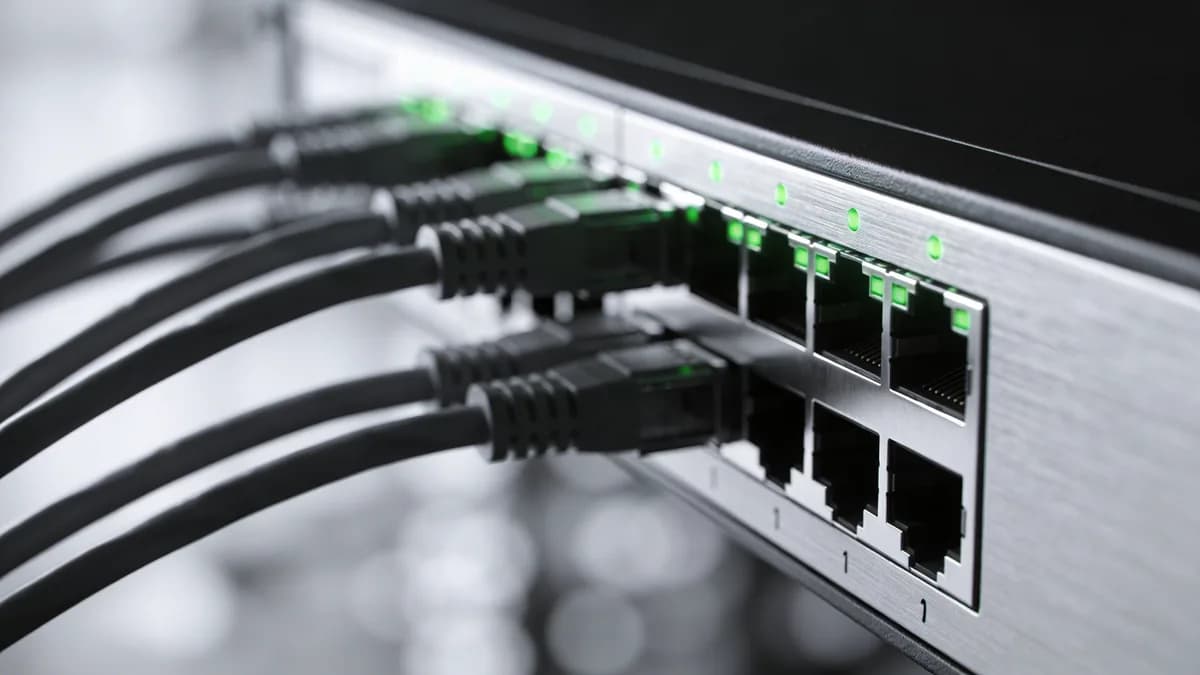
High traffic events can transform a successful website into a revenue disaster in seconds. I've witnessed Black Friday sales crash under unexpected load, product launches fail due to slow response times, and viral marketing campaigns backfire when servers couldn't handle the surge. The difference between success and failure often comes down to one critical factor: website performance monitoring.
In my experience working with high-traffic e-commerce sites and SaaS platforms, the teams that survive traffic spikes are those who monitor proactively, not reactively. They understand that performance isn't just about user experience. It's about protecting revenue, maintaining brand reputation, and staying competitive when it matters most.
Why Performance Monitoring Matters During Traffic Spikes
Website performance monitoring becomes mission-critical during high traffic events because every millisecond directly impacts your bottom line.
The Cost of Slow Performance
The cost of poor performance during traffic spikes is real. Say a store makes $10,000 an hour during a launch. A slow checkout during that hour is lost sales, not a rounding error. During peak traffic events like Black Friday or product launches, a delay compounds because more people are in the checkout at once.
I've seen e-commerce sites lose thousands of dollars per minute during flash sales simply because their checkout process became unresponsive. When your infrastructure buckles under load, you're not just losing current sales. You're damaging customer trust and future revenue potential.
Real-World Impact on Revenue
Say a site processes $10,000 per hour during a launch. A checkout that stalls will not come with a published loss figure, but it is enough to drop orders you would otherwise have taken.
Essential Metrics to Track During High Traffic Events
Monitor Core Web Vitals, server response metrics, and user experience indicators to maintain optimal performance during traffic spikes. These metrics provide early warning signals before performance issues become revenue problems.
Core Web Vitals Monitoring
Google's Core Web Vitals represent the foundation of performance monitoring during high traffic events:
Largest Contentful Paint (LCP) measures loading performance. During traffic spikes, LCP often degrades first as servers struggle with increased requests. Aim for LCP under 2.5 seconds even during peak load.
Interaction to Next Paint (INP) tracks responsiveness. High traffic can overwhelm JavaScript processing, making buttons and forms unresponsive. Keep INP below 200 milliseconds to maintain user engagement.
Cumulative Layout Shift (CLS) monitors visual stability. While less affected by traffic volume, CLS can worsen when ads or dynamic content loads slowly under heavy load. Maintain CLS below 0.1.
Server Response Metrics
Time to First Byte (TTFB) serves as your canary in the coal mine for server health. During traffic spikes, TTFB increases before users notice other performance issues. Monitor TTFB closely. For example, investigate values above a warning threshold of 600 milliseconds.
Server response time and error rates provide additional insight into backend performance. I've found that tracking 95th percentile response times gives a more realistic picture than averages during traffic events.
User Experience Indicators
Beyond technical metrics, monitor user-centric indicators like fully loaded time and page weight. During high traffic, users often abandon pages that feel slow, even if Core Web Vitals appear acceptable.
Track conversion funnel performance separately from general page metrics. Checkout and registration flows often experience different performance characteristics under load than marketing pages.
Monitoring Approaches: Lab Data vs Real User Monitoring
Combine synthetic testing with real user monitoring to get complete visibility into performance during traffic events. Each approach provides unique insights that complement the other.
Synthetic Testing Benefits
Lab data from synthetic testing helps predict performance issues before they impact users. Tools like GTmetrix and PageSpeed Insights simulate user interactions under controlled conditions, allowing you to identify potential bottlenecks.
I recommend running synthetic tests every 5-15 minutes during high traffic events. This frequency catches performance degradation quickly while avoiding overwhelming your monitoring infrastructure.
Real User Monitoring (RUM) Advantages
Field data from real user monitoring reveals actual visitor experiences during traffic spikes. RUM captures performance variations across different devices, network conditions, and geographic locations that synthetic testing might miss.
RUM data becomes especially valuable during traffic events because it shows how performance varies with load. You'll often see performance differences between new and returning visitors, or between different user segments.
Combining Both Approaches
Use synthetic testing for proactive optimization and baseline establishment. Deploy RUM to validate lab findings and capture real-world performance during events.
The most effective approach involves setting up synthetic monitoring alerts for early warning, then using RUM data to understand actual user impact and prioritize fixes.
Best Monitoring Tools for High Traffic Events
Choose monitoring tools based on your specific needs for alerting capabilities, diagnostic depth, and real-time visibility during traffic spikes. Different tools excel in different scenarios.
Enterprise-Grade Solutions
| Tool | Best For | Key Strengths | Traffic Event Features |
|---|---|---|---|
| GTmetrix | Detailed performance analysis | Waterfall charts, historical tracking | Automated alerts, multi-location testing |
| Pingdom | Uptime and response monitoring | Real-time alerting, global monitoring | Traffic spike detection, escalation procedures |
| New Relic | Application performance monitoring | Deep backend insights | Real-time dashboards, custom alerting |
| Datadog | Infrastructure and application monitoring | Comprehensive observability | Anomaly detection, automated scaling triggers |
Free and Open Source Options
PageSpeed Insights provides Core Web Vitals data directly from Google's infrastructure. While limited in alerting capabilities, it's essential for understanding how Google perceives your site performance.
WebPageTest offers comprehensive diagnostics with advanced features like connection throttling and custom scripting. The free tier provides detailed waterfall analysis perfect for troubleshooting performance issues.
For budget-conscious teams, combining PageSpeed Insights for Core Web Vitals tracking with WebPageTest for detailed analysis covers most monitoring needs.
Tool Selection Criteria
Choose tools that offer automated alerting based on performance thresholds. During high traffic events, manual monitoring isn't scalable. You need systems that notify you when performance degrades.
Prioritize tools with multi-location testing capabilities. Performance can vary significantly across geographic regions during traffic spikes, especially if your CDN or hosting provider experiences regional issues.
Setting Up Proactive Performance Alerts
Configure performance alerts before traffic events begin, using baseline metrics to set meaningful thresholds that trigger early warnings. Reactive monitoring during traffic spikes often means it's too late to prevent user impact.
Alert Configuration Best Practices
Establish baseline performance metrics during normal traffic periods. I typically collect data for at least two weeks before major events to understand normal performance variations.
Set up tiered alerting with warning and critical thresholds. Warning alerts might trigger when load time increases by 50% above baseline, while critical alerts activate at 100% increases or when Core Web Vitals fail.
Configure alerts for multiple metrics simultaneously. A single slow request might be an anomaly, but slow TTFB combined with increased error rates indicates a real problem.
Threshold Setting Guidelines
For most websites, I recommend these alert thresholds during high traffic events:
- LCP Warning: > 3 seconds, Critical: > 4 seconds
- INP Warning: > 300ms, Critical: > 500ms
- TTFB Warning: > 800ms, Critical: > 1.2 seconds
- Error Rate Warning: > 2%, Critical: > 5%
Adjust these based on your normal performance baselines and business requirements. E-commerce checkout flows might warrant stricter thresholds than blog content.
Escalation Procedures
Design escalation procedures that account for response time urgency during traffic events. Critical alerts should notify on-call engineers through more than one channel (email and a chat platform).
Include runbook links in alert notifications. During high-stress traffic events, having immediate access to troubleshooting procedures saves valuable response time.
Set up automatic escalation if alerts aren't acknowledged within defined timeframes. I've seen too many revenue-impacting incidents escalate unnecessarily because initial alerts were missed.
Performance Optimization Strategies for Traffic Spikes
Prepare for traffic spikes through load testing, infrastructure scaling, and optimization of critical user paths before events begin. Reactive optimization during traffic events limits your options and effectiveness.
Pre-Event Preparation
Conduct load testing that simulates expected traffic patterns. Don't just test peak volume. Simulate realistic user behavior including browsing patterns, search usage, and checkout flows.
Optimize database queries before traffic events. During my experience with flash sales, poorly optimized database queries often become the primary bottleneck under load. Review slow query logs and add appropriate indexes.
Pre-scale infrastructure components that can't auto-scale quickly. While cloud auto-scaling helps with compute resources, database read replicas and CDN configurations often require manual preparation.
Real-Time Optimization
During traffic events, focus on quick wins that provide immediate impact. Disable non-essential third-party scripts, implement emergency caching rules, and temporarily reduce image quality if necessary.
Monitor third-party dependencies closely. External widgets, analytics scripts, and social media integrations can become performance bottlenecks when their servers experience load issues.
Use feature flags to disable resource-intensive functionality if performance degrades. I've successfully maintained core site functionality during traffic spikes by temporarily disabling features like product recommendations or advanced search filters.
Post-Event Analysis
Analyze performance data after traffic events to identify improvement opportunities. Compare synthetic monitoring data with real user metrics to understand where lab testing didn't predict actual performance issues.
Document lessons learned and update monitoring thresholds based on actual performance during the event. This analysis becomes invaluable for preparing for future traffic spikes.
Review infrastructure scaling patterns to optimize auto-scaling configurations. Understanding how your infrastructure responded to load helps refine scaling policies for future events.
Troubleshooting Common Performance Issues
Use waterfall charts and performance diagnostics to quickly identify and resolve bottlenecks during traffic spikes. Systematic troubleshooting prevents panic-driven decisions that might worsen performance.
Server Response Problems
High TTFB during traffic events typically indicates server-side bottlenecks. Check database connection pools, application server capacity, and load balancer configurations first.
Database performance often degrades before application servers during traffic spikes. Monitor slow query logs, connection counts, and lock contention to identify database-related issues.
Load balancer misconfigurations can create artificial bottlenecks even when backend servers have available capacity. Verify session affinity settings and health check configurations.
Frontend Bottlenecks
Render-blocking resources become more problematic during high traffic when network latency increases. Identify critical CSS and JavaScript that must load synchronously versus resources that can load asynchronously.
Large images and unoptimized assets consume bandwidth that becomes precious during traffic spikes. Implement emergency image compression or switch to lower-resolution variants if necessary.
Browser caching misconfigurations waste bandwidth during high traffic events. Verify cache headers for static assets and implement aggressive caching for resources that don't change frequently.
Third-Party Dependencies
External scripts and widgets often become performance bottlenecks when their hosting providers experience load issues. Monitor third-party response times separately and be prepared to disable problematic integrations.
Payment processors and external APIs can introduce latency during high traffic periods. Implement timeouts and fallback mechanisms for critical third-party dependencies.
Social media widgets and analytics scripts frequently slow down during viral traffic events. Consider loading these asynchronously or disabling them temporarily to maintain core site performance.
Website performance monitoring during high traffic events requires proactive planning, comprehensive tooling, and systematic troubleshooting approaches. The teams that succeed understand that monitoring isn't just about collecting data. It's about protecting revenue, maintaining user experience, and staying competitive when stakes are highest.
In my experience, the difference between sites that thrive during traffic spikes and those that crash comes down to preparation and monitoring strategy. Start monitoring before you need it, set up alerts before traffic arrives, and always have a plan for when performance degrades. Your users, and your revenue, depend on it.
For teams looking to implement comprehensive monitoring, tools like Visual Sentinel's performance monitoring can provide scheduled website response-time checks and alerts to help investigate performance issues.
Check your site while you read
Run a free check for regional reachability, response time, redirect handling, TLS evidence, and DNS resolution. No account is required.
Check a site freeCommon questions
What are the most critical metrics to monitor during high traffic events?
Focus on Core Web Vitals (LCP, INP, CLS), Time to First Byte (TTFB), and fully loaded time. These metrics directly impact user experience and conversions during traffic spikes.
How often should I monitor website performance during peak traffic?
Implement continuous real-time monitoring during events, with synthetic tests every 5-15 minutes. Use the 28-day monitoring window for accurate Core Web Vitals baseline data.
What's the difference between synthetic monitoring and real user monitoring?
Synthetic monitoring simulates user interactions to predict issues, while real user monitoring (RUM) captures actual visitor experiences. Both are essential for comprehensive performance tracking.
How do I set up effective performance alerts for traffic spikes?
Configure alerts based on your baseline metrics, typically when load times exceed 3 seconds or Core Web Vitals degrade. Set up multi-location monitoring and escalation procedures for critical issues.
What should I do if performance degrades during a high traffic event?
Use waterfall charts to identify bottlenecks, check server response times, optimize or disable non-critical third-party scripts, and implement emergency caching if possible.
Which monitoring tools work best for high traffic event preparation?
GTmetrix excels at detailed analysis, PageSpeed Insights provides Core Web Vitals data, and WebPageTest offers comprehensive diagnostics. Choose tools with automated alerting and multi-location testing capabilities.