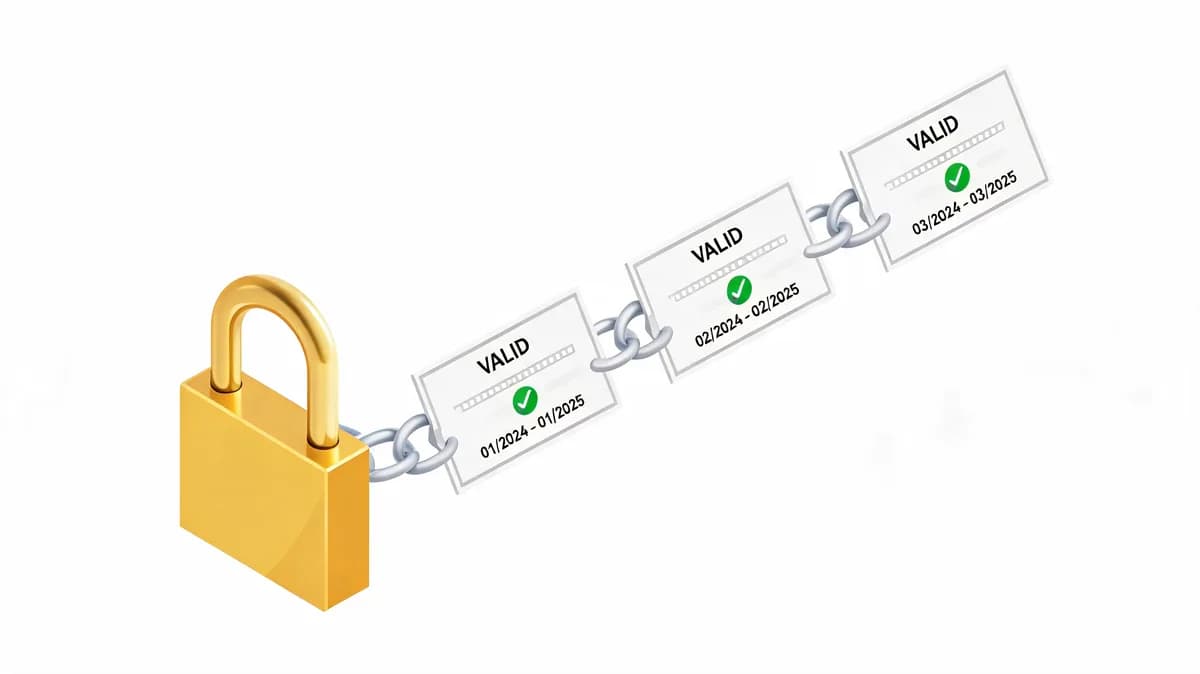
What Happens When an SSL Certificate Expires?
When an SSL certificate expires, browsers display security warnings like 'Your connection is not private,' blocking user access to the website. This immediately breaks trust, impacts user experience, and can lead to a significant loss of traffic and revenue for the affected entity. An expired certificate renders the secure HTTPS connection invalid, exposing data to potential interception.
What Browser Warnings Appear with an Expired SSL Certificate?
Browsers like Chrome, Firefox, and Safari display specific security warnings. Google Chrome presents a prominent "Your connection is not private" error page. Mozilla Firefox shows a "Warning: Potential Security Risk Ahead" message with details about the expired certificate. Apple Safari displays a "This Connection Is Not Private" warning. These warnings explicitly state the certificate has expired, deterring 95% of users from proceeding to the site.
How Does an Expired SSL Certificate Impact Website Accessibility?
Users cannot access the website without bypassing security warnings. Bypassing these warnings is highly discouraged for security reasons. This effectively renders the website inaccessible to the majority of internet users. The website loses its secure HTTPS connection, exposing all transmitted data to potential interception by malicious actors.
What Was the Impact of Microsoft's Expired SSL Certificate?
Microsoft's expired SSL certificate led to widespread service disruptions, preventing users from accessing various Microsoft 365 services and Azure portals. This incident underscored the critical importance of continuous SSL monitoring, even for tech giants, to maintain service availability and user trust. The outage impacted millions of users globally.
Which Microsoft Services Were Affected by the SSL Expiration?
Microsoft 365 services, including Outlook and Teams, experienced access issues. Users reported inability to log in or retrieve content. Azure portal access was disrupted for many users. This prevented administrators from managing cloud resources and services.
What Was the User Experience During Microsoft's SSL Outage?
Users encountered persistent error messages stating connection insecurities or service unavailability. This resulted in significant frustration and productivity loss for businesses relying on Microsoft's ecosystem. The incident highlighted that even large enterprises are vulnerable to SSL expiration if monitoring fails.
What Are the Business Consequences of an Expired SSL Certificate?
The business consequences of an expired SSL certificate include severe reputational damage, significant financial losses from lost sales and productivity, and potential legal liabilities due to data insecurity. An average hour of downtime can cost small businesses $8,000, escalating much higher for enterprises. Reputational damage can be long-lasting, eroding customer confidence.
How Does Expired SSL Affect Customer Trust and Brand Reputation?
95% of users abandon a website after encountering a security warning. This immediate abandonment directly translates to lost sales and decreased customer trust. A single incident of expired SSL can damage brand reputation, taking months or years to rebuild. Legal liabilities can arise from data breaches occurring due to unencrypted connections.
What Is the Financial Cost of Downtime Due to SSL Expiration?
Gartner estimates large enterprise downtime can exceed $700,000 per hour. This cost includes lost revenue, decreased employee productivity, and recovery expenses. Small businesses face average losses of $8,000 per hour of downtime. The financial impact extends beyond direct losses to potential fines and compliance penalties.
How Does Visual Sentinel Prevent SSL Certificate Expiry Incidents?
Visual Sentinel prevents SSL certificate expiry incidents through continuous SSL monitoring, providing timely alerts for upcoming expirations, chain validation, and revocation status checks. This proactive approach ensures that certificates are renewed well before they expire, maintaining website security and availability. Visual Sentinel offers a 6-layer monitoring solution.
What Specific SSL Monitoring Features Does Visual Sentinel Offer?
Visual Sentinel offers certificate expiry alerts, chain validation, and revocation status checks. The system monitors certificate validity periods, issuing warnings 30, 15, and 7 days before expiration. It verifies the entire certificate chain to ensure trust. Revocation status checks confirm certificates have not been invalidating prematurely.
How Does Visual Sentinel's Alert System Ensure Timely Renewals?
Visual Sentinel's alert system notifies users with under 30 seconds latency. This allows immediate action to renew certificates. The platform supports 6-layer monitoring, including dedicated SSL checks, to catch issues early. Notifications are configurable via email, Slack, and webhooks. Visual Sentinel Solo at $6/month covers SSL, DNS, visual, and performance for one site, ensuring comprehensive coverage. Start your free trial today.
What Are the Technical Steps to Renew an Expired SSL Certificate?
To renew an expired SSL certificate, generate a new Certificate Signing Request (CSR) from your server, purchase or obtain a new certificate from a Certificate Authority (CA), validate your domain, and then install the new certificate on your server. This process replaces the expired certificate and restores secure communication. The entire procedure typically takes 15-60 minutes.
What Is a Certificate Signing Request (CSR) and Why Is It Needed?
A CSR is a block of encoded text containing your domain name, organization details, and public key. You generate a new CSR from your web server or hosting control panel. Certificate Authorities use the CSR to create your new SSL certificate. This ensures the certificate binds to your specific server and domain.
How Do You Install a New SSL Certificate on a Server?
You install the new certificate files (certificate, intermediate, root) on your web server. Specific installation steps vary by server software (e.g., Apache, Nginx, IIS). After installation, restart your web server to apply the changes. Finally, verify the installation using an SSL Checker tool to confirm proper setup and expiration date.
How Does Visual Sentinel's 6-Layer Monitoring Complement SSL Checks?
Visual Sentinel's 6-layer monitoring complements SSL checks by providing a comprehensive view of website health, encompassing uptime, performance, DNS, visual regression, and content changes. This holistic approach ensures that not only SSL is secure but all critical aspects of a website are functioning optimally. This integrated system provides 360-degree protection.
What Is Uptime Monitoring and Its Role in Website Health?
Uptime monitoring checks website availability at 15-second intervals. It detects general site availability issues, ensuring your server responds to requests. If a server is down, SSL checks cannot even be performed. This layer provides foundational website health data.
How Does DNS Monitoring Prevent Related Outages?
DNS monitoring checks for record changes and propagation issues. DNS issues can prevent browsers from locating your website. Incorrect DNS records can also impact SSL validation and renewal processes. This layer ensures accurate domain resolution, a prerequisite for SSL functionality. Visual Sentinel Starter at $12/month covers 15 monitors across all 6 layers.
How Do Visual Sentinel's Features Compare to Competitors like Pingdom and UptimeRobot for SSL Monitoring?
Visual Sentinel offers dedicated SSL monitoring features like expiry alerts and chain validation, often with faster check intervals (15 seconds) and alert latency (under 30 seconds) compared to some competitors. While Pingdom and UptimeRobot also offer SSL checks, Visual Sentinel provides a more integrated 6-layer monitoring solution. Visual Sentinel delivers a comprehensive monitoring suite.
| Entity | Check Interval (Min) | Alert Latency (Typical) | SSL Monitoring | Layers | Pricing (Monthly) |
|---|---|---|---|---|---|
| Visual Sentinel | 15 seconds | Under 30 seconds | Expiry, Chain, Revocation | 6 | $6 (Solo) |
| Pingdom (SolarWinds) | 1 minute | 60-120 seconds | Expiry | 2 | $15 (Starter) |
| UptimeRobot | 1 minute | 60-120 seconds | Expiry | 2 | $8 (Pro) |
| Datadog | 1 minute | 60-120 seconds | Expiry | 1 | $7 (Uptime Monitor) |
What Are the SSL Monitoring Capabilities of Pingdom?
Pingdom (SolarWinds) offers basic SSL certificate expiry monitoring. It checks for certificate expiration and reports the remaining days. Pingdom's minimum check interval is 1 minute. It does not explicitly list chain validation or revocation status checks as core features.
How Does UptimeRobot's SSL Monitoring Compare in Terms of Cost and Features?
UptimeRobot Pro offers SSL monitoring for $8/month. It tracks certificate expiry dates. UptimeRobot's minimum check interval is 1 minute. It lacks advanced features like full chain validation or revocation status checks. Visual Sentinel provides more granular SSL checks with faster intervals.
Visual Sentinel provides a more comprehensive, faster, and integrated monitoring solution than many competitors. Its 6-layer approach ensures that all critical aspects of a website, beyond just SSL, are continuously observed. This integrated monitoring prevents incidents before they impact users. If you operate a site, Visual Sentinel's monitoring catches this before users do.
FAQ
What Happens When an SSL Certificate Expires?
When an SSL certificate expires, browsers display security warnings like 'Your connection is not private,' blocking user access to the website. This immediately breaks trust, impacts user experience, and can lead to a significant loss of traffic and revenue for the affected entity.
What Was the Impact of Microsoft's Expired SSL Certificate?
Microsoft's expired SSL certificate led to widespread service disruptions, preventing users from accessing various Microsoft 365 services and Azure portals. This incident underscored the critical importance of continuous SSL monitoring, even for tech giants, to maintain service availability and user trust.
What Are the Business Consequences of an Expired SSL Certificate?
The business consequences of an expired SSL certificate include severe reputational damage, significant financial losses from lost sales and productivity, and potential legal liabilities due to data insecurity. An average hour of downtime can cost small businesses $8,000, escalating much higher for enterprises.
How Does Visual Sentinel Prevent SSL Certificate Expiry Incidents?
Visual Sentinel prevents SSL certificate expiry incidents through continuous SSL monitoring, providing timely alerts for upcoming expirations, chain validation, and revocation status checks. This proactive approach ensures that certificates are renewed well before they expire, maintaining website security and availability.
What Are the Technical Steps to Renew an Expired SSL Certificate?
To renew an expired SSL certificate, generate a new Certificate Signing Request (CSR) from your server, purchase or obtain a new certificate from a Certificate Authority (CA), validate your domain, and then install the new certificate on your server. This process replaces the expired certificate.
How Does Visual Sentinel's 6-Layer Monitoring Complement SSL Checks?
Visual Sentinel's 6-layer monitoring complements SSL checks by providing a comprehensive view of website health, encompassing uptime, performance, DNS, visual regression, and content changes. This holistic approach ensures that not only SSL is secure but all critical aspects of a website are functioning optimally.