What Is Cloudflare Email Security and How Does It Protect Email Flows?
Cloudflare Email Security scans incoming emails for phishing threats. Pre-delivery (MX) deployment works with any provider, including Microsoft 365 and Google Workspace; post-delivery scanning uses the Microsoft Graph API or journaling for Microsoft 365 and BCC for Google Workspace. It gives each message a disposition (Malicious, Spam, Bulk, Suspicious or Spoof) using signals that include email authentication results. Administrators use the dispositions to decide what to block and what to investigate.
Cloudflare Email Security integrates directly with email providers. Administrators configure MX records to route traffic through Cloudflare's gateways.
Deployment Options for MX and API
MX deployment scans emails before they reach Microsoft 365 or Google Workspace servers. This option provides primary phishing protection for external traffic. Cloudflare Email Security uses authentication results, including SPF, DKIM and DMARC, as signals when it assigns a disposition. Mail that fails SPF, DKIM or DMARC can get the Spoof disposition.
API integration enables remediation after initial delivery. Cloudflare documents API deployment for Microsoft 365. For Google Workspace, the documented post-delivery option is BCC.
Cloudflare lists three deployment options: API (post-delivery), BCC or journaling (post-delivery), and MX or inline (pre-delivery). Administrators select MX for upfront scanning or API for layered defense.
How Do SPF, DKIM, and DMARC Protocols Work in Cloudflare Email Monitoring?
SPF checks sender authorization, DKIM verifies message signatures, and DMARC evaluates authentication alignment and policy. Cloudflare Email Security uses authentication signals when classifying mail. Cloudflare Email Routing requires every forwarded email to pass SPF or be signed with DKIM, and it rejects mail that fails both. It is a separate service from Email Security.
SPF checks sender IP addresses against the domain's published authorization. Authentication failures provide evidence for investigating possible spoofing.
DKIM verifies cryptographic signatures against published keys to check message integrity. A valid signature is an authentication result, not an accuracy guarantee for threat detection.
DMARC evaluates alignment with the visible sender domain and publishes policies such as quarantine or reject. Aggregate reports sent to the address in the record's rua= tag show which servers send mail as your domain and whether they pass.
| Entity | Attribute | Value |
|---|---|---|
| Cloudflare Email Security | Supported Protocols | SPF, DKIM, DMARC |
| Cloudflare Email Security | Deployment Types | MX (pre-delivery, scans before Microsoft 365/Google), API and BCC/journaling (post-delivery) |
| Cloudflare Email Routing | Forwarding authentication | SPF or DKIM required; mail that fails both is rejected; DMARC recommended |
Protocol Enforcement Timeline
Three authentication rules matter, and they apply to different services:
- February 2024: Gmail began requiring SPF, DKIM and a DMARC record (at least
p=none) from anyone sending 5,000 or more messages a day to Gmail accounts. - Email Routing: every forwarded email must pass SPF or be signed with DKIM, and mail that fails both is rejected. Cloudflare also recommends DMARC. This applies to Email Routing, which is a separate service from Email Security.
- November 2025: Gmail stepped up enforcement on non-compliant mail, which can now be rejected temporarily or permanently.
Within Email Security, the three protocols work like this. SPF results can be used when assigning a disposition to suspicious mail. A failed DKIM signature is another signal to weigh with the other authentication results. DMARC alignment uses the SPF and DKIM results, and its aggregate reports show which senders pass.
What Key Metrics Does the Cloudflare Email Security Dashboard Track?
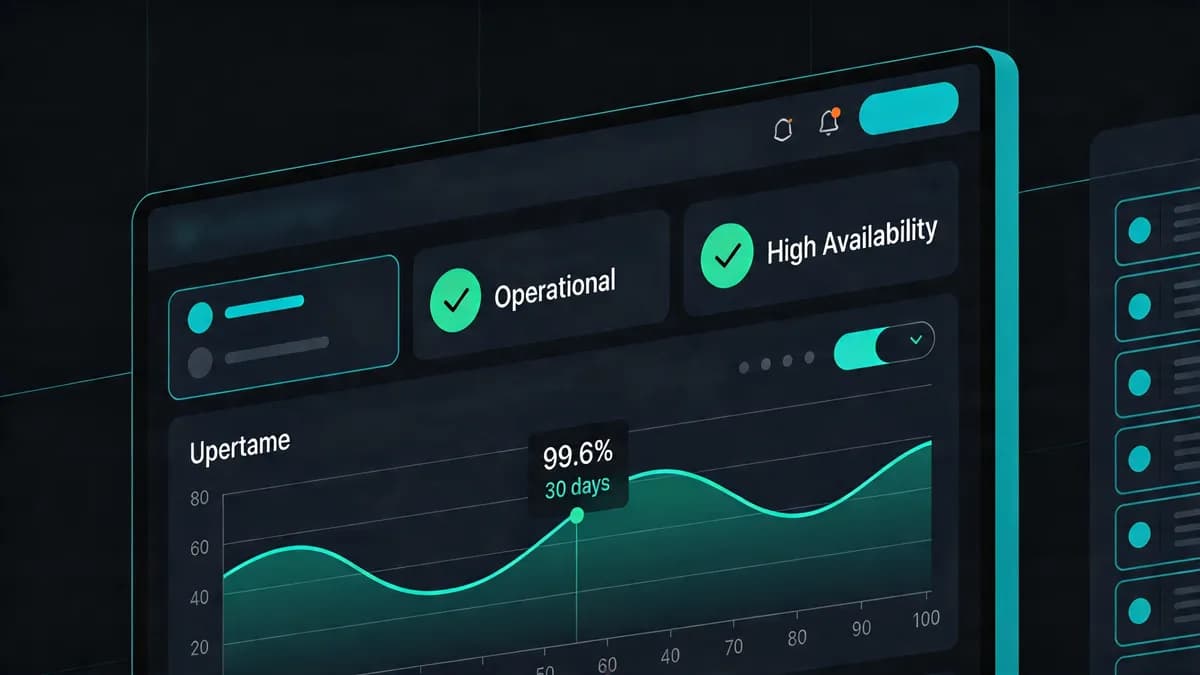
The dashboard monitors email activity (messages scanned and dispositions), detection details, impersonations, phish submissions, auto-move events and detection-settings metrics. In Cloudflare One it is under Email security, then Monitoring. The page shows scanned messages and dispositions for the timeframe you select, and Live mode shows the current counts.
Email activity metrics show scanned messages and their dispositions. Malicious and Suspicious classifications help administrators prioritize review.
Detection details include impersonation detections, phish submissions and auto-move events. Open the underlying messages and policies from the dashboard to see why each detection fired.
Detection-settings metrics show allowed traffic, blocked traffic and domain age, with a Configure button for setting policies.
| Entity | Attribute | Value |
|---|---|---|
| Cloudflare Email Security | Email Activity | Scanned emails, dispositions (Malicious/Spam/Bulk/Suspicious/Spoof) |
| Cloudflare Email Security | Detection Details | Impersonations, phish submissions, auto-move events |
| Cloudflare Email Security | Settings Metrics | Allowed/blocked traffic volumes, domain age |
Disposition and Detection Breakdown
Cloudflare recommends a different action for each disposition:
- Malicious: block. These messages triggered multiple phishing verdicts.
- Suspicious: research internally. They are linked to phishing campaigns and are still under automated analysis.
- Spoof: block after investigating. Spoof can be triggered by a legitimate third-party mail service, so confirm who is sending before you block.
- Spam: send to your existing spam quarantine.
- Bulk: monitor or tag. Newsletters and marketing mail usually land here.
Impersonation metrics show the number of targeted users and the total number of impersonation attempts, and phish submissions show what your users and admins reported. Use the dashboard to open the messages behind a number, and reclassify a message when its disposition is wrong.
How Can You Deploy Cloudflare Email Security with Microsoft 365 or Google Workspace?
Deploy MX records for scanning before Microsoft 365 or Google Workspace, or use API integration for post-delivery remediation. Administrator submissions help with false positive and false negative review. Select the traffic scope that fits the deployment.
MX configuration points domains to Cloudflare gateways. Microsoft 365 and Google Workspace deployments also require the appropriate authentication records. Verify DNS changes before relying on the configuration.
API deployment is documented for Microsoft 365 and works on messages after they are delivered. For Google Workspace, the documented post-delivery option is BCC. Journaling is the Microsoft 365 alternative, and Cloudflare has setup guides for each.
Layered setups combine MX scanning and API remediation. They need testing to confirm which traffic is scanned and how actions are applied.
MX vs API Configurations
MX scanning examines messages before delivery. It can support upfront blocking, but does not eliminate post-delivery risk.
API configurations support remediation in existing setups. Action timing depends on provider access and the deployment; it should be verified using actual messages.
MX supports Microsoft 365 and Google Workspace. API deployment is documented for Microsoft 365, and BCC is the documented post-delivery option for Google Workspace. Configure the chosen deployment and verify DNS propagation before testing mail flow.
Verify the setup by sending test emails and checking the dispositions in the dashboard before you expand the deployment.
What Alert Thresholds Should You Set for Cloudflare Email Delivery Rates?
Keep your user-reported spam rate below 0.1% and never let it reach 0.3%; set delivery and bounce alerts from your own baseline. Those two spam-rate figures come from Google's Gmail sender guidelines. Cloudflare Email Security watches inbound mail, so delivery, bounce and complaint rates for the mail you send come from your sending service and from Google Postmaster Tools.
Google gives no fixed numbers for delivery or bounce rates, so use your own history. For example, if your bounce rate is normally 1%, alert at 2%. If a normal day delivers 99% of messages, alert when it drops a few points. These are examples to adapt, not industry standards.
Bounces usually point to invalid recipients or a delivery failure, so read the bounce responses before deciding what to fix. Spam complaints point to content or consent problems. Google says bulk senders should keep their spam rate below 0.1% and should prevent it from ever reaching 0.3% or higher. From June 2024, bulk senders above 0.3% are ineligible for mitigation while the rate stays above 0.3%. They become eligible again only after the rate stays below 0.3% for 7 consecutive days. Postmaster Tools reports reputation in categories rather than a numeric score. It covers mail sent to personal Gmail addresses, and it shows data only after the sending domain is verified.
Threshold Configuration Steps
- Add and verify your sending domain in Google Postmaster Tools, then read the spam rate, authentication and delivery error views.
- In your sending platform, set an alert for the bounce and delivery thresholds you chose from your baseline.
- Keep SPF and DKIM passing and publish a DMARC record (
p=noneis the minimum Gmail asks of bulk senders). After any DNS change, use DNS Checker to inspect the published records. - If delivery drops, check the major blocklists and the bounce responses, and compare against your authentication results.
- Review alerts every few weeks and move the thresholds as your traffic changes.
How Does Cloudflare Email Monitoring Integrate with Website Uptime Checks?
Your website and your mail usually depend on the same domain, DNS provider and often the same Cloudflare account, so monitor both: website availability and DNS records on one side, the email provider's own reporting on the other. A change to a DNS zone can break the site and the mail at once, and DNS observations help you tell a shared infrastructure problem from a mail-only one. Visual Sentinel checks websites from Europe and the US, and its uptime checks test HTTP endpoints; they do not verify mail delivery.
MX records identify mail servers. Checking those DNS records is different from sending an HTTP probe to an MX host or verifying email delivery. Use Uptime Monitoring for the website and the email provider's reporting for mail flow. Website SSL checks do not validate email authentication.
Linking Email and Web Layers
Business and Agency plans check HTTP uptime every minute, and Solo and Starter every five minutes. Use SSL Monitoring to check website certificate validity and expiry. It does not test SPF, DKIM or DMARC.
Use DNS Checker to inspect published records, including the TXT records for SPF, DKIM and DMARC. Message authentication still has to be checked in your mail results.
Read website checks and email observations together when you suspect a shared dependency, such as a DNS change that touched both. Each check has its own scope, and neither shows overall delivery reliability.
Why Monitor DNS Records for Cloudflare Email Security Compliance?
Checking DNS records helps identify changes that may affect email authentication. Visual Sentinel's DNS monitoring tracks records on a schedule. Cloudflare Email Routing's forwarding requirements apply to that service, and DNS checks do not enforce compliance, but they do show when a record that authentication depends on has changed.
A simple routine is to list the records your mail depends on and watch them:
- SPF: the TXT record on your domain that starts with
v=spf1. Compare changes against the senders you actually use. - DKIM: the TXT record at
selector._domainkey.yourdomain.com, where the selector is named in your mail provider's setup. A key rotation must publish the new public key. - DMARC: the TXT record at
_dmarc.yourdomain.com, which holds the policy (p=none,quarantineorreject) and therua=address for reports. - MX: the records that route mail to Cloudflare or your mail provider.
Investigate any change you did not make. Run the Website Checker for a one-off look at the site itself.
DNS Impact on Email Flows
SPF or DKIM misconfigurations can affect authentication. Dashboard observations and message headers help determine the actual cause; monitoring does not resolve the configuration automatically.
DMARC aggregate reports show who sends as your domain and whether it passes. Use DNS Monitoring to track the relevant records on a schedule, alongside your mail reports.
Agree with whoever owns mail configuration that DNS changes go through them. Deliverability depends on more than DNS alone.
How Does Visual Sentinel Compare to Other Tools for Cloudflare Email Monitoring?
Visual Sentinel plans start at $15/month (Solo, 10 monitors) and go up to $300/month (Agency, 300 monitors). See the Pingdom comparison for the website-monitoring differences.
UptimeRobot's free plan covers up to 50 monitors at 5-minute intervals (HTTP, keyword, port and ping monitors; DNS and SSL monitoring are on paid plans only). Visual Sentinel has no free plan and adds screenshot comparison.
Pingdom (SolarWinds) offers uptime, page speed and transaction monitoring with a free trial. Visual Sentinel's content monitoring checks for expected text on a page: a single expected-text setting on every plan, and must-contain and must-not-contain rules on Starter and higher.
Cloudflare dashboard observations complement website monitoring. Visual Sentinel's DNS layer checks records on a schedule.
| Entity | Attribute | Value |
|---|---|---|
| Visual Sentinel | Monitoring Layers | Uptime, DNS, SSL, visual, performance (content from Starter) |
| UptimeRobot | Pricing Tier | Free up to 50 monitors |
| UptimeRobot | Check Intervals | 5 minutes on the free plan, 60 seconds on Solo ($13/month, or $12 billed annually) |
| Pingdom | Free Option | Free trial, no free plan |
Feature Comparison Overview
Visual Sentinel checks uptime, performance, SSL, DNS and visual changes. Content monitoring starts on Starter. Pingdom focuses on uptime, page speed and transaction checks. Visual Monitoring compares screenshots of website pages, including pages linked from emails.
Against UptimeRobot, Visual Sentinel adds screenshot comparison and content rules (must-contain and must-not-contain on Starter and higher). UptimeRobot's uptime plans do not include screenshot comparison. Its free plan does include keyword monitoring, which checks the page HTML for a keyword or phrase. See Visual Sentinel vs UptimeRobot for details.
Cloudflare Email Security reports mail dispositions. Visual Sentinel provides separate website and DNS observations. Use each tool for the part of the investigation it covers.
What Role Does Performance Monitoring Play in Cloudflare Email Ecosystems?
Website performance monitoring does not measure mail processing; it matters for the Cloudflare-protected websites and dashboards you run. For scanned email volumes and processing behavior, use the email service's own reporting.
Compare email volumes with delivery and authentication reports. If mail actions seem delayed, look at the provider's reporting for that deployment.
Website performance can help with shared infrastructure problems, but page load times alone do not show whether mail is being processed correctly. Use Speed Test for a one-off look at website performance.
Real-Time Performance Metrics
The email dashboard reports activity and disposition events for the timeframe you select, and Live mode shows the current counts. Use Performance Monitoring for the website side and the email provider's reporting for message processing.
Content Monitoring checks whether expected text is present on a website page.
Pick the endpoints that matter (the site, the login page, the dashboard) and watch them. To start, add your domain to Visual Sentinel: the first check needs no card, and the 10-day free trial (no card with a work email) covers DNS monitoring for your SPF, DKIM, DMARC and MX records. See More articles for related monitoring topics.
To hear when your own site goes down, see how uptime alerts work in Visual Sentinel.
Check your site while you read
Run a free check for regional reachability, response time, redirect handling, TLS evidence, and DNS resolution. No account is required.
Check a site freeCommon questions
What does Cloudflare require for email forwarding?
Cloudflare Email Routing requires every forwarded email to pass SPF or be signed with DKIM, and it rejects mail that fails both. Cloudflare also recommends DMARC, which provides domain policy and reporting. DNS checks help inspect the records but do not by themselves prove message authentication.
What does Google Postmaster Tools show for email monitoring?
Google Postmaster Tools shows spam rate, reputation, authentication results and delivery errors for mail sent to personal Gmail addresses. It needs a Google account and a verified sending domain before it shows data. Google asks senders to keep their spam rate below 0.1% and never reach 0.3%.
How can Visual Sentinel detect visual changes in Cloudflare-managed sites?
Visual Monitoring takes scheduled screenshots of the pages you choose, compares each with a baseline screenshot, and alerts you when the page changes. A page behind Cloudflare is checked like any other public page. Pick the ones that matter, such as a login page or a page linked from your emails.