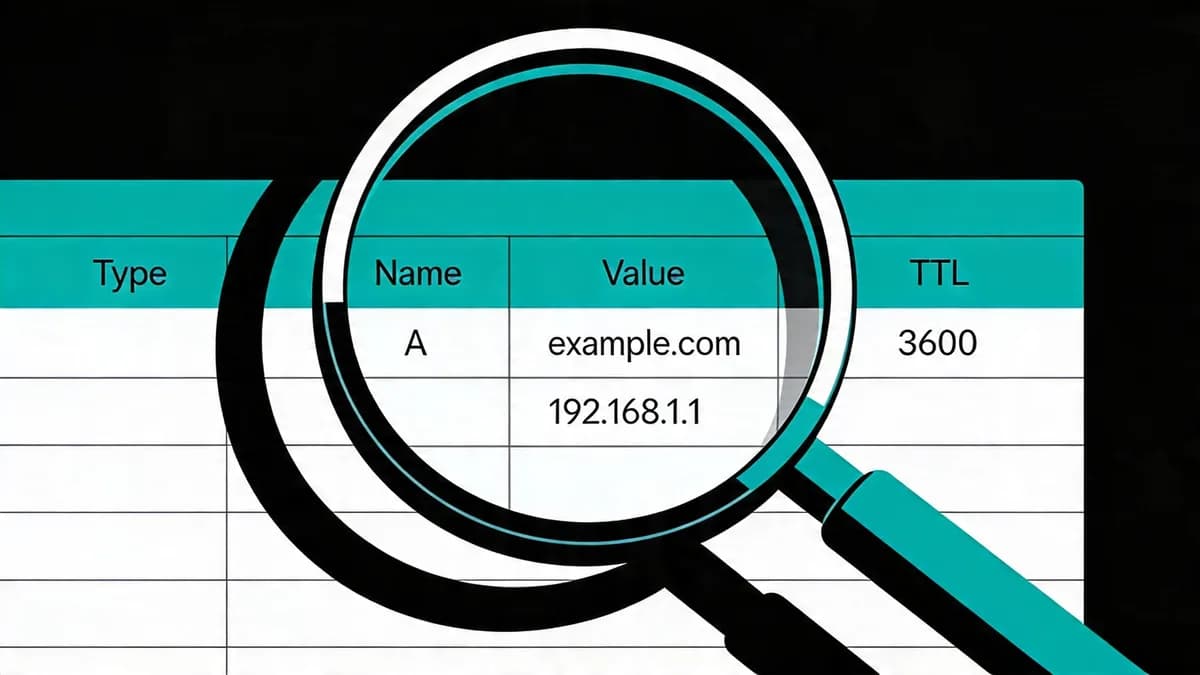
What Is DNS Monitoring and How Does It Detect Propagation Delays?
DNS monitoring queries records on a schedule to help detect changes and resolution failures. Compare A, MX, NS, CNAME and SOA responses from authoritative servers and resolvers. Visual Sentinel checks from Europe and the US and checks DNS records on a schedule.
Baseline Detection Process
Compare authoritative answers with cached resolver responses, such as those from 8.8.8.8.
Global Probe Coverage
Choose probe locations that reflect the users you serve. Visual Sentinel checks from Europe and the US.
How Do Propagation Issues Cause Intermittent Downtime for Websites?
Different resolvers can return old and new values during a DNS change, making website access inconsistent. A 3600-second TTL permits caching for 3600 seconds.
Cache Invalidation Effects
Users can query different resolvers and receive mixed responses while earlier cached records remain valid.
Resolver Variance Impacts
Compare 8.8.8.8 and 1.1.1.1 with authoritative responses. Differences can help explain why some users still reach an old destination.
What Steps Prepare Your DNS Records for Monitoring Before Changes?
Capture baseline DNS records including A, MX, NS and CNAME values before changing them. Consider reducing TTL to 300 seconds 24-48 hours before a planned change, allowing for the previous TTL. Verify authoritative nameservers with dig NS domain.com and dig @ns1.domain.com domain.com A. Use DNS Checker for initial verification.
Baseline Capture Process
Dig NS domain.com lists nameservers. Dig @ns1.domain.com domain.com A retrieves A record answers. Capture MX, NS, CNAME and SOA records as applicable, and save the results for comparison.
TTL Adjustment Timeline
Plan TTL reduction before production changes, allowing the existing TTL to expire. Recheck resolver answers after the update before restoring a longer TTL.
How Do You Configure Probes and Intervals for DNS Monitoring?
Compare authoritative servers and resolvers such as 8.8.8.8, 1.1.1.1 and 9.9.9.9 on a schedule appropriate to your needs. Visual Sentinel checks DNS records on a schedule from Europe and the US. Integrate with Uptime Monitoring for website availability checks alongside DNS results.
Probe Location Setup
Use supported locations that reflect your audience. Visual Sentinel checks from Europe and the US.
Interval Configuration
Choose check intervals based on service importance and the capabilities of the tool. Uptime Monitoring adds HTTP availability checks alongside scheduled DNS checks.
What Thresholds Trigger Alerts in DNS Propagation Monitoring?
When using a probe system that supports custom thresholds, choose latency and consecutive-failure limits appropriate to your baseline. For example, consider warnings at 100-500ms, critical alerts at 1-2 seconds and review after 2-3 consecutive failures. These are configuration examples, rather than Visual Sentinel DNS controls. Visual Sentinel alert channels include Slack, Telegram, webhooks and email.
Latency and Failure Thresholds
Use your own baseline to assess whether 100-500ms warning and 1-2 second critical thresholds suit your probe system. Compare repeated failures rather than treating an isolated response as a global outage.
Change Detection Alerts
Compare the previous and current record values, such as old IP 192.0.2.1 and new IP 198.51.100.1. Route change alerts through your configured channels.
How to Verify DNS Propagation Using Command-Line Tools?
First check authoritative servers with dig NS example.com, then dig @nameserver example.com A for each nameserver it returns. Then compare resolvers: dig @8.8.8.8 example.com A, dig @1.1.1.1 example.com A and dig @9.9.9.9 example.com A. Inspect the remaining TTL on those answers. Compare answers with the intended values. Use Website Checker alongside these commands to inspect HTTP access.
Authoritative Server Checks
The loop queries the nameservers returned for the domain. Compare each answer with the intended record and investigate errors such as SERVFAIL.
Resolver Propagation Tests
Compare answers from 8.8.8.8, 1.1.1.1 and 9.9.9.9. Website Checker checks HTTP access alongside DNS results.
Which Tools Offer Multi-Location DNS Monitoring Features?
UptimeRobot's paid plans check DNS on an interval of 60, 30 or 15 seconds and alert when a record changes. Dotcom-Monitor checks DNS on a 1 to 15 minute interval and reports NXDOMAIN and SERVFAIL. Integrate with Visual Sentinel for combined uptime, SSL, and visual monitoring. Compare features in Visual Sentinel vs UptimeRobot. Global probes ensure coverage from user-concentrated locations. See full comparisons in More articles. UptimeRobot's DNS monitoring is paid-only (Solo and up) with 60, 30 or 15 second intervals depending on the plan, and its free plan covers 50 monitors without DNS checks. Dotcom-Monitor's Internet Infrastructure plan, which covers DNS, starts at $40 a month for 5 targets checked every 15 minutes, or $79.99 a month for 10 targets at the same interval. Its DNS product page lists checks from 30+ locations. Visual Sentinel checks DNS on every paid plan, from $15/month on Solo. Solo also includes uptime, performance, SSL and visual checks. Content monitoring starts on Starter. Paessler PRTG is licensed by sensor count. PRTG 500 is $200 a month billed annually, and PRTG 2500 is $742.
| Tool/Service | Multi-Location Probes | Propagation Inconsistency Checks | Alert Channels | Check Intervals Supported |
|---|---|---|---|---|
| UptimeRobot | 4 regions (paid) | Record changes | Email on every paid plan; webhooks on Team and Scale | 15-60 seconds (paid) |
| Dotcom-Monitor | 25 locations on Subscription, 30+ on Enterprise | Expected IP match, NXDOMAIN, SERVFAIL | Email, SMS, Slack on Subscription | 1, 3, 5, 10 or 15 minutes |
| Paessler PRTG | Licensed by sensor count, on your own network | DNS sensors you configure | Email; other channels depend on the notification you add | Interval is a sensor setting, not a published plan interval |
| Hyperping | 18 regions | Missing records, wrong answers, partial propagation | 30 seconds on Essentials and Pro, 20 seconds on Business; DNS is not on Free | |
| Visual Sentinel | Europe and the US | NXDOMAIN, SERVFAIL, changes | Slack, Telegram | on a schedule |
Visual Sentinel combines scheduled DNS checks with uptime monitoring in one dashboard.
How Does Integrating DNS Monitoring with Multi-Layer Platforms Resolve Issues Faster?
Combine DNS monitoring with uptime, performance, SSL and visual checks in Visual Sentinel. Content monitoring, with must-contain and must-not-contain rules, starts on Starter. See SSL Monitoring and Performance Monitoring. Use Speed Test to inspect performance alongside the DNS investigation.
Layered Monitoring Benefits
DNS monitoring pairs with uptime checks, which run as often as every minute on Business and Agency. DNS records are checked on a schedule. SSL Monitoring checks certificate validity and expiry. Performance Monitoring adds website performance checks.
Dashboard Centralization
Use the dashboard to review DNS and website check results together. Speed Test provides another website performance check during an investigation.
What Command Extracts TTL Values for DNS Record Monitoring?
Run 'dig example.com | grep -A1 "ANSWER SECTION" | awk "{print $2}"' to inspect DNS answer output while reviewing TTL changes. Visual monitoring checks screenshots separately from DNS records.
Command Execution Details
Dig example.com returns DNS response details. Inspect the ANSWER SECTION and remaining TTL alongside the records. Combine with Visual Monitoring for screenshot comparisons after a change.
Monitoring Integration
Visual monitoring compares screenshots with saved baselines. DNS Monitoring checks DNS records on a schedule. Review the relevant results together when investigating a website change.
Capture records before changing them, compare authoritative and resolver responses, and configure ongoing checks. Start with dig commands against the resolvers your users depend on.
Check DNS propagation now
See which public resolvers already return your record, compared with the authoritative nameserver, or look up every record for the domain.
Check DNS freeCommon questions
What Is DNS Monitoring and How Does It Detect Propagation Delays?
DNS monitoring queries records on a schedule to help identify changes and resolution failures. Visual Sentinel checks from Europe and the US and checks DNS records on a schedule.
How Do Propagation Issues Cause Intermittent Downtime for Websites?
Resolvers may return different old and new values while cached records remain valid. Compare their responses with authoritative answers to investigate inconsistent access.
What Steps Prepare Your DNS Records for Monitoring Before Changes?
Capture baseline A, MX, NS and CNAME records. Consider lowering TTL to 300 seconds 24-48 hours before a planned change, allowing for the previous TTL. Check authoritative responses with dig NS and dig at the name server for the A record.
How Do You Configure Probes and Intervals for DNS Monitoring?
Compare authoritative responses with resolvers such as 8.8.8.8, 1.1.1.1 and 9.9.9.9. Choose a schedule supported by your tool. Visual Sentinel checks DNS records on a schedule from Europe and the US.
What Thresholds Trigger Alerts in DNS Propagation Monitoring?
For probe systems with configurable thresholds, choose latency and consecutive-failure limits based on your baseline. The examples in this article are not Visual Sentinel DNS controls.
How to Verify DNS Propagation Using Command-Line Tools?
First check the authoritative servers: run dig NS for your domain, then query each nameserver it returns directly (dig @ that nameserver, your domain, type A). Then compare public resolvers the same way with dig @8.8.8.8, dig @1.1.1.1 and dig @9.9.9.9. Compare the returned values and inspect the remaining TTL.