What Causes DNS Propagation Delays in Multi-Cloud Environments?
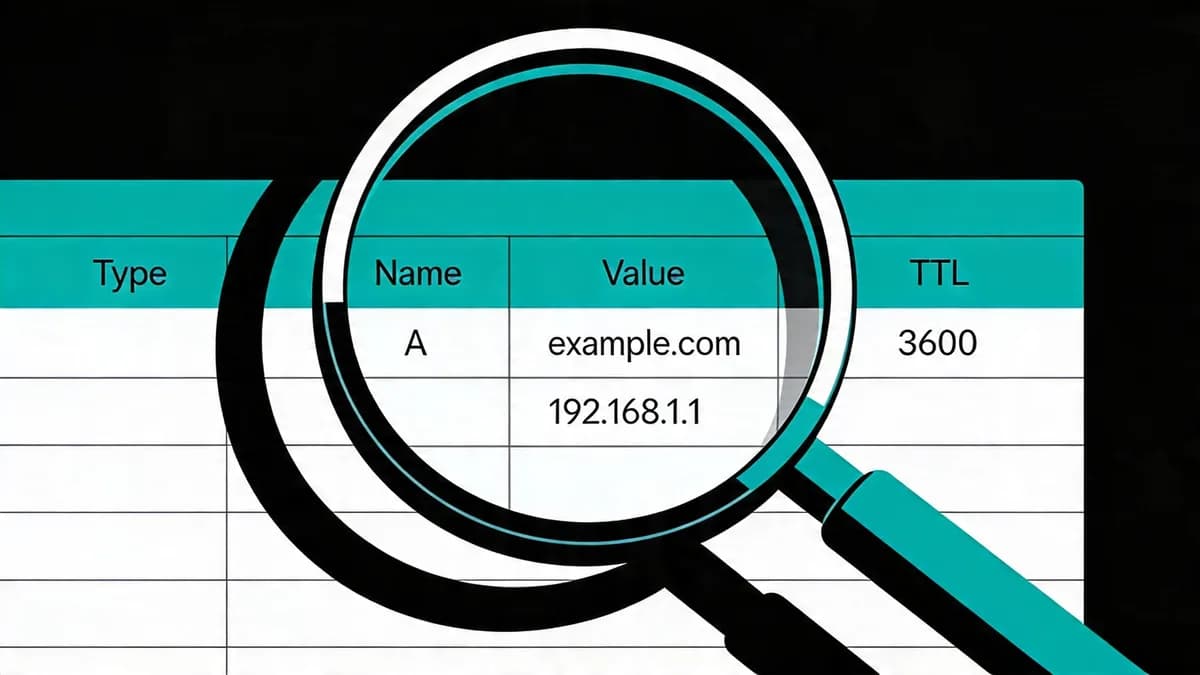
DNS propagation delays stem from resolver caching based on TTL values as changes become visible through resolvers like Google Public DNS (8.8.8.8) and Cloudflare (1.1.1.1). A TTL of 3600 seconds permits caching for 1 hour. In multi-cloud setups, compare the TTLs and records across providers. WhatsMyDNS.net checks A/AAAA/CNAME/MX records in 40+ global spots.
Google Public DNS (8.8.8.8) and Cloudflare DNS (1.1.1.1) cache responses according to TTL. AWS Route 53 hosted zones cost $0.50/month per zone. Compare TTLs when using providers such as Google Cloud DNS (with 300-second minimum TTL) and AWS Route 53, because different cached responses can remain visible during a change.
After an authoritative record changes, recursive resolvers can still return cached responses.
How Long Does DNS Propagation Typically Take with Standard TTL?
A TTL of 3600 seconds permits a resolver to cache a response for 1 hour. Global checks via WhatsMyDNS.net cover 40+ locations. Compare their answers with the authoritative record; lowering TTL does not clear an older cached response.
Previous high TTLs can keep old records cached after a change. WhatsMyDNS.net checks A/AAAA/CNAME/MX records in 40+ locations. AWS Route 53 lists a query tier at $0.40 per 1,000,000 standard queries. Check the previous TTL when interpreting differing answers.
DNSChecker.org shows responses across global servers.
What Is TTL and How Does It Affect DNS Record Changes?
TTL (Time to Live) dictates how long DNS resolvers cache records, including A or CNAME records. Before planned changes, teams can lower TTL to 300-600 seconds, allowing the old TTL to expire first. The right setting depends on change frequency and query load.
Lower TTL can increase query traffic. AWS Route 53 lists $0.40 per 1,000,000 queries and a free tier with 1,000,000 queries/month. A records point domains to IPv4 addresses; CNAME records alias a name to another name. Adjust TTL via console or API before the planned change.
Teams can lower TTL before planned sales events or other changes. Static sites and frequently changing sites may need different settings. Verify the records and remaining TTL using dig against authoritative servers and resolvers.
How Can You Minimize DNS Propagation Delays Before Planned Updates?
Lower TTL to 300-600 seconds 24-48 hours prior to changes, allowing caches to expire before the update. For AWS Route 53 hosted zones ($0.50/month), update via AWS CLI and verify with DNSChecker.org. Lower TTL can increase query traffic, billed at $0.40 per 1,000,000 queries on Route 53. DNS Checker queries records for comparison.
Steps for AWS Route 53 TTL Adjustment
AWS CLI updates TTL with the command aws route53 change-resource-record-sets --hosted-zone-id Z123456789 --change-batch file://update.json. The JSON file specifies the new TTL value for A or CNAME records.
API rate limits cap at 5 requests per second per AWS account. Hosted zones cost $0.50 per month and support up to 10,000 resource record sets. After adjustment, existing cached entries remain subject to the previous TTL.
Verifying Changes with Global Checkers
DNSChecker.org displays results across global DNS servers. WhatsMyDNS.net checks 40+ locations for A/AAAA records. Enter the domain and record type, then compare the answers with the intended values.
Teams can script checks using Python dnspython, which supports A/AAAA/MX over UDP/TCP. Configure queries to resolvers like 8.8.8.8 every 60 seconds and compare results before shifting traffic.
What Command-Line Tools Query DNS Records for Propagation Issues?
Use dig or nslookup to query authoritative NS servers, e.g., 'dig @ns-123.awsdns-45.com app.example.com' for AWS Route 53, with 5-second timeouts. Python's dnspython supports scripted checks across resolvers like 8.8.8.8. DNS uses UDP/TCP port 53. AWS CLI faces a 5 requests per second rate limit. Pair record checks with Uptime Monitoring to inspect website availability.
Using dig for Authoritative Queries
dig queries NS servers directly. The command dig @8.8.8.8 app.example.com A +timeout=5 checks Google Public DNS (8.8.8.8) with a 5-second timeout. Compare this with an authoritative query, targeting a nameserver such as ns-123.awsdns-45.com.
dig outputs include remaining TTL and response flags. Teams can compare 5 resolvers and configure 5-second timeouts, repeating queries every 60 seconds during a planned propagation check.
Scripting with Python dnspython
Python dnspython, available via pip, scripts automated checks. Use dns.resolver.resolve('app.example.com', 'A') to query A records. Set resolvers to [8.8.8.8, 1.1.1.1] for comparison. The library handles UDP/TCP port 53 and TXT records for verification.
Scripts can loop across 10 resolvers with 5-second timeouts and log mismatches for review. Combine with AWS CLI to inspect Route 53 records.
How Does DNS Monitoring Help Prevent Outages in Multi-Cloud?
DNS monitoring tools like Visual Sentinel check records on a schedule and can alert when they change. Visual Sentinel checks uptime, performance, SSL, DNS and visual changes from $15/month, from Europe and the US. Content keyword rules start on Starter ($30/month). UptimeRobot's paid plans start at Solo ($13 monthly or $12 billed annually, 10 monitors). Explore DNS Monitoring for record change alerts.
Resolvers can return cached values until TTL expiry. Site24x7 (Web Uptime plan at $10 monthly or $9 annual for 25 websites, 130+ global locations) tracks DNS records. Compare resolver responses with authoritative records when investigating a multi-cloud change.
Integrations such as Slack or PagerDuty can deliver alerts. UptimeRobot offers 50 free monitors with 5-minute checks and 1-minute intervals on its Solo plan.
Visual Sentinel checks DNS records on a schedule alongside its uptime and SSL checks. Its checks run from Europe and the US.
What Are Signs of DNS Propagation Delays in Website Traffic?
Signs include different users resolving different IP addresses for the same domain. WhatsMyDNS.net checks A/AAAA/CNAME/MX records in 40+ locations. Compare results with authoritative answers to identify cached values. Use Website Checker to check website access alongside DNS results.
Traffic Inconsistencies
Users can resolve different IPs for the same domain during a change. Compare the returned values using WhatsMyDNS.net and inspect traffic reaching old endpoints.
Teams can inspect logs for requests still reaching old endpoints and compare them with resolver results.
Error Patterns in Logs
Old destinations may still receive requests while cached records persist. Use DNSChecker.org to compare resolver answers and inspect the corresponding website errors.
Review Apache or Nginx logs alongside DNS results.
How Does Visual Sentinel Provide DNS Change Alerts?
Visual Sentinel checks DNS records on a schedule and can alert on changes. It combines DNS, SSL, uptime, performance, visual and content monitoring, with checks from Europe and the US. See Performance Monitoring for website performance checks alongside DNS results.
Inspect DNS check results alongside authoritative records when investigating changes. Resolver caches may still return earlier values.
UptimeRobot's Solo plan is $13/month ($12 billed annually) for 10 monitors and 1-minute intervals. Visual Sentinel has paid plans with defined monitor limits, starting with Solo at $15/month for 10 monitors.
Which DNS Monitoring Tools Best Track Propagation in 2026?
Visual Sentinel combines DNS checks with its other website monitoring layers. Pingdom offers 1-minute intervals and UptimeRobot's Team plan covers 100 monitors ($46 monthly, $39 annual). Datadog's Agent collects metrics every 15 seconds, with Enterprise at $23/host/mo billed annually, while Site24x7 lists 130+ locations, with Web Uptime at $10 monthly ($9 annual). See Visual Sentinel vs Pingdom and Visual Sentinel vs UptimeRobot for detailed matchups.
| Tool | Free Plan Limits | Starter Plan Price/Limits | Pro Plan Price/Limits | Check Intervals | DNS Checks | Global Locations |
|---|---|---|---|---|---|---|
| Pingdom (SolarWinds) | No free plan (30-day trial) | $16.50/mo annual ($18 monthly), 10 uptime checks | $136.42/mo annual ($149 monthly), 100 uptime checks, 1-min intervals | 1-60 min | Yes (A/AAAA/MX) | 100+ |
| UptimeRobot | 50 monitors/5-min checks | Solo: $13/mo monthly ($12 annual), 10 monitors, 1-min | Team: $46/mo monthly ($39 annual), 100 monitors, 30-sec | 30 sec-5 min | Yes (paid plans) | 4 regions |
| Datadog | 5 hosts | $15/host/mo annual (Pro) | $23/host/mo annual (Enterprise), 200 custom metrics per host | 15 sec (Agent metrics) | Yes (custom) | 29 synthetic |
| Better Stack | 7-day retention, 1 team | No starter plan | Responder: $34/mo monthly ($29 annual), 10 monitors | 30 sec | Yes | 50+ |
| Grafana Cloud | 10k series/30-day metrics | Free (above limits) | $8/user/mo | 10 sec | Yes (Loki) | 30+ |
| Site24x7 | Free plan, up to 50 resources | Web Uptime: $10/mo monthly ($9 annual), 25 websites | Web Perf: $39/mo monthly ($36 annual), 40 websites | 1 min | Yes | 130+ |
| Visual Sentinel | No free plan | Solo: $15/mo, 10 monitors | Paid plans with defined limits | DNS checked on a schedule | Yes | Europe and the US |
Pingdom (SolarWinds, $16.50/mo billed annually or $18 monthly for 10 uptime checks, from 100+ locations) tracks A records every 60 seconds. UptimeRobot (Solo at $13/mo, or $12 billed annually, for 10 monitors, from four selectable regions) limits free to 50 checks at 5 minutes. Datadog (Enterprise at $23/host/mo billed annually, with 29 managed synthetic locations) collects Agent metrics every 15 seconds.
Site24x7 (Web Uptime at $10 monthly or $9 annual, 130+ locations) monitors MX propagation at 1-minute intervals. Better Stack (Responder at $34 monthly or $29 annual per license) offers 30-second checks. Grafana Cloud ($8/user/mo pro, 30+ locations) uses Loki for DNS logs at 10 seconds. Visual Sentinel combines DNS with its other website monitoring layers and has defined plan limits.
These tools query over UDP/TCP port 53 for accuracy. Teams select based on 10-60 second intervals and A/AAAA support.
Teams can lower TTL to 300 seconds 24-48 hours before planned changes and verify responses with dig across 5 resolvers. Run checks on WhatsMyDNS.net to compare answers. Pair DNS checks with Uptime Monitoring to inspect website availability.
Check DNS propagation now
See which public resolvers already return your record, compared with the authoritative nameserver, or look up every record for the domain.
Check DNS freeCommon questions
What TTL value minimizes DNS propagation for e-commerce?
Before planned changes, consider TTL of 300-600 seconds and allow the previous TTL to expire. Lower TTL can increase query traffic on Route 53 ($0.40/million). Use Visual Sentinel for scheduled DNS record checks and alerts.
How do you verify DNS propagation globally?
Query multiple resolvers like 8.8.8.8 and 1.1.1.1 with dig; check 40+ locations on WhatsMyDNS.net. Tools like DNSChecker.org show update percentages, ensuring consistency in multi-cloud setups.